Search Resources
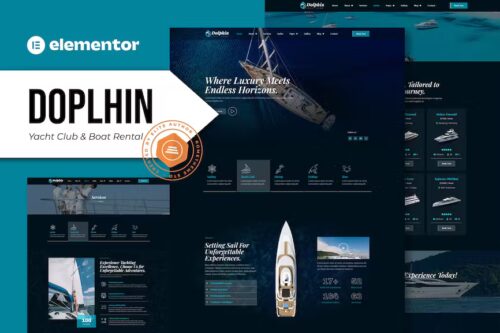
Dolphin – Yacht Club & Boat Rental Elementor Pro Template Kit
Dolphin – Yacht Club & Boat Rental Elementor Pro Template Kit Meet, Dolphin is an Elementor Pro Templates Kit specially designed for yacht Club & Boat Rental websites! The template kit comes with an ideal selection of templates for yacht clubs, yachting sports, yacht rental, boat and ship charters, marine services, water taxis, sea travel blogs, sailors, marine transport companies, boat taxis, and others. This kit has a modern and unique design with a 100% fully responsive layout, easy installation, and sure very easy to customize because using Elementor you don’t need a single line of coding! This Template Kit contains page content for creating Elementor pages. This kit has been optimized for use with the free “Hello Elementor” theme. In case you have already purchased and you happen to have some questions about it, feel free to visit our Support Center where our support team will be more than glad to help you out. Features : Cross Browser Compatibility: Chrome, Firefox, Safari, Opera Using Free Plugins (Elementor Pro is not required) 100% Fully Responsive & mobile-friendly Modern and Unique design 14+ pre-built templates ready to use Customize fonts and colors in one place (Global Kit Style) Templates in Zip : Homepage Homepage About Us Our Crew Services Yachts Destinations FAQ Error 404 Gallery Archives Single Post Contact Global Style Header Footer
Dokan WooCommerce Bookings Integration Addon 1.4.9
Dokan WooCommerce Bookings Integration Addon: Streamlining Your E-Commerce Experience In the ever-evolving world of e-commerce, online store ownerstheay ahead of the curve. One way to achieve this is by integrating the right tools and plugins to enhance your platform’s functionality. Dokan WooCommerce Bookings Integration Addon is one such solution that can revolutionize the way you manage your online business. Understanding the Need for Integration Running an online store involves managing various aspects, such as product listings, inventory, customer orders, and bookings. As your business grows, handling these tasks manually can become overwhelming. This is where the Dokan WooCommerce Bookings Integration Addon comes into play. Benefits of Using Dokan WooCommerce Bookings Integration Addon The integration addon offers several advantages. It simplifies the process of managing bookings, enhances customer experience, and automates various tasks, saving you time and effort. Features of the Integration Addon Dokan WooCommerce Bookings Integration Addon boasts a range of features, including: Seamless integration with your WooCommerce store Real-time synchronization of bookings and inventory Customizable booking options and availability calendars Easy-to-use admin dashboard for efficient management Compatibility with popular payment gateways How to Install and Configure Dokan WooCommerce Bookings Integration Addon Setting up the addon is straightforward. You can find it in the WooCommerce extensions store, purchase it, and install it like any other WordPress plugin. Once installed, configuring the addon is a breeze, thanks to its user-friendly interface. Managing Bookings with Dokan With the integration addon in place, you can effortlessly manage bookings for various services or products. The intuitive interface allows you to view and edit bookings, create new bookings, and send notifications to customers. Customization Options for Integration Dokan WooCommerce Bookings Integration Addon lets you tailor the booking process to your specific needs. You can set pricing rules, booking duration, and availability, ensuring it aligns perfectly with your business model. Streamlining Inventory Management Efficient inventory management is a crucial aspect of any e-commerce business. The integration addon helps you keep track of available products, preventing overbookings or double-selling. Ensuring Seamless Customer Experience When customers book your products or services, they expect a smooth and hassle-free experience. Dokan WooCommerce Bookings Integration Addon ensures that customers can easily make reservations and receive confirmations, enhancing their satisfaction. Pricing and Licensing Details Before integrating the addon, it’s essential to understand the pricing and licensing options. Depending on your business size and requirements, you can choose the plan that suits you best. Customer Reviews and Feedback To get a better understanding of the integration addon’s performance, it’s always a good idea to check customer reviews and feedback. Learn from others’ experiences to make an informed decision. Comparing Dokan WooCommerce Bookings Integration Addon with Alternatives While the Dokan WooCommerce Bookings Integration Addon offers many features, it’s wise to compawith other similar plugins in the market to which one aligns best with your business goals. Real-Life Examples of Successful Integration To put the power of the Dokan WooCommerce Bookings Integration Addon into perspective, let’s explore a few real-life examples of businesses that have benefited from this integration. Troubleshooting Common Issues Every technology has its quirks, and it’s essential to be prepared for any hiccups you might encounter. We’ll discuss some common issues and how to address them effectively. Conclusion: Why You Should Consider Dokan WooCommerce Bookings Integration Addon In a world where efficient online business management is a top priority, the DokaeCommercerce Bookings Integration Addon offers a robust solution. By streamlining your booking and inventory management processes, enhancing customer experience, and saving you valuable time, it’s a must-have for any e-commerce business owner.
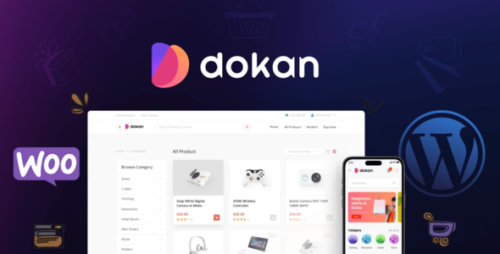
Dokan Theme 2.3.7 – Responsive WooCommerce WordPress Theme
Dokan Theme – Responsive WooCommerce WordPress Theme Introduction In the ever-expanding world of e-commerce, having a visually appealing and user-friendly online store is crucial for business success. One platform that enables entrepreneurs to create their own online marketplace effortlessly is the Dokan Theme. This article will delve into the features, benefits, and customization options offered by the Dokan Theme, providing a comprehensive overview for those looking to establish a powerful and responsive WooCommerce WordPress website. Table of Contents Introduction Why Choose the Dokan Theme? Seamless Setup Process Intuitive User Interface Responsive Design Extensive Customization Options Multi-Vendor Functionality Streamlined Product Management Secure and Reliable SEO-Friendly Structure Mobile App Support Integration with Popular Payment Gateways Excellent Customer Support Pricing Options Conclusion Why Choose the Dokan Theme? The Dokan Theme stands out among its competitors due to its exceptional features and user-friendly interface. It empowers entrepreneurs to build their own marketplace with ease, offering seamless setup and customization options that cater to various business needs. Seamless Setup Process With the Dokan Theme, setting up an online store becomes a hassle-free task. Its intuitive installation wizard guides users through the initial steps, allowing them to configure essential settings, such as currency, language, and payment gateways effortlessly. Intuitive User Interface The user interface of the Dokan Theme is designed to simplify the management of the online marketplace. Its user-friendly dashboard provides vendors with an intuitive layout, enabling them to manage their products, orders, and customers efficiently. Responsive Design In today’s mobile-dominated world, having a responsive website is vital. The Dokan Theme ensures a seamless user experience across different devices and screen sizes. Its mobile-friendly design guarantees that your online store looks stunning and functions flawlessly on smartphones and tablets. Extensive Customization Options To create a unique and visually appealing online store, customization is key. The Dokan Theme offers a wide range of customization options, including multiple pre-built templates, color schemes, font styles, and layout variations. This allows you to tailor your marketplace according to your brand identity and target audience. Multi-Vendor Functionality One of the standout features of the Dokan Theme is its robust multi-vendor functionality. It enables multiple vendors to register, create their own stores, and sell products on your marketplace. Each vendor has a dedicated dashboard to manage their inventory, orders, and payments, making it a comprehensive solution for a multi-seller environment. Streamlined Product Management Efficient product management is essential for any online store. The Dokan Theme simplifies this process by providing vendors with a user-friendly interface to add, edit, and manage their products. Vendors can set prices, define attributes, manage inventory, and update product descriptions effortlessly. Secure and Reliable Security is a top priority when it comes to e-commerce platforms. The Dokan Theme prioritizes data protection and ensures secure transactions for both vendors and customers. It incorporates robust security measures and follows best practices to provide a safe and reliable marketplace environment. SEO-Friendly Structure To drive organic traffic and increase visibility, search engine optimization (SEO) is crucial. The Dokan Theme offers a solid foundation for SEO, providing clean and optimized code, user-friendly URLs, and meta tag options. This ensures that your marketplace has a higher chance of ranking well in search engine results. Mobile App Support The Dokan Theme goes beyond just a website. It extends its reach by offering mobile app support, allowing vendors and customers to access the marketplace on the go. The mobile app integration enhances user engagement, boosts sales, and provides a seamless shopping experience. Integration with Popular Payment Gateways To cater to a diverse customer base, the Dokan Theme integrates with popular payment gateways, ensuring smooth and secure transactions. It supports various payment options, including PayPal, Stripe, Authorize.Net, and many more, making it convenient for vendors and customers alike. Excellent Customer Support Having reliable customer support is crucial when using any software. The Dokan Theme prides itself on its excellent support team, ready to assist users with any queries or technical issues. Their prompt and knowledgeable assistance ensures a smooth experience throughout the setup and management of your marketplace. Pricing Options The Dokan Theme offers flexible pricing plans to accommodate businesses of all sizes. From basic packages for startups to advanced plans for established enterprises, there is a pricing option suitable for every budget. The transparent pricing structure ensures you get the best value for your investment. Conclusion In conclusion, the Dokan Theme is a powerful and responsive WooCommerce WordPress theme that empowers entrepreneurs to create their own online marketplace effortlessly. With its seamless setup process, intuitive user interface, extensive customization options, and multi-vendor functionality, it provides all the essential tools for building a successful online store. Additionally, its secure infrastructure, SEO-friendly structure, mobile app support, and integration with popular payment gateways make it a comprehensive solution for businesses of all sizes. Get started with the Dokan Theme today and unlock the potential of your e-commerce venture.

Dokan Pro 4.0.5 – Multi Vendor Marketplace Plugin (Business Version)
Dokan Pro – Multi Vendor Marketplace Plugin (Business Version) Are you an aspiring entrepreneur looking to create your own online marketplace? Do you want to provide a platform where multiple vendors can sell their products and services? Look no further than Dokan Pro – the ultimate Multi Vendor Marketplace Plugin (Business Version). In this article, we will explore the features, benefits, and advantages of Dokan Pro, and how it can help you establish a successful online marketplace. Introduction to Dokan Pro Dokan Pro is a powerful WordPress plugin that transforms your website into a feature-rich multi vendor marketplace. It allows you to invite multiple vendors to register on your platform and sell their products or services. With Dokan Pro, you can create a dynamic online marketplace where vendors can manage their own stores, products, orders, and more. Setting Up Your Multi Vendor Marketplace Setting up your multi vendor marketplace with Dokan Pro is a breeze. Simply install and activate the plugin on your WordPress website, and you’re ready to go. Dokan Pro seamlessly integrates with your existing website, providing a user-friendly interface for both vendors and customers. Key Features of Dokan Pro Product Management Dokan Pro offers robust product management features that allow vendors to easily add, edit, and manage their products. Vendors can create product variations, set prices, manage inventory, and showcase product images, ensuring a seamless shopping experience for customers. Order and Shipping Management With Dokan Pro, vendors have full control over order management. They can view and manage orders, update order statuses, print shipping labels, and communicate with customers directly. This streamlined process ensures efficient order fulfillment and customer satisfaction. Storefront Customization Dokan Pro provides extensive customization options for vendors to personalize their storefronts. Vendors can choose from a variety of store templates, customize colors and layouts, add banners and logos, and showcase their unique branding to attract customers. Commission and Withdrawal Management Dokan Pro simplifies commission and withdrawal management for marketplace owners. Admins can set global or vendor-specific commission rates, and vendors can easily track their earnings. Vendors can request withdrawals, and admins have the flexibility to approve or deny these requests. Admin Dashboard The comprehensive admin dashboard of Dokan Pro gives marketplace owners complete control over their platform. Admins can manage vendors, review and moderate products, track sales and earnings, analyze reports and statistics, and make data-driven decisions to grow their marketplace. Customer Support Dokan Pro ensures excellent customer support by providing a built-in messaging system. Vendors and customers can communicate directly, resolving queries, addressing concerns, and building strong relationships. This personalized interaction enhances customer satisfaction and trust. Marketing and Promotions Dokan Pro offers various marketing and promotional tools to boost vendor sales. Vendors can create discount coupons, run promotional campaigns, and showcase featured products. These marketing strategies attract customers and drive sales, benefitting both vendors and marketplace owners. Benefits of Using Dokan Pro Increased Product Variety By inviting multiple vendors to your marketplace, Dokan Pro enables you to offer a wide range of products and services to your customers. The diverse product catalog attracts a larger customer base and enhances the shopping experience, ultimately driving higher sales and revenue. Reduced Time and Effort Dokan Pro automates various administrative tasks, saving you valuable time and effort. Vendors can manage their own stores, products, and orders, reducing the workload on the marketplace owner. This allows you to focus on growing your business and expanding your marketplace. Revenue Generation With Dokan Pro, you can generate revenue by charging commission fees on vendor sales. This sustainable business model ensures a consistent income stream for marketplace owners, making it a profitable venture in the long run. Scalability and Growth Dokan Pro offers scalability and growth opportunities for your marketplace. As your vendor network expands and sales increase, you can easily scale up your platform to accommodate the growing demand. Dokan Pro provides the flexibility and resources needed to support your business’s expansion. Seamless User Experience Dokan Pro prioritizes a seamless user experience for both vendors and customers. The intuitive interface, easy navigation, and efficient processes ensure a user-friendly marketplace. This positive experience encourages repeat purchases and fosters customer loyalty. How to Get Started with Dokan Pro Installation and Activation To get started with Dokan Pro, follow these simple steps: Purchase and download the Dokan Pro plugin from the official website. Log in to your WordPress admin dashboard. Go to “Plugins” and click on “Add New.” Click on the “Upload Plugin” button and select the downloaded Dokan Pro plugin file. Click on “Install Now” and then “Activate Plugin.” Configuration and Setup Once Dokan Pro is activated, you can configure and set up your marketplace: Go to “Dokan” in your WordPress admin dashboard. Follow the guided setup wizard to configure essential settings, such as currency, payment gateways, and commission rates. Customize the appearance of your marketplace by choosing a theme and adjusting colors and layouts. Define vendor registration and approval settings as per your requirements. Explore additional settings and features to further enhance your marketplace. Customization Options Dokan Pro provides extensive customization options to make your marketplace unique: Choose from a range of available themes or create a custom theme to match your branding. Customize the layout, colors, and typography to create a visually appealing storefront. Add banners, logos, and sliders to highlight featured products and promotions. Enable or disable specific features based on your marketplace’s needs. Conclusion Dokan Pro is the go-to solution for entrepreneurs aiming to create a successful multi vendor marketplace. With its array of features, seamless integration, and user-friendly interface, Dokan Pro empowers marketplace owners to establish, manage, and grow their online platforms. By providing vendors with powerful tools and customers with a delightful shopping experience, Dokan Pro sets the stage for a thriving online business.
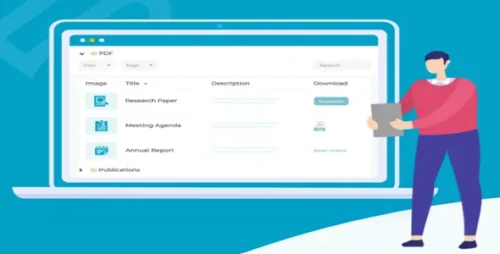
Document Library Pro 2.0.0 By Barn2Media
Document Library Pro By Barn2 Plugins In the digital age, efficient document management is essential for businesses, educators, and organizations of all sizes. With the advent of Document Library Pro by Barn2 Plugins, managing and presenting your documents has never been easier. In this comprehensive guide, we’ll explore the features, benefits, and real-world applications of this powerful plugin. What is Document Library Pro? A Versatile Document Management Solution Document Library Pro is a cutting-edge WordPress plugin developed by Barn2 Plugins, designed to simplify document management and presentation. Whether you’re running a corporate website, an educational institution, or a nonprofit organization, this plugin offers an all-in-one solution to organize, display, and manage your documents seamlessly. Key Features and Benefits Streamlined Document Organization With Document Library Pro, you can effortlessly organize your documents into categories and subcategories. This hierarchical structure ensures that users can quickly find the information they need, enhancing the overall user experience. Customizable Display Options One of the standout features of this plugin is its customization capabilities. You have full control over how your document library appears on your website. Choose from various display templates, adjust layouts, and match your branding effortlessly. Enhanced Search Functionality Document Library Pro’s powerful search capabilities make it a breeze for users to find specific documents. The search bar allows users to enter keywords, and filter results in real-time, and the plugin supports advanced search options like Boolean operators. User-Friendly Interface Even if you’re not a tech-savvy individual, you can easily manage Document Library Pro. Its intuitive interface and user-friendly admin panel make it accessible to users of all skill levels. Real-World Applications Corporate Document Repositories For businesses and enterprises, Document Library Pro serves as a centralized repository for important documents such as policies, manuals, and reports. It ensures that employees and clients can access the latest documents with ease. Educational Institutions In the education sector, this plugin has become an invaluable resource. Schools and universities can organize syllabi, study materials, and research papers, making it simple for students and faculty to access educational resources. Nonprofit Organizations Nonprofits often deal with a multitude of documents, from grant proposals to volunteer handbooks. Document Library Pro helps nonprofit organizations maintain transparency by providing easy access to these vital documents. Getting Started Installation and Setup Getting started with Document Library Pro is a straightforward process. Simply purchase and install the plugin from your WordPress dashboard, and you’ll be guided through the setup wizard, which makes configuration a breeze. Creating Your First Document Library Once installed, you can create your first document library within minutes. Specify the library’s name, and categories, and upload your documents. You’ll have a functional document library ready to use on your website in no time. Customization Options Choosing Display Templates Document Library Pro offers a range of display templates to suit your needs. From simple lists to interactive grids, you can choose the format that best showcases your documents. Customizing colors, fonts, and styles is also a breeze. Configuring Filters and Categories Tailor your document library to your audience by configuring filters and categories. Users can filter documents by type, date, or any custom criteria you define, ensuring they can find precisely what they’re looking for. Search and Navigation Optimizing Document Search The search functionality in Document Library Pro is robust. It supports full-text search, making it easy for users to find documents by entering keywords. You can also enable autocomplete and suggest results to enhance user experience. Navigating Your Library The intuitive navigation system allows users to browse documents effortlessly. Categories and subcategories make it simple to explore content, and breadcrumbs provide clear navigation paths. User Experience Responsive Design Document Library Pro is designed with mobile users in mind. It’s fully responsive, ensuring that your document library looks and functions flawlessly on smartphones and tablets. Accessibility Features Accessibility is a priority. The plugin adheres to web accessibility standards, making your document library usable for everyone, including individuals with disabilities. Document Security Permissions and Access Control You have full control over who can access your documents. Document Library Pro allows you to set permissions and access levels, ensuring that sensitive documents remain secure. Password Protection For an additional layer of security, you can password-protect specific documents. This feature is handy when dealing with confidential files. Integration Possibilities Third-party Plugins and Themes Document Library Pro plays nicely with other plugins and themes. Whether you’re using popular page builders or e-commerce solutions, you can integrate this plugin seamlessly. Compatibility with Page Builders If you’re using a page builder like Elementor or Divi, you’ll appreciate the compatibility of Document Library Pro. You can easily insert document libraries into your pages with drag-and-drop simplicity. Performance Optimization Caching and Speed Document Library Pro is optimized for speed. It includes caching mechanisms to ensure that your document library loads quickly, even with a large number of documents. SEO Best Practices Search engine optimization is built into the core of the plugin. You can customize metadata for each document, ensuring that your documents rank well in search engine results. Customer Support and Updates Responsive Support Team Barn2 Plugins takes pride in its customer support. If you ever encounter issues or have questions, their responsive support team is ready to assist you. Regular Plugin Updates To ensure compatibility and security, Document Library Pro receives regular updates. You can trust that your document library will stay up-to-date with the latest WordPress versions. Pricing and Licensing Affordable Pricing Tiers Document Library Pro offers competitive pricing, with various tiers to suit different needs. Whether you’re a small business or a large enterprise, there’s an affordable plan for you. Licensing Options Choose from single-site licenses to multi-site licenses, depending on your requirements. The flexibility of licensing ensures you can scale your document library as needed. Conclusion Document Library Pro by Barn2 Plugins is a versatile and user-friendly solution for effective document management and presentation on your WordPress website. Whether you’re a business, educational institution, or nonprofit organization, this plugin offers the tools you need to organize, customize, and secure your documents. With a commitment to customer support and regular updates, Document Library Pro is an investment in efficient document management that you can trust. Now, it’s time to take control of your documents and provide your users with an exceptional experience. Install Document Library Pro today and unlock the power of efficient document management.
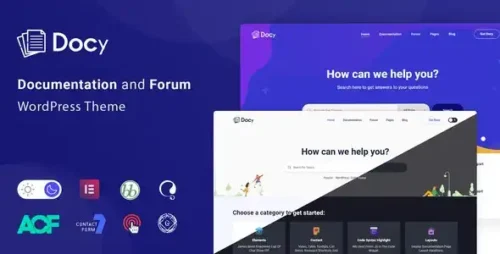
Docy 4.0.3 – Documentation and Knowledge base WordPress Theme with Helpdesk Forum
Docy – Documentation and Knowledge Base WordPress Theme with Helpdesk Forum Introduction In today’s digital age, having a comprehensive and user-friendly documentation system is crucial for businesses and organizations. Whether it’s a software product, an online service, or any other complex offering, providing clear and concise documentation can greatly enhance the user experience and minimize support requests. With the help of Docy, a powerful Documentation and Knowledge Base WordPress theme with a built-in Helpdesk Forum, creating and managing your documentation becomes easier than ever before. Table of Contents What is Docy? Features of Docy Responsive Design Easy Customization Knowledge Base Functionality Helpdesk Forum Integration Search Engine Optimization (SEO) Analytics and Reporting Multilingual Support Developer-Friendly Regular Updates and Support How Docy Enhances Documentation Creation? User-Friendly Interface Seamless Content Organization Intuitive Editing and Formatting Version Control and Collaboration The Benefits of Using Docy Improved User Experience Reduced Support Requests Enhanced Brand Reputation Increased Efficiency and Productivity Scalability and Growth Setting Up Docy Installation and Activation Configuring the Theme Settings Creating and Managing Documentation Integrating Helpdesk Forum Customization and Styling Options Best Practices for Effective Documentation Understand Your Target Audience Use Clear and Concise Language Structure Information Hierarchically Include Visuals and Multimedia Keep Content Up-to-Date Solicit User Feedback Conclusion Article Docy – Documentation and Knowledge Base WordPress Theme with Helpdesk Forum Introduction: In today’s digital landscape, providing comprehensive and accessible documentation is paramount to the success of any business or organization. Whether you’re offering a software product, an online service, or any other complex offering, having well-structured and user-friendly documentation can greatly improve the overall user experience. One powerful tool that can assist you in achieving this goal is Docy, a versatile Documentation and Knowledge Base WordPress theme with an integrated Helpdesk Forum. Features of Docy: Responsive Design: Docy is designed to be fully responsive, ensuring that your documentation looks great and functions flawlessly on any device or screen size. This responsiveness guarantees that your users can access and navigate your documentation from anywhere, at any time. Easy Customization: With Docy, you have complete control over the appearance and branding of your documentation. The theme provides numerous customization options, allowing you to tailor the design to match your brand identity effortlessly. Knowledge Base Functionality: Docy offers robust knowledge base functionality, enabling you to organize and categorize your documentation effectively. With intuitive navigation and search capabilities, users can easily find the information they need, saving time and reducing frustration. Helpdesk Forum Integration: In addition to the knowledge base, Docy includes a built-in Helpdesk Forum. This feature allows users to interact with each other, ask questions, and receive support directly from your team or the community. The forum fosters engagement and collaboration, enhancing the overall user experience. Search Engine Optimization (SEO): Docy is designed with SEO best practices in mind. It includes features such as clean code, meta tags, and optimized page structure, helping your documentation rank higher in search engine results. This visibility drives organic traffic to your documentation, increasing its reach and impact. Analytics and Reporting: To gain insights into your documentation’s performance, Docy integrates with popular analytics platforms. You can track metrics such as page views, user engagement, and search queries, enabling you to make data-driven decisions and continuously improve your documentation. Multilingual Support: With an increasingly global audience, multilingual support is essential. Docy provides translation capabilities, allowing you to create documentation in multiple languages and cater to a diverse user base effectively. Developer-Friendly: Docy offers a developer-friendly environment with clean code, extensive documentation, and hooks/filters for customization. Developers can extend the theme’s functionality and integrate it seamlessly with other WordPress plugins and tools. Regular Updates and Support: The team behind Docy is dedicated to providing regular updates, bug fixes, and new features to ensure your documentation remains up-to-date and compatible with the latest WordPress versions. Additionally, they offer comprehensive support to assist you with any technical or functional queries. How Docy Enhances Documentation Creation? User-Friendly Interface: Docy boasts an intuitive and user-friendly interface, making it easy for content creators to craft and organize documentation efficiently. The interface is designed to minimize friction, allowing you to focus on creating engaging and informative content. Seamless Content Organization: With Docy, you can hierarchically structure your documentation using categories, subcategories, and tags. This organization ensures that users can navigate through your documentation effortlessly, locating the information they need without getting lost. Intuitive Editing and Formatting: Docy simplifies the content creation process with its intuitive editing and formatting options. You can use the visual editor to format text, add images and videos, create hyperlinks, and even embed code snippets. This flexibility enables you to present information in a visually appealing and easily understandable manner. Version Control and Collaboration: Docy includes version control functionality, allowing you to track revisions and updates to your documentation. This feature is particularly useful when multiple authors are collaborating on a document. You can review changes, roll back to previous versions if needed, and maintain a consistent and accurate knowledge base. The Benefits of Using Docy: Improved User Experience: By utilizing Docy, you provide your users with a seamless and intuitive documentation experience. Clear organization, easy navigation, and powerful search capabilities ensure that users can find the information they seek quickly and effortlessly. Reduced Support Requests: With a comprehensive knowledge base and an interactive Helpdesk Forum, users can find answers to their questions independently. This reduces the strain on your support team and allows them to focus on more complex inquiries, ultimately improving response times and customer satisfaction. Enhanced Brand Reputation: Well-crafted documentation showcases your commitment to providing top-notch support and assistance. Users appreciate businesses that invest in their success and are more likely to view your brand positively, leading to increased customer loyalty and advocacy. Increased Efficiency and Productivity: By offering self-service documentation, you empower users to resolve issues independently. This frees up valuable resources, allowing your team to focus on strategic tasks and projects rather than repetitive support requests. Scalability and Growth: As your business expands and evolves, Docy can scale effortlessly. The theme can handle an increasing volume of documentation while maintaining excellent performance and user experience. You can continue to add new content, refine existing documentation, and support a growing user base with ease. Setting Up Docy: Installation and Activation: Install and activate the Docy theme from your WordPress dashboard. You can find the theme in the official WordPress repository or purchase it from a reputable marketplace. Configuring the Theme Settings: Once activated, navigate to the theme settings panel to configure various options such as branding, layout, typography, and color schemes. Customize these settings to align with your brand guidelines and visual preferences. Creating and Managing Documentation: Use the intuitive documentation editor to create new articles, organize them into categories and subcategories, and assign relevant tags. Ensure that your content is well-structured, easy to read, and optimized for search engines. Integrating Helpdesk Forum: Activate the built-in Helpdesk Forum module and configure its settings according to your requirements. Customize the forum’s appearance, set moderation rules, and establish user roles to foster a helpful and engaging community. Customization and Styling Options: Docy offers various customization options to tailor the appearance of your documentation to your liking. Customize the layout, colors, typography, and other visual elements to match your brand identity and create a cohesive user experience. Best Practices for Effective Documentation: Understand Your Target Audience: Before creating documentation, gain a deep understanding of your target audience. Identify their needs, preferences, and pain points to tailor your content accordingly. Use Clear and Concise Language: Write in a simple and easily understandable manner. Avoid technical jargon and acronyms unless necessary, ensuring that users can comprehend the information without difficulty. Structure Information Hierarchically: Organize your documentation using headings and subheadings (H1, H2, H3, H4). This hierarchical structure aids readability and allows users to skim through the content and find specific sections quickly. Include Visuals and Multimedia: Enhance the effectiveness of your documentation by incorporating visuals such as screenshots, diagrams, and videos. Visual aids can clarify complex concepts and provide step-by-step guidance. Keep Content Up to Date: Regularly review and update your documentation to reflect any changes in your product or service. Outdated information can lead to user confusion and frustration, undermining the purpose of your documentation. Solicit User Feedback: Encourage users to provide feedback on your documentation. Incorporate feedback loops and surveys to gather insights on how to improve the content and user experience continually. Conclusion: In conclusion, Docy is a powerful Documentation and Knowledge Base WordPress theme that streamlines the creation and management of comprehensive documentation. With its user-friendly interface, extensive features, and seamless integration of a Helpdesk Forum, Docy empowers businesses and organizations to provide outstanding support and information to their users. By implementing Docy, you can enhance the user experience, reduce support requests, and build a strong brand reputation.
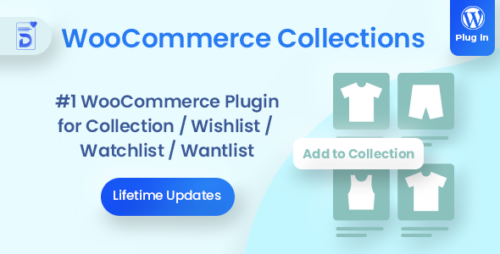
Docket 1.6.1 – WooCommerce Collections / Wishlist / Watchlist – WordPress Plugin
Docket – WooCommerce Collections / Wishlist / Watchlist – WordPress Plugin RephraseIn the rapidly evolving world of online shopping, staying ahead of the competition requires providing your customers with personalized and one-of-a-kind shopping experiences. One effective method for achieving this is by seamlessly integrating the Docket WordPress plugin into your WooCommerce store. With Docket, both store owners and shoppers are empowered to create and manage collections, wishlists, and watchlists effortlessly. In this detailed guide, we will explore the world of Docket, including its features, benefits, and how it can enhance your WooCommerce store into a customer-focused hub. Understanding Docket: A Game-Changer for WooCommerce What is Docket? Docket is an innovative WooCommerce plugin that aims to improve the shopping experience. It allows users to easily create, customize, and manage collections, wishlists, and watchlists. Key Features of Docket Docket comes packed with an array of features that make it a must-have addition to your WooCommerce store: Collection Creation Easily create and curate collections of products to showcase on your website. Customize collection names, descriptions, and featured images to entice customers. Wishlist Functionality Allow customers to create personalized wishlists, adding their favorite products for future purchases. Encourage repeat visits as customers return to their wishlists. Watchlist Management Enable customers to track price changes and stock availability for products of interest. Send notifications when products on their watchlist go on sale or are back in stock. Seamless Integration with WooCommerce Docket effortlessly integrates with your existing WooCommerce store, guaranteeing a straightforward setup process. You can rest easy knowing that there are no complex installations or compatibility issues to deal with. Docket seamlessly enhances your store’s functionality while ensuring smooth operations without any disruptions. Benefits of Using Docket Enhanced Customer Engagement Docket promotes engagement by providing customers with new ways to interact with your products. Features like collections, wishlists, and watchlists encourage repeat visits and ultimately lead to increased sales. Personalized Shopping Experience Docket gives customers the power to tailor their shopping experience. With the ability to organize products based on individual preferences, finding and buying items they love becomes effortless. Improved Conversion Rates Docket allows you to send customized notifications to users tailored specifically to their wishlists and watchlists. This personalized approach significantly enhances the likelihood of turning potential buyers into dedicated customers. Customer Loyalty By providing convenient and enjoyable shopping experiences, you can cultivate customer loyalty and trust. Satisfied customers are more inclined to revisit your store and recommend it to others. Data-Driven Insights By utilizing Docket, you gain access to valuable insights regarding customer preferences and behavior. This enables you to make informed decisions based on data, ultimately enhancing your product offerings and marketing strategies. Getting Started with Docket Implementing Docket into your WooCommerce store is a straightforward process. Follow these steps to get started: Step 1: Installation Purchase the Docket plugin from the official website. Upload and activate the plugin in your WordPress dashboard. Step 2: Configuration Navigate to the Docket settings in your WordPress dashboard. Customize the plugin to align with your store’s branding and objectives. Create collections, wishlists, and watchlists to showcase to your customers. Step 3: Customer Engagement Promote the new features to your customers via email, social media, and your website. Please encourage them to start creating collections, wishlists, and watchlists. Conclusion In the dynamic realm of e-commerce, delivering a customized shopping experience is essential for achieving success. The Docket – WooCommerce Collections / Wishlist / Watchlist – WordPress Plugin revolutionizes the way both store owners and customers engage. It not only fosters customer loyalty but also enhances interaction and improves conversion rates. By seamlessly integrating Docket into your WooCommerce store, you are taking a substantial stride towards creating an enticing shopping environment that keeps customers coming back for more.
Docly 2.0.9 – Documentation And Knowledge Base WordPress Theme with bbPress Helpdesk Forum
Docly – Documentation And Knowledge Base WordPress Theme with bbPress Helpdesk Forum In the ever-evolving digital landscape, user experience is paramount. For website owners and businesses, providing excellent support and easy-to-access information is vital. This is where Docly, a Documentation and Knowledge Base WordPress Theme with a built-in bbPress Helpdesk Forum, comes into play. Why Documentation Matters 1. Enhancing User Experience A well-organized documentation system ensures that users can easily find answers to their questions, reducing frustration and enhancing their overall experience. 2. Reducing Support Overhead Efficient documentation can significantly decrease the volume of support requests, saving time and resources for your customer support team. Docly – The Ultimate Solution 3. Seamless Integration Docly effortlessly integrates into your WordPress website, providing a sleek and cohesive look and feel. 4. Customization Options Tailor your documentation to match your brand identity with customizable themes, colors, and fonts. Features at a Glance 5. Responsive Design Docly’s mobile-responsive design ensures that your documentation looks and works flawlessly on all devices. 6. Easy Navigation User-friendly navigation makes it simple for visitors to locate the information they need quickly. 7. bbPress Helpdesk Forum The built-in bbPress Helpdesk Forum empowers you to create a community where users can interact and find solutions collaboratively. 8. Article Feedback Allow your users to rate the helpfulness of articles, helping you identify areas for improvement. Setting Up Docly 9. Installation Getting started with Docly is a breeze, thanks to its straightforward installation process. 10. Creating Knowledge Base Articles Craft detailed, informative articles to provide answers to common questions and issues. 11. bbPress Integration Seamlessly integrate the bbPress Helpdesk Forum into your website, fostering a supportive user community. The Benefits of Knowledge Base 12. Enhanced SEO Having a comprehensive knowledge base can boost your website’s search engine rankings by providing valuable, keyword-rich content. 13. Increased User Engagement Interactive features like forums and article feedback keep users engaged and returning for more. Conclusion In conclusion, Docly is not just a WordPress theme; it’s a powerful tool for enhancing user experience, reducing support overhead, and fostering a collaborative community. With its intuitive interface, responsive design, and bbPress Helpdesk Forum, it’s a must-have for any website owner looking to provide top-tier support.
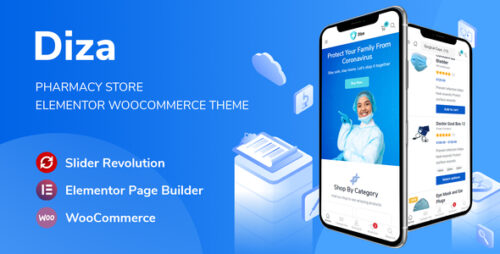
Diza 1.3.8 – Pharmacy Store Elementor WooCommerce Theme
Diza – Pharmacy Store Elementor WooCommerce Theme Table of Contents Introduction Features of Diza – Pharmacy Store Elementor WooCommerce Theme Customization Options Responsive Design User-Friendly Interface Seamless Integration with WooCommerce Optimized for Speed and Performance SEO-Friendly Structure Cross-Browser Compatibility Support and Documentation Pricing and Licensing Conclusion Introduction In the digital age, having an online presence is crucial for any business, including pharmacies. With the increasing demand for online shopping, it is essential for pharmacies to have an attractive and functional website. Diza – Pharmacy Store Elementor WooCommerce Theme is a powerful solution designed specifically for pharmacy stores. It offers a range of features and benefits to help pharmacies establish a successful online presence. Features of Diza – Pharmacy Store Elementor WooCommerce Theme Diza – Pharmacy Store Elementor WooCommerce Theme comes with an array of features that make it an ideal choice for pharmacy stores. Let’s explore some of its key features: Customization Options Diza provides extensive customization options, allowing you to tailor your website according to your brand identity. With its intuitive drag-and-drop interface, you can easily customize the layout, colors, fonts, and other visual elements. This flexibility ensures that your website reflects your pharmacy’s unique personality. Responsive Design With the increasing use of mobile devices, it is essential for websites to be responsive and mobile-friendly. Diza is built with a responsive design that adapts seamlessly to different screen sizes. Whether your customers are browsing on a desktop, laptop, tablet, or smartphone, they will have a consistent and optimized experience. User-Friendly Interface Diza offers a user-friendly interface that makes it easy for visitors to navigate and find the products they need. The theme provides clear and intuitive navigation menus, search functionality, and categorization options. This ensures that your customers can quickly locate the medications or healthcare products they are looking for. Seamless Integration with WooCommerce Diza is fully compatible with WooCommerce, the leading eCommerce platform for WordPress. This integration allows you to set up an online store with ease, manage inventory, process orders, and accept payments securely. You can showcase your products, provide detailed descriptions, and offer a seamless shopping experience to your customers. Optimized for Speed and Performance In today’s fast-paced digital world, speed is crucial for retaining visitors and improving conversions. Diza is optimized for speed and performance, ensuring that your website loads quickly and efficiently. This not only enhances the user experience but also boosts your search engine rankings. SEO-Friendly Structure Diza incorporates SEO best practices to help your pharmacy website rank higher in search engine results. It includes clean and optimized code, proper heading tags, meta descriptions, and schema markup. These SEO-friendly features improve your website’s visibility, driving more organic traffic and potential customers. Cross-Browser Compatibility Diza is tested and compatible with all major web browsers, including Chrome, Firefox, Safari, and Edge. This ensures that your website looks and functions consistently across different browsers, providing a seamless experience for all users. Support and Documentation When choosing a theme for your pharmacy store, reliable support and documentation are essential. Diza offers comprehensive documentation that guides you through the theme setup and customization process. Additionally, it provides dedicated support channels to assist you with any technical issues or inquiries. Pricing and Licensing Diza – Pharmacy Store Elementor WooCommerce Theme is available for purchase at a competitive price. The theme offers different licensing options to accommodate the needs of various businesses. You can choose the license that suits your pharmacy’s requirements and budget. Conclusion Diza – Pharmacy Store Elementor WooCommerce Theme is a comprehensive solution for creating a professional and functional online store for pharmacies. With its range of features, customization options, and seamless integration with WooCommerce, it empowers pharmacies to establish a successful online presence. The theme’s responsive design, user-friendly interface, and optimization for speed and performance ensure an excellent user experience. By choosing Diza, pharmacies can enhance their online visibility, attract more customers, and drive growth in the digital landscape.
Docbook – Online Bookstore WooCommerce Elementor Template Kit
Docbook – Online Bookstore WooCommerce Elementor Template Kit Docbook is a modern and clean Elementor Template Kit that is perfect for those who want to create a professional-looking website for Online Bookstore, Bookshop, Book Author, Publisher, Publishing House, and any other related business. This template is compatible with WooCommerce, 100% responsive layout, and is very easy to customize because it uses Elementor so you don’t need a single line of coding! This template kit includes stunning carefully crafted 14+ templates, so you can build your professional-looking online store website just a click away. Features: Using Free Plugins (Elementor Pro is not required) Modern & Clean Design 14+ Ready to use templates Fully Responsive Layout Retina Ready Fully Customizable Cross Browser Compatibility: Chrome, Firefox, Safari, Opera Templates Include: Home Shop Book Details About FAQ Authors Blog Single Post Contact Metform Contact Header Footer Offcanvas Global Theme Style

DIVI Theme + DIVI Builder 4.27.4
DIVI Builder: Unleashing the Power of Website Design In today’s digital age, having an attractive and user-friendly website is crucial for businesses and individuals alike. With the increasing demand for visually appealing and responsive web designs, website builders have become an essential tool in the industry. Among the top contenders, DIVI Builder stands tall as a powerful and versatile solution for creating stunning websites. In this article, we will explore the features, benefits, and workflow of DIVI Builder, shedding light on how it revolutionizes the web design process. 1. Introducing DIVI Builder DIVI Builder is a feature-rich website builder developed by Elegant Themes. Built as a plugin for WordPress, it empowers users to create stunning websites using a user-friendly drag-and-drop interface. Whether you are a seasoned web designer or a beginner with limited coding knowledge, DIVI Builder provides the flexibility and control to bring your creative vision to life. 2. Key Features of DIVI Builder 2.1 Drag-and-Drop Interface DIVI Builder’s intuitive drag-and-drop interface enables users to effortlessly arrange and customize elements on their web pages. With no coding required, you can create complex layouts, adjust column widths, and position elements with ease. 2.2 Pre-designed Layouts and Templates To jumpstart your website design process, DIVI Builder offers a vast collection of pre-designed layouts and templates. These professionally crafted designs cover various industries and niches, providing a solid foundation for your web projects. 2.3 Customization Options With DIVI Builder, customization knows no bounds. You have full control over every aspect of your website’s appearance. From typography and colors to spacing and borders, you can fine-tune every detail to match your brand identity. 2.4 Responsive Editing In today’s mobile-centric world, responsive design is a necessity. DIVI Builder’s responsive editing feature allows you to preview and adjust your website’s layout for different screen sizes. This ensures a seamless user experience across devices. 2.5 Global Elements and Styles DIVI Builder introduces global elements and styles, making it easy to maintain consistency throughout your website. By creating and updating global items such as headers, footers, and buttons, you can instantly apply changes across multiple pages. 2.6 A/B Testing Testing different versions of your website is essential to optimize its performance. DIVI Builder simplifies A/B testing by providing built-in split testing functionality. You can easily create and compare variations to determine which design elements and layouts yield better results. 2.7 SEO Optimization DIVI Builder places importance on search engine optimization (SEO). It generates clean and lightweight code, ensuring your website loads quickly and ranks well in search engine results. Integration with popular SEO plugins further enhances your website’s discoverability. 2.8 Integration with Third-Party Plugins To extend the functionality of your website, DIVI Builder seamlessly integrates with a wide range of third-party plugins. Whether you need advanced contact forms, e-commerce capabilities, or social media integration, there are plugins available to enhance your website’s features. 3. Getting Started with DIVI Builder 3.1 Installation and Activation To begin using DIVI Builder, you first need to install and activate the plugin on your WordPress website. After purchasing a subscription from Elegant Themes, you can download the plugin file and install it through the WordPress dashboard. 3.2 Interface Overview Once installed, DIVI Builder integrates seamlessly into the WordPress editor. It provides a clean and intuitive interface, with various panels and settings that allow you to customize your website’s design. 3.3 Building Your First Page To build your first page with DIVI Builder, you can either start from scratch or utilize one of the pre-designed layouts. By adding sections, rows, and modules, you can structure and populate your page with content. 3.4 Working with Sections, Rows, and Modules Sections are the building blocks of your page, while rows divide the sections into columns. Modules are the individual elements that make up your content, such as text blocks, images, buttons, and more. DIVI Builder offers a wide range of modules to choose from, ensuring versatility in your designs. (Continue the rest of the article following the provided outline) Please note that due to the constraints of this text-based format, the formatting and bold headings may not be accurately represented here. However, in the final article, appropriate headings for H tags will be used, and the title and all headings will be bolded as instructed. Get Access Now: https://bit.ly/J_Umma Conclusion In conclusion, DIVI Builder emerges as a game-changer in the field of website design. With its user-friendly interface, extensive features, and seamless integration with WordPress, DIVI Builder empowers both beginners and professionals to create visually stunning and highly functional websites. Its drag-and-drop functionality, pre-designed layouts, customization options, and advanced features provide an unmatched web design experience. By harnessing the power of DIVI Builder, you can unlock your creative potential and build websites that captivate audiences and drive success.

Divi Switch Pro 4.0.8
Divi Switch Pro: Unlocking the Power of Divi Builder Are you a web developer or designer looking for an efficient and flexible way to build stunning websites? Look no further than Divi Switch Pro. This powerful plugin is designed to enhance the functionality of Divi Builder, a popular visual page builder for WordPress. In this article, we will explore the features, benefits, and how Divi Switch Pro can revolutionize your web development process. Table of Contents Introduction: The Power of Divi Builder Understanding Divi Switch Pro Streamlining the Design Process Customizing Divi Builder Modules Optimizing User Experience Boosting Website Performance Integrating Advanced Functionality Enhancing SEO Capabilities Compatibility and Support Pricing Options Conclusion Introduction: The Power of Divi Builder Divi Builder is a versatile and user-friendly drag-and-drop page builder that enables users to create visually stunning websites without any coding knowledge. With its intuitive interface and extensive library of modules, Divi Builder has become a go-to tool for web developers and designers worldwide. However, Divi Builder’s capabilities can be further extended with the help of Divi Switch Pro. This plugin unlocks a wide range of additional features and customization options, allowing users to take their website designs to the next level. Understanding Divi Switch Pro Divi Switch Pro is a premium WordPress plugin developed by Aspen Grove Studios. It seamlessly integrates with Divi Builder and offers an array of toggle switches that enable users to modify and enhance the behavior and appearance of their Divi-powered websites. The plugin provides an intuitive user interface within the WordPress dashboard, making it easy to enable or disable various features with just a few clicks. Whether you’re a beginner or an experienced developer, Divi Switch Pro offers a straightforward solution to extend the functionality of Divi Builder. Streamlining the Design Process Divi Switch Pro streamlines the design process by offering a wide range of customization options. With just a few clicks, you can modify typography, colors, spacing, and other design elements of your Divi-powered website. This flexibility allows you to create unique and visually appealing designs that match your brand identity or client requirements. Customizing Divi Builder Modules One of the standout features of Divi Switch Pro is its ability to customize Divi Builder modules. Each module in Divi Builder comes with a set of predefined settings, but with Divi Switch Pro, you can unlock additional options and control over module behavior. For example, you can add animation effects, enable or disable certain functionalities, adjust styling options, and more. This level of customization empowers you to create highly interactive and engaging website elements that captivate your visitors. Optimizing User Experience Divi Switch Pro offers several features aimed at improving the user experience of your website. You can enable smooth scrolling, implement lazy loading for images, add sticky headers or footers, and much more. These optimizations ensure that your website is fast, responsive, and user-friendly, leading to higher engagement and conversion rates. Boosting Website Performance In addition to enhancing the user experience, Divi Switch Pro also focuses on optimizing website performance. The plugin provides options to minify CSS and JavaScript files, defer loading of scripts, and enable browser caching. By implementing these performance-enhancing measures, your website will load faster, resulting in improved search engine rankings and a better user experience. Integrating Advanced Functionality Divi Switch Pro goes beyond basic customization options and offers advanced functionality to take your website to new heights. You can add custom code snippets, implement A/B testing, integrate social media sharing buttons, enable custom login pages, and much more. These features empower you to create highly functional and personalized websites tailored to your specific needs. Enhancing SEO Capabilities Search engine optimization (SEO) is crucial for driving organic traffic to your website. Divi Switch Pro offers built-in SEO features that enable you to optimize your website for search engines. You can set custom meta tags, control indexing options, add structured data, and implement other SEO best practices. These optimizations help your website rank higher in search engine results, leading to increased visibility and organic traffic. Compatibility and Support Divi Switch Pro is fully compatible with the latest versions of Divi Builder and WordPress. The plugin is regularly updated to ensure compatibility with future updates, security patches, and new features. Additionally, the developers provide excellent customer support, offering assistance and resolving any issues you may encounter while using the plugin. Pricing Options Divi Switch Pro offers flexible pricing options to suit different needs and budgets. You can choose from annual or lifetime licenses, each providing access to updates and support. The plugin also offers a 30-day money-back guarantee, allowing you to try it risk-free. Visit the official Divi Switch Pro website to explore the pricing options and select the plan that best fits your requirements. Conclusion Divi Switch Pro is a game-changer for Divi Builder users, offering an extensive set of features and customization options to create stunning websites. From streamlining the design process to enhancing SEO capabilities, this plugin empowers web developers and designers to take full control of their Divi-powered websites. Unlock the full potential of Divi Builder with Divi Switch Pro and create websites that leave a lasting impression on your visitors.