Search Resources
Easy Digital Downloads Fraud Monitor 1.1.5
Easy Digital Downloads Fraud Monitor: Protecting Your Online Business Introduction In today’s digital era, online businesses face various challenges, one of which is the risk of fraud. With the rise of Easy Digital Downloads (EDD) platforms, it becomes crucial for business owners to implement effective fraud monitoring systems. In this article, we will explore the significance of the Easy Digital Downloads Fraud Monitor and how it can safeguard your online business from fraudulent activities. Let’s dive in! Table of Contents Understanding the Need for Fraud Monitoring The Benefits of Easy Digital Downloads Fraud Monitor How Easy Digital Downloads Fraud Monitor Works Key Features and Functionality Setting Up Easy Digital Downloads Fraud Monitor Best Practices for Fraud Prevention Analyzing Fraud Patterns and Trends The Role of Machine Learning in Fraud Detection Integrating Easy Digital Downloads Fraud Monitor with Third-Party Tools Ensuring Customer Trust and Satisfaction Effective Communication and Notifications Case Studies: Real-Life Examples Conclusion 1. Understanding the Need for Fraud Monitoring As an online business owner, it is crucial to recognize the importance of fraud monitoring. Fraudulent activities can significantly impact your revenue, reputation, and customer trust. By proactively monitoring and preventing fraud, you can protect your business from financial losses and maintain a secure environment for your customers. 2. The Benefits of Easy Digital Downloads Fraud Monitor Easy Digital Downloads Fraud Monitor provides several benefits for your online business: Fraud Detection: The plugin utilizes advanced algorithms to identify suspicious activities and potential fraudsters. Reduced Chargebacks: By detecting and preventing fraudulent transactions, you can minimize chargebacks and associated costs. Enhanced Security: Easy Digital Downloads Fraud Monitor adds an extra layer of security to your EDD platform, ensuring a safe experience for your customers. Improved Conversion Rates: When customers feel secure and confident in your online store, they are more likely to complete their purchases, leading to higher conversion rates. 3. How Easy Digital Downloads Fraud Monitor Works Easy Digital Downloads Fraud Monitor integrates seamlessly with your EDD platform. It analyzes various transactional data points, including customer information, purchase history, IP addresses, and payment details, to assess the risk level of each transaction. Based on this analysis, it assigns a fraud score to each transaction, allowing you to make informed decisions about whether to accept, review, or reject a transaction. 4. Key Features and Functionality Easy Digital Downloads Fraud Monitor offers a range of features to combat fraud effectively: Fraud Scoring: Each transaction receives a fraud score, indicating the likelihood of fraud. Manual Review: You can manually review transactions flagged as potentially fraudulent before taking any action. Blacklist Integration: The plugin allows you to integrate with known fraud databases and automatically block transactions associated with blacklisted entities. Real-Time Notifications: Easy Digital Downloads Fraud Monitor provides instant notifications for high-risk transactions, enabling prompt action. Historical Data Analysis: The plugin analyzes historical transaction data to identify patterns and trends, enhancing its fraud detection capabilities. 5. Setting Up Easy Digital Downloads Fraud Monitor Setting up Easy Digital Downloads Fraud Monitor is a straightforward process. After installing the plugin, you can configure its settings according to your business requirements. You can define the fraud score threshold, choose the actions to take for different score ranges, and customize notifications. Additionally, you can integrate the plugin with popular payment gateways for seamless fraud prevention. 6. Best Practices for Fraud Prevention While Easy Digital Downloads Fraud Monitor provides robust fraud prevention capabilities, it is essential to implement additional best practices: Secure Payment Gateway: Choose a reliable and secure payment gateway that incorporates fraud prevention measures. Two-Factor Authentication: Implement two-factor authentication for user accounts to ensure that only authorized individuals can access sensitive information. Regular Security Audits: Conduct regular security audits of your website to identify and address potential vulnerabilities. Staff Training: Educate your employees about fraud prevention techniques and how to identify and report suspicious activities. Customer Verification: Implement customer verification processes, such as email confirmations and phone number validations, to minimize the risk of fraudulent transactions. 7. Analyzing Fraud Patterns and Trends Easy Digital Downloads Fraud Monitor gathers valuable data on fraudulent activities. By analyzing this data, you can identify patterns and trends that can help you refine your fraud prevention strategies. Look for common characteristics among fraudulent transactions, such as specific products, IP addresses, or payment methods, to create rules that enhance the accuracy of fraud detection. 8. The Role of Machine Learning in Fraud Detection Machine learning plays a significant role in Easy Digital Downloads Fraud Monitor. By utilizing advanced algorithms, the plugin can continuously learn from new data and adapt to evolving fraud patterns. This adaptive approach improves the accuracy of fraud detection and reduces false positives, allowing you to focus on genuine customers while minimizing the risk of fraud. 9. Integrating Easy Digital Downloads Fraud Monitor with Third-Party Tools Easy Digital Downloads Fraud Monitor seamlessly integrates with various third-party tools to enhance its functionality. You can integrate it with analytics platforms, CRM systems, or email marketing tools to gain a holistic view of your business operations. These integrations enable you to leverage data from multiple sources and make data-driven decisions for fraud prevention and overall business growth. 10. Ensuring Customer Trust and Satisfaction By implementing Easy Digital Downloads Fraud Monitor, you can demonstrate your commitment to customer trust and satisfaction. When customers feel secure while making online purchases, they are more likely to become repeat customers and recommend your business to others. Prioritizing fraud prevention contributes to building a loyal customer base and fostering long-term success. 11. Effective Communication and Notifications Easy Digital Downloads Fraud Monitor provides real-time notifications for high-risk transactions. Utilize these notifications to communicate effectively with your customers. If a transaction requires manual review, promptly reach out to the customer to verify their intent. Transparent and timely communication can help prevent false positives and ensure a positive customer experience. 12. Case Studies: Real-Life Examples To illustrate the effectiveness of Easy Digital Downloads Fraud Monitor, let’s examine a couple of real-life case studies: Case Study 1: An online software marketplace implemented Easy Digital Downloads Fraud Monitor and witnessed a significant reduction in fraudulent transactions. The plugin’s advanced algorithms accurately identified fraudulent patterns, resulting in a 40% decrease in chargebacks. Case Study 2: A digital content provider integrated Easy Digital Downloads Fraud Monitor with their CRM system. By analyzing customer behavior and transactional data, they identified a previously undetected fraud pattern, leading to the prevention of multiple fraudulent transactions and safeguarding their revenue. Conclusion Protecting your online business from fraud is paramount in today’s digital landscape. Easy Digital Downloads Fraud Monitor offers a comprehensive solution to detect and prevent fraudulent activities, safeguarding your revenue and maintaining customer trust. By implementing this powerful plugin and following best practices for fraud prevention, you can ensure a secure and reliable online shopping experience for your customers.
Easy Digital Downloads Free Downloads 2.3.10.2
Easy Digital Downloads Free Downloads Table of Contents Introduction Understanding Easy Digital Downloads The Importance of Free Downloads Benefits of Easy Digital Downloads Free Downloads How to Set Up Easy Digital Downloads Free Downloads Maximizing the Potential of Free Downloads Integrating Easy Digital Downloads Free Downloads with Your Website Strategies for Promoting Free Downloads Analyzing the Impact of Free Downloads Common Challenges with Easy Digital Downloads Free Downloads Best Practices for Successful Free Downloads Leveraging Free Downloads for Lead Generation Monetizing Free Downloads Case Studies: Successful Implementation of Easy Digital Downloads Free Downloads Conclusion Introduction In the digital age, offering free downloads has become an effective strategy for businesses to attract and engage their target audience. Easy Digital Downloads (EDD) is a powerful platform that allows website owners to distribute digital products effortlessly. In this article, we will explore the concept of Easy Digital Downloads free downloads, their significance, and how to optimize their potential for your business. Understanding Easy Digital Downloads Easy Digital Downloads is a popular WordPress plugin designed specifically for selling digital products. It provides a user-friendly interface and comprehensive features to streamline the process of selling digital goods. Whether you offer eBooks, software, or other digital assets, EDD simplifies the management, delivery, and tracking of these products. The Importance of Free Downloads Free downloads play a crucial role in attracting and engaging potential customers. By offering valuable content without any cost, businesses can build trust, establish credibility, and showcase their expertise. Free downloads act as a gateway to your premium offerings, enticing users to explore your products further. Benefits of Easy Digital Downloads Free Downloads Lead Generation: Free downloads serve as a powerful lead generation tool, allowing you to capture valuable contact information from interested users. Brand Exposure: Offering free downloads increases your brand’s visibility and reach as users share the content with others. Establishing Authority: High-quality free downloads position your business as an authority in your industry, building trust and loyalty among your audience. Upselling Opportunities: Free downloads create an opportunity to upsell and cross-sell related products to users who have shown interest in your offerings. How to Set Up Easy Digital Downloads Free Downloads Setting up free downloads using Easy Digital Downloads is a straightforward process: Install and activate the Easy Digital Downloads plugin on your WordPress website. Configure the plugin settings, including payment gateways, email notifications, and tax options. Create a new product and set its price to zero. Upload your free download file, add a compelling description, and configure any additional settings. Publish the product and make it easily accessible on your website. Maximizing the Potential of Free Downloads To maximize the impact of your free downloads, consider the following strategies: Offer Valuable Content: Ensure that your free downloads provide genuine value and address the needs of your target audience. Clear Call-to-Action: Include a strong call-to-action within the free download, guiding users toward further engagement with your business. Optimize Landing Pages: Create dedicated landing pages for each free download, highlighting its benefits and capturing user information. Encourage Social Sharing: Incorporate social sharing buttons within your free downloads, enabling users to easily share the content on their preferred platforms. Integrating Easy Digital Downloads Free Downloads with Your Website Integrating free downloads seamlessly into your website enhances the user experience and encourages conversions. Consider the following tips: Design and Navigation: Ensure that your website design and navigation flow smoothly to guide users towards free downloads. Visual Appeal: Use compelling visuals, such as images and graphics, to make your free downloads visually appealing and engaging. Opt-in Forms: Implement opt-in forms strategically within your website to capture user information in exchange for free downloads. User Feedback: Display positive testimonials and user reviews related to your free downloads to build trust and credibility. Strategies for Promoting Free Downloads To increase the visibility and reach of your free downloads, employ the following promotional strategies: Email Marketing: Leverage your email list to promote your free downloads, offering exclusive access to subscribers. Social Media Campaigns: Create engaging social media posts, highlighting the benefits of your free downloads and directing users to the download page. Content Marketing: Write informative blog posts or articles related to your free downloads, attracting organic traffic and driving conversions. Influencer Collaborations: Partner with influencers or industry experts to promote your free downloads to their followers. Analyzing the Impact of Free Downloads Measuring the effectiveness of your free downloads is essential to refine your strategy and optimize results. Consider the following metrics: Conversion Rate: Track the percentage of users who downloaded the free content and subsequently made a purchase. Engagement Metrics: Analyze user behavior on your website, such as time spent on the page and click-through rates, to gauge the effectiveness of your free downloads. Feedback and Reviews: Collect feedback and reviews from users who downloaded your content to understand their experience and make improvements. Common Challenges with Easy Digital Downloads Free Downloads While Easy Digital Downloads simplifies the process of offering free downloads, you may encounter some challenges: Copyright Concerns: Ensure that the content you offer as free downloads does not violate any copyright laws or intellectual property rights. Technical Issues: Be prepared to troubleshoot technical issues that may arise during the setup or delivery of free downloads. Content Quality: Maintain high standards of content quality for your free downloads to uphold your brand reputation and ensure user satisfaction. Best Practices for Successful Free Downloads To create successful free downloads, consider the following best practices: Thorough Research: Understand your target audience and their needs to create highly relevant and valuable free downloads. Compelling Titles: Craft attention-grabbing titles for your free downloads that clearly communicate the benefits to users. Professional Design: Invest in professional design for your free downloads, ensuring they look polished and visually appealing. Easy Accessibility: Make it easy for users to find and download your free content by providing clear instructions and intuitive navigation. Leveraging Free Downloads for Lead Generation Free downloads serve as a valuable lead generation tool. Implement these strategies to leverage their potential: Opt-in Forms: Include opt-in forms within your free downloads, prompting users to provide their contact information in exchange for the content. Email Sequences: Set up automated email sequences to nurture leads generated through free downloads, providing additional value and promoting your premium offerings. Personalization: Tailor your follow-up communications based on the specific interests and needs indicated by users who downloaded your free content. Monetizing Free Downloads While free downloads are offered without cost, there are monetization opportunities associated with them: Upselling and Cross-selling: Leverage free downloads to upsell or cross-sell related premium products or services to users who have engaged with your free content. Affiliate Marketing: Incorporate affiliate links or partnerships within your free downloads, earning commissions when users make purchases through those links. Sponsorship Opportunities: Seek sponsorship opportunities from relevant businesses or brands to feature their content or promotions within your free downloads. Case Studies: Successful Implementation of Easy Digital Downloads Free Downloads Case Study 1: Company X increased its email subscriber list by 30% within three months by offering a high-quality eBook as a free download. Case Study 2: Bloggers Y experienced a significant increase in website traffic and ad revenue after introducing free downloadable templates and resources. Conclusion Easy Digital Downloads free downloads are a powerful tool for attracting, engaging, and converting your target audience. By offering valuable content without cost, you can build trust, establish authority, and drive business growth. Implement the strategies mentioned in this article to optimize the potential of free downloads and leverage them as a valuable asset for your online business.
Easy Digital Downloads Check Payment Gateway 1.3.5
The Check Payment Gateway for Easy Digital Downloads (EDD) is a simple yet effective payment method that allows customers to make payments by cheque. This gateway is ideal for businesses that prefer to receive payments through checks rather than using online payment processors. Features: Offline Payment Method: The Check Payment Gateway is an offline payment option, meaning customers will submit their payment via cheque or money order rather than through an online transaction. Simple Integration: Once activated, this gateway integrates seamlessly with your Easy Digital Downloads store, enabling you to accept cheque payments easily. Customizable Instructions: You can provide customized instructions to your customers about how to mail the cheque, including the mailing address and any additional payment details. Order Management: After an order is placed with cheque as the payment method, you can manually mark the order as complete once the cheque is received and processed, providing full control over order fulfillment. No Transaction Fees: Since this method doesn’t require an online payment processor, there are no transaction fees associated with cheque payments. Benefits: Simplicity: Ideal for businesses that do not need or want an online payment system but prefer dealing with traditional cheque payments. Security: Cheques provide an added layer of security, as funds are processed offline. Flexibility: Customers who are not comfortable with online payments can still complete purchases via cheque, widening your customer base. Setup: Install Easy Digital Downloads: Ensure that Easy Digital Downloads is installed and activated on your WordPress site. Activate the Check Gateway: Go to your WordPress Dashboard > Downloads > Settings > Payments. Find the Check Payment Gateway option and enable it. Configure Settings: Set up the instructions for the cheque payment (e.g., where to mail the cheque, what details to include). Optionally, configure any additional settings like custom email notifications or order statuses. Conclusion: The Check Payment Gateway in Easy Digital Downloads is a straightforward solution for businesses that still prefer accepting offline payments. With simple configuration and manual order processing, this gateway provides a practical option for users looking for traditional payment methods.
Easy Digital Downloads All Access 1.2.4.3
Easy Digital Downloads All Access: Unlock the World of Digital Products Table of Contents Introduction What is Easy Digital Downloads? The Benefits of Easy Digital Downloads Streamlined Digital Product Delivery Secure Payment Processing Flexible Product Options Exploring the All Access Pass What is the All Access Pass? Features of the All Access Pass How to Set Up and Configure the All Access Pass Maximizing Revenue with Easy Digital Downloads Monetizing Digital Products Upselling and Cross-selling Subscription-based Revenue Model Enhancing the User Experience Customizable Storefronts Customer Account Management Seamless Integration with WordPress Easy Digital Downloads Extensions and Add-ons Extending Functionality with Extensions Must-have Add-ons for Easy Digital Downloads Tips for Effective Digital Product Marketing Targeted Audience Research Compelling Product Descriptions Leveraging Social Media and Email Marketing Conclusion Introduction In the digital age, the ability to sell and distribute digital products efficiently is crucial for online businesses. Easy Digital Downloads (EDD) is a powerful e-commerce plugin designed specifically for managing and selling digital products. With its user-friendly interface and extensive features, EDD simplifies the process of selling and delivering digital content, helping businesses unlock their full potential in the digital marketplace. What is Easy Digital Downloads? Easy Digital Downloads is a WordPress plugin that provides a comprehensive solution for selling digital products. Whether you’re selling e-books, software, courses, music, or any other form of digital content, EDD offers a flexible and intuitive platform to showcase, market, and deliver your products to customers. The Benefits of Easy Digital Downloads Streamlined Digital Product Delivery One of the key advantages of Easy Digital Downloads is its streamlined delivery system. With EDD, you can automate the entire process of delivering digital products to your customers. Upon purchase, customers receive instant access to their purchased products through secure download links, eliminating the need for manual intervention and ensuring a seamless user experience. Secure Payment Processing EDD integrates with trusted payment gateways, allowing you to accept payments securely and efficiently. Whether you prefer PayPal, Stripe, or other popular payment processors, EDD ensures a smooth and reliable transaction process, instilling confidence in your customers. Flexible Product Options EDD offers extensive flexibility when it comes to product configuration. You can easily set various pricing models, including fixed pricing, variable pricing, and even pay-what-you-want options. Additionally, you can create product bundles, discounts, and coupons to incentivize your customers and boost sales. Exploring the All Access Pass What is the All Access Pass? The All Access Pass is an exclusive feature of Easy Digital Downloads that allows you to offer a subscription-based model for your digital products. With this pass, customers gain access to a curated selection of your products for a fixed recurring fee. It offers a win-win situation by providing customers with a cost-effective way to enjoy multiple products while ensuring a consistent revenue stream for your business. Features of the All Access Pass The All Access Pass comes with a range of powerful features. Firstly, it enables you to restrict access to premium content, ensuring that only subscribers can enjoy your most valuable products. You can also set up different subscription tiers, each with its own set of benefits and pricing. This flexibility allows you to cater to different customer segments and maximize your revenue potential. How to Set Up and Configure the All Access Pass Setting up the All Access Pass is straightforward with Easy Digital Downloads. After installing the plugin, you can create subscription packages, define access rules, and configure recurring billing options. The plugin provides a user-friendly interface that guides you through the setup process, making it accessible even for those with limited technical expertise. Maximizing Revenue with Easy Digital Downloads Monetizing Digital Products Easy Digital Downloads offers various strategies to help you monetize your digital products effectively. By leveraging the plugin’s features, such as pricing options, product bundles, and upselling/cross-selling capabilities, you can create enticing offers that encourage customers to make additional purchases, increasing your overall revenue. Upselling and Cross-selling Upselling and cross-selling are powerful techniques to maximize customer value. With EDD, you can showcase related products or recommend premium upgrades during the checkout process, encouraging customers to explore additional offerings and enhancing their overall shopping experience. Subscription-based Revenue Model The All Access Pass, mentioned earlier, opens up new possibilities for recurring revenue. By offering a subscription-based model, you can create a loyal customer base that provides consistent income. This model is particularly advantageous for content creators, membership sites, or businesses with extensive digital product catalogs. Enhancing the User Experience Customizable Storefronts Easy Digital Downloads allows you to customize the appearance of your digital storefront to align with your brand. With a wide range of themes and templates, you can create a visually appealing and engaging shopping experience for your customers. The ability to customize product layouts, colors, and fonts further enhances your store’s uniqueness. Customer Account Management EDD provides customers with their own accounts, where they can manage their purchases, access download links, and update their information. This self-service approach enhances customer satisfaction and reduces support inquiries, as customers have full control over their digital purchases. Seamless Integration with WordPress As a WordPress plugin, Easy Digital Downloads seamlessly integrates with the world’s most popular content management system. It leverages the power of WordPress’s extensive ecosystem, enabling you to enhance your store’s functionality with a wide range of plugins and extensions. This integration ensures a smooth and efficient workflow for managing your digital products. Easy Digital Downloads Extensions and Add-ons Extending Functionality with Extensions Easy Digital Downloads offers a vast library of extensions to extend the core functionality of the plugin. These extensions provide additional features and integrations that cater to specific business needs. Whether you require advanced reporting, integration with third-party platforms, or enhanced customer support, EDD’s extensions have you covered. Must-have Add-ons for Easy Digital Downloads Recurring Payments: Enables you to create and manage recurring subscription payments. Frontend Submissions: Allows vendors to submit products to your store for review and approval. Software Licensing: Adds licensing and update functionality to your digital products. Reviews: Enables customers to leave reviews and ratings for your products, boosting social proof. MailChimp: Integrates Easy Digital Downloads with MailChimp, facilitating email marketing campaigns. Tips for Effective Digital Product Marketing Targeted Audience Research Before launching your digital products, it’s crucial to conduct thorough audience research. Understand your target market’s needs, preferences, and pain points to tailor your products and marketing messages accordingly. By aligning your offerings with customer expectations, you can increase the chances of success. Compelling Product Descriptions Crafting persuasive and informative product descriptions is essential for capturing customer attention. Clearly highlight the unique features and benefits of your digital products, using persuasive language to entice potential buyers. Focus on conveying value and addressing customer pain points to drive conversions. Leveraging Social Media and Email Marketing Social media platforms and email marketing are powerful channels for promoting your digital products. Leverage platforms like Facebook, Instagram, and Twitter to showcase your products, engage with your audience, and build a community around your brand. Combine this with email marketing campaigns to nurture leads, provide exclusive offers, and drive repeat purchases. Conclusion Easy Digital Downloads empowers businesses to thrive in the digital marketplace by providing a user-friendly platform for selling and delivering digital products. With its extensive features, including the All Access Pass, flexible product options, and seamless integration with WordPress, EDD offers a comprehensive solution for monetizing digital content. By implementing effective marketing strategies and enhancing the user experience, businesses can maximize their revenue potential and create a loyal customer base.
Dynamic Content for Elementor 3.3.5
Dynamic Content for Elementor Are you an Elementor user looking to take your website design and functionality to the next level? Look no further than dynamic content for Elementor! In this article, we will explore the power of dynamic content and how it can enhance your Elementor experience. From its benefits to implementation and popular use cases, we’ll cover everything you need to know to make the most of this exciting feature. Introduction to Dynamic Content Dynamic content refers to website elements that can change based on certain conditions or user interactions. Unlike static content, which remains the same for all visitors, dynamic content adds a layer of personalization and interactivity to your website. It allows you to display tailored content, customize user experiences, and automate data-driven processes. Benefits of Dynamic Content for Elementor Dynamic content brings numerous benefits to Elementor users. Firstly, it enables you to create personalized experiences for your visitors, increasing engagement and conversions. Secondly, it saves time and effort by automating repetitive tasks and content updates. Additionally, dynamic content empowers you to showcase real-time data, such as pricing, availability, or weather information, ensuring your website is always up to date. Getting Started with Dynamic Content To start using dynamic content in Elementor, you need to have the Elementor Pro version installed. Once you have it, you can access the dynamic content features and functionality. Elementor provides a user-friendly interface that allows you to easily set up dynamic elements and customize their behavior based on conditions, user roles, or other triggers. Dynamic Content Elements in Elementor Elementor offers a wide range of dynamic content elements to choose from. You can create dynamic headlines, texts, images, buttons, forms, and much more. These elements can be connected to various data sources, such as posts, custom fields, user data, or external APIs. With the flexibility provided by Elementor’s dynamic content elements, you can unleash your creativity and build interactive websites that stand out. Popular Use Cases for Dynamic Content Dynamic content opens up a world of possibilities for Elementor users. Some popular use cases include: 1. Personalized Landing Pages Tailor your landing pages based on user demographics, interests, or referral sources to increase conversions. 2. Dynamic Pricing Tables Display real-time prices and discounts for products or services, creating a sense of urgency and boosting sales. 3. Interactive Forms Build forms that adapt based on user input, dynamically changing the fields or options displayed. 4. Dynamic Menus Create menus that automatically update based on user roles or permissions, ensuring a personalized navigation experience. 5. Conditional Pop-ups Show targeted pop-ups or notifications based on specific user behavior or triggers, improving engagement and conversions. Advanced Techniques for Dynamic Content Once you’ve mastered the basics, you can explore advanced techniques to take your dynamic content to the next level. Some advanced techniques include using custom PHP functions, integrating with third-party tools and APIs, and creating conditional logic based on complex rules or user behavior patterns. Tips for Optimizing Dynamic Content To ensure optimal performance and user experience, consider the following tips when working with dynamic content: Limit the number of dynamic elements on a page to avoid overwhelming the user or impacting loading times. Optimize and cache dynamic data whenever possible to reduce database queries and improve page load speed. Regularly test and monitor your dynamic content to ensure it functions as intended and doesn’t break due to updates or conflicts. Dynamic Content Extensions and Plugins If you’re looking to expand the capabilities of dynamic content in Elementor, you can explore various extensions and plugins. These add-ons provide additional dynamic content elements, integrations with popular platforms, and advanced features that can further enhance your website’s functionality. Best Practices for Using Dynamic Content To make the most of dynamic content in Elementor, keep the following best practices in mind: Plan your dynamic content strategy carefully, considering your target audience and specific goals. Test your dynamic elements across different devices and browsers to ensure a consistent experience for all users. Regularly review and update your dynamic content to keep it relevant and effective. Overcoming Challenges with Dynamic Content While dynamic content offers numerous benefits, it’s essential to be aware of potential challenges. Common challenges include maintaining data accuracy, managing complex conditional logic, and ensuring compatibility with other plugins or themes. By staying informed, testing thoroughly, and seeking support when needed, you can overcome these challenges and unlock the full potential of dynamic content. Future of Dynamic Content in Elementor As Elementor continues to evolve, dynamic content will likely play an even more significant role in website design and customization. We can expect to see further enhancements to the dynamic content features, expanded integrations with external services, and improved performance optimizations. Stay tuned for exciting updates in the dynamic content realm! Conclusion Dynamic content for Elementor provides a powerful way to create personalized, interactive, and engaging websites. By leveraging its features and functionality, you can take your Elementor designs to new heights and deliver exceptional user experiences. Embrace the versatility of dynamic content and unlock the full potential of Elementor’s capabilities.
DWT Listing 3.3.6 – Directory & Listing WordPress Theme
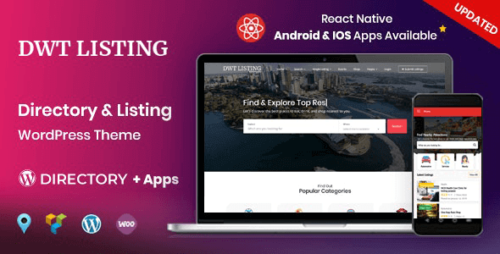
DWT Listing – Directory & Listing WordPress Theme Introduction In today’s digital age, having an online presence is crucial for businesses and individuals alike. One of the most effective ways to establish an online presence is through directory and listing websites. These platforms allow users to find and connect with businesses, services, and professionals in various industries. To create such a website, you need a powerful and versatile WordPress theme like DWT Listing. Table of Contents What is DWT Listing? Key Features of DWT Listing Easy Setup and Customization Responsive Design for Enhanced User Experience Advanced Search and Filtering Options User-Friendly Listing Submission Process Monetization Opportunities Integration with Popular Plugins SEO-Friendly Structure Regular Updates and Support Security and Performance Optimization Customer Reviews and Ratings Social Media Integration Scalability and Flexibility Conclusion What is DWT Listing? DWT Listing is a premium WordPress theme specifically designed for directory and listing websites. It provides a comprehensive set of features and tools to create a user-friendly and visually appealing platform for businesses, services, and professionals to showcase their offerings. Key Features of DWT Listing 1. Easy Setup and Customization DWT Listing offers a straightforward installation process and a user-friendly interface for easy setup. It provides a range of customization options, allowing you to personalize your website’s appearance and functionality according to your preferences. Whether you are a beginner or an experienced developer, DWT Listing makes it simple to create a unique and professional directory website. 2. Responsive Design for Enhanced User Experience With the increasing use of mobile devices, it is essential for your directory website to be responsive and accessible on various screen sizes. DWT Listing is built with a responsive design, ensuring that your website looks and functions seamlessly across smartphones, tablets, and desktop computers. This feature enhances the user experience and encourages visitors to explore your listings. 3. Advanced Search and Filtering Options DWT Listing incorporates advanced search and filtering options, enabling users to find relevant listings quickly. The theme provides various search criteria, such as location, category, price range, and ratings, allowing visitors to refine their search and discover the most suitable options. This functionality enhances the usability of your directory website and helps users find what they are looking for efficiently. 4. User-Friendly Listing Submission Process DWT Listing simplifies the process of submitting listings for businesses, services, and professionals. It offers a user-friendly submission form with intuitive fields for entering essential information. Users can easily add images, descriptions, contact details, and other relevant details about their listings. The streamlined submission process encourages more businesses to showcase their offerings on your directory website. 5. Monetization Opportunities If you’re looking to generate revenue from your directory website, DWT Listing provides various monetization options. You can offer premium listings or paid advertisements to businesses looking for additional exposure. The theme integrates seamlessly with popular payment gateways, allowing you to accept online payments securely. Monetizing your directory website becomes a hassle-free experience with DWT Listing. 6. Integration with Popular Plugins DWT Listing supports integration with popular WordPress plugins, expanding the functionality and possibilities of your directory website. Whether you want to enhance the user interface, improve search engine optimization, or add additional features, DWT Listing is compatible with a wide range of plugins. This flexibility enables you to customize and extend your website according to your specific requirements. 7. SEO-Friendly Structure Having a search engine optimized website is crucial for attracting organic traffic and increasing visibility. DWT Listing follows best practices for SEO, ensuring that your directory website is easily discoverable by search engines. The theme incorporates clean code, fast loading times, and proper meta tags to enhance your website’s search engine rankings. This feature helps your listings reach a wider audience and boosts your website’s overall performance. 8. Regular Updates and Support DWT Listing is regularly updated to keep up with the latest WordPress standards and security measures. With each update, you receive new features, bug fixes, and performance improvements. Additionally, the theme provides dedicated support from the developers, ensuring that any issues or inquiries are addressed promptly. Regular updates and reliable support contribute to the longevity and success of your directory website. 9. Security and Performance Optimization Security and performance are critical factors for any website, and DWT Listing prioritizes them. The theme follows industry best practices to safeguard your website against potential threats and vulnerabilities. It also incorporates performance optimization techniques to deliver fast-loading pages and smooth user experiences. With DWT Listing, you can trust that your directory website is secure, stable, and performs optimally. 10. Customer Reviews and Ratings User-generated reviews and ratings play a significant role in building trust and credibility for businesses and services listed on your directory website. DWT Listing provides a built-in review and rating system, allowing users to share their experiences and feedback. These reviews help other visitors make informed decisions and encourage businesses to provide high-quality products and services. 11. Social Media Integration To enhance the visibility and reach of your directory website, DWT Listing offers seamless integration with various social media platforms. You can easily display social media icons, share buttons, and integrate social login options. This integration allows users to share listings on their social media profiles, increasing exposure and attracting more visitors to your website. 12. Scalability and Flexibility As your directory website grows, you may need to expand its functionality or accommodate additional listings. DWT Listing provides scalability and flexibility, allowing you to scale your website without compromising performance or user experience. Whether you have a small niche directory or a comprehensive city guide, DWT Listing can handle a large volume of listings while maintaining optimal performance. Conclusion Creating a directory and listing website is made easy with the powerful features and flexibility offered by DWT Listing. This WordPress theme provides an all-in-one solution for businesses, services, and professionals to showcase their offerings and connect with potential customers. With its easy setup, customization options, and user-friendly interface, DWT Listing empowers you to create a unique and successful directory website. Stay ahead of the competition and establish a prominent online presence with DWT Listing.
Duplicator Pro 4.5.21.5
Duplicator Pro: Simplifying WordPress Website Migration and Duplication Are you a WordPress user looking for a reliable and efficient solution to migrate or duplicate your website? Look no further! In this article, we will explore the powerful features and benefits of Duplicator Pro, a leading WordPress plugin designed to simplify the process of website migration and duplication. Whether you are a web developer, designer, or website owner, Duplicator Pro can save you time, effort, and headaches when it comes to managing your WordPress sites. What is Duplicator Pro? Duplicator Pro is a premium WordPress plugin that empowers users to effortlessly migrate, clone, or duplicate their WordPress websites. It provides a comprehensive set of tools and functionalities to simplify the entire process, making it an indispensable tool for developers, designers, and website administrators. Simplifying Website Migration One of the primary features of Duplicator Pro is its ability to streamline the website migration process. With just a few clicks, you can easily move your WordPress site from one hosting provider to another or migrate it from a local development environment to a live server. Duplicator Pro handles all the technical aspects, such as transferring files, copying the database, and updating configurations, ensuring a smooth and hassle-free migration experience. Streamlining Website Duplication Duplicator Pro excels at simplifying website duplication, making it an excellent tool for creating staging sites, testing new plugins or themes, or setting up multiple instances of the same website. By leveraging Duplicator Pro’s intuitive interface, you can effortlessly clone your entire WordPress site, including all files, databases, plugins, themes, and settings. This saves valuable time and effort compared to manually recreating the site from scratch. Backing Up Your WordPress Sites In addition to migration and duplication, Duplicator Pro offers robust backup functionality. Regular backups are essential for protecting your website against data loss or unforeseen events. Duplicator Pro enables you to create scheduled backups of your WordPress site, ensuring that you always have a recent copy of your data. These backups can be stored on cloud services like Dropbox, Google Drive, or Amazon S3, providing an extra layer of security. Easy Deployment and Restoration With Duplicator Pro, deploying and restoring your WordPress sites becomes a breeze. Once you have created a package with all the necessary site files and the database, you can easily deploy it on a new server or restore it to a previous state. This feature is especially useful when testing updates or rolling back changes. Duplicator Pro takes care of the entire process, ensuring that your site is up and running smoothly without any technical hiccups. Security and Reliability Duplicator Pro places a strong emphasis on security and reliability. It uses advanced encryption algorithms to protect your data during the migration and duplication processes. Additionally, the plugin undergoes regular updates and rigorous testing to ensure compatibility with the latest versions of WordPress and other popular plugins. With Duplicator Pro, you can trust that your website’s integrity and security are in safe hands. Compatibility and Flexibility Regardless of your WordPress setup, Duplicator Pro offers excellent compatibility and flexibility. It works seamlessly with various hosting providers, ensuring a smooth migration experience regardless of your current infrastructure. Moreover, Duplicator Pro supports both single-site and multisite installations, making it suitable for projects of any scale. Whether you are managing a personal blog or a complex network of websites, Duplicator Pro has got you covered. Advanced Features for Power Users For advanced users and developers, Duplicator Pro provides a range of powerful features. These include the ability to create custom installer files, automate the deployment process with cPanel integration, or even build pre-configured packages with specific themes and plugins. These advanced features empower users to fine-tune their website migration and duplication workflows, making Duplicator Pro a versatile tool for professionals. Support and Documentation Duplicator Pro offers exceptional customer support and comprehensive documentation. If you encounter any issues or have questions while using the plugin, their knowledgeable support team is ready to assist you. Additionally, the plugin’s documentation provides step-by-step guides, video tutorials, and troubleshooting tips to help you make the most out of Duplicator Pro’s features. Pricing and Licensing Duplicator Pro is available under a flexible licensing model. You can choose from various plans, including personal, freelancer, business, and developer licenses, depending on your specific needs. Each license grants you access to premium support, updates, and the full suite of Duplicator Pro features. Visit the official Duplicator Pro website to find the plan that suits you best. Conclusion In conclusion, Duplicator Pro is a powerful and user-friendly WordPress plugin that simplifies website migration and duplication. Whether you need to move your site to a new host, create staging environments, or back up your valuable data, Duplicator Pro offers a comprehensive solution. With its security, reliability, and advanced features, Duplicator Pro is an essential tool for anyone working with WordPress.

Draw Attention Pro 3.0.15 – WP plugin for creating interactive images
Draw Attention Pro – WP Plugin for Creating Interactive Images In today’s digital age, captivating and interactive content is crucial for engaging website visitors. One effective way to achieve this is through the use of interactive images. Interactive images allow users to explore different elements within an image, providing an immersive and memorable user experience. In this article, we will delve into the world of interactive images and introduce the Draw Attention Pro WordPress plugin, a powerful tool for creating captivating interactive images. Table of Contents What are Interactive Images? The Importance of Interactive Images Introducing Draw Attention Pro Key Features of Draw Attention Pro How to Use Draw Attention Pro Benefits of Using Draw Attention Pro Examples of Interactive Images Tips for Creating Engaging Interactive Images Integrating Draw Attention Pro with Your Website Pricing and Licensing Options Frequently Asked Questions (FAQs) Conclusion 1. What are Interactive Images? Interactive images are visuals that allow users to interact with various elements within the image. These elements can be hotspots, tooltips, pop-ups, or other interactive elements that provide additional information or links to related content. By clicking or hovering over these interactive elements, users can access more details, videos, links, or any other relevant information associated with the specific area they interact with. 2. The Importance of Interactive Images Interactive images offer a range of benefits for both website owners and visitors. They: Enhance user engagement: Interactive images captivate users’ attention and encourage them to explore the image, leading to longer periods of interaction with your website. Improve information retention: By presenting information in an interactive and visually appealing format, interactive images make it easier for users to absorb and remember key details. Increase conversion rates: Engaging visuals and interactive elements within images can lead to higher conversion rates as users are more likely to take action based on the information they discover. Enhance user experience: Interactive images provide a dynamic and enjoyable browsing experience, leaving a positive impression on your website visitors. 3. Introducing Draw Attention Pro Draw Attention Pro is a feature-rich WordPress plugin that empowers website owners to create stunning interactive images with ease. With its intuitive interface and powerful capabilities, Draw Attention Pro eliminates the need for complex coding or design skills, allowing anyone to create captivating interactive images effortlessly. 4. Key Features of Draw Attention Pro Easy image mapping: Draw Attention Pro provides a user-friendly interface for mapping interactive elements onto images. Simply upload your image, define the hotspots, and assign actions or information to each element. Versatile interactive elements: The plugin offers a variety of interactive elements, including hotspots, tooltips, and pop-ups, enabling you to provide additional information or link to related content seamlessly. Customizable appearance: Customize the appearance of your interactive elements to match your website’s design and branding, ensuring a cohesive and professional look. Mobile-friendly: Draw Attention Pro is fully responsive, ensuring that your interactive images look and function flawlessly across various devices and screen sizes. Analytics and insights: Gain valuable insights into user behavior and engagement with detailed analytics, allowing you to optimize your interactive images for maximum impact. 5. How to Use Draw Attention Pro Using Draw Attention Pro is a straightforward process: Install and activate the plugin on your WordPress website. Upload the desired image onto the Draw Attention Pro interface. Define the interactive elements by drawing hotspots or selecting specific areas. Assign actions or information to each interactive element, such as displaying tooltips or pop-ups. Customize the appearance of the interactive elements to match your website’s design. Save and publish your interactive image, and it will be ready to engage your website visitors. 6. Benefits of Using Draw Attention Pro Draw Attention Pro offers numerous benefits for website owners: Increased user engagement: The interactive nature of the plugin grabs users’ attention and encourages them to explore your content further. Enhanced storytelling: Interactive images allow you to convey information or tell a story in a visually captivating manner, making it more memorable and impactful. Versatile applications: Draw Attention Pro is suitable for a wide range of industries and purposes, including e-commerce, education, tourism, real estate, and more. Time and cost-effectiveness: Creating interactive images with Draw Attention Pro is efficient, eliminating the need for extensive development or design work. Improved SEO: Interactive images can help improve your website’s search engine optimization by increasing user engagement and time spent on your site. 7. Examples of Interactive Images Interactive images can be used in various contexts: Product showcases: Showcasing different product features and highlighting specific details within an image. Virtual tours: Creating interactive virtual tours of properties, museums, or exhibitions. Educational content: Enhancing educational materials by providing interactive diagrams, maps, or historical images. Infographics: Transforming static infographics into engaging and interactive visuals. 8. Tips for Creating Engaging Interactive Images To ensure your interactive images are captivating and effective, consider the following tips: Plan your content: Clearly define the purpose and objectives of your interactive image and identify the key elements you want to highlight or provide additional information about. Keep it concise: Avoid overwhelming users with excessive information or cluttered interactive elements. Focus on delivering concise and valuable content. Test and optimize: Regularly monitor user engagement and behavior to identify areas for improvement and optimize your interactive images accordingly. Incorporate multimedia: Include videos, audio clips, or image galleries within your interactive images to provide a richer and more immersive experience. 9. Integrating Draw Attention Pro with Your Website Integrating Draw Attention Pro with your WordPress website is a seamless process. Simply follow these steps: Purchase a license for Draw Attention Pro from the official website. Download the plugin files from your account dashboard. Install and activate the plugin on your WordPress website. Access the Draw Attention Pro interface from your WordPress dashboard and start creating captivating interactive images. 10. Pricing and Licensing Options Draw Attention Pro offers flexible pricing and licensing options to suit different needs: Personal License: Ideal for individual website owners and bloggers. Business License: Suitable for small to medium-sized businesses with multiple websites. Agency License: Designed for agencies and web developers managing multiple client websites. For detailed pricing information and to select the right license for your requirements, visit the official Draw Attention Pro website. Conclusion Incorporating interactive images into your website can significantly enhance user engagement and create a memorable browsing experience. With Draw Attention Pro, you can easily create stunning interactive images without the need for advanced technical skills. Take advantage of the plugin’s features and unleash your creativity to captivate your audience and achieve your website goals.
Draven 1.8.0 – Multipurpose Creative Theme
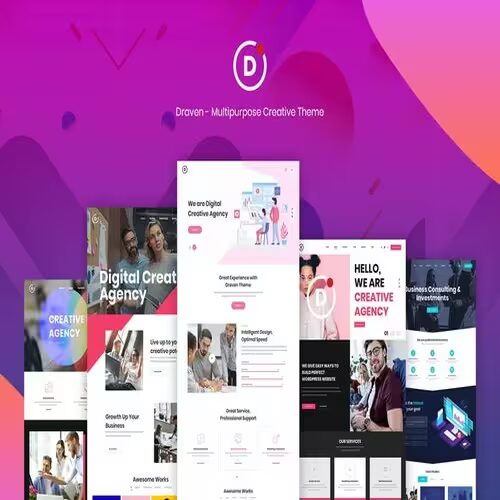
Draven – Multipurpose Creative Theme for WordPress Draven is a premium multipurpose creative WordPress theme designed to cater to businesses, freelancers, agencies, and anyone who values sleek and modern design. Powered by the robust Elementor page builder, Draven combines versatility, responsiveness, and user-friendliness, making it ideal for a wide range of projects. 1. Introduction to Draven Draven is a highly customizable WordPress theme suitable for multiple industries and purposes. With its rich set of pre-built templates, dynamic features, and intuitive customization options, users can create professional websites without needing extensive coding knowledge. 2. Key Features of Draven Draven is packed with features that enhance both aesthetics and functionality: Fully Responsive Design: Ensures a seamless user experience on all devices. Elementor Page Builder: Drag-and-drop functionality for easy website building. 40+ Pre-Built Demos: Professionally designed templates for various niches, from portfolios to e-commerce. One-Click Demo Import: Get started quickly with pre-designed layouts. Advanced Theme Options Panel: Offers deep customization without touching code. SEO Optimized: Built with clean code and SEO best practices in mind. Revolution Slider Integration: Create stunning, interactive sliders. WooCommerce Ready: Ideal for e-commerce sites with robust shop layouts. 3. Benefits of Using Draven Aesthetic Appeal Draven’s modern design enhances the visual appeal of any website, making it a great choice for creatives, agencies, and businesses. User-Friendly Customization Its intuitive Elementor integration allows users to modify layouts, add widgets, and style content with ease. Versatility Whether you’re building an online store, a creative portfolio, or a corporate website, Draven’s flexibility ensures it meets diverse needs. Time Efficiency The one-click demo importer and pre-built templates save time, allowing users to focus on content rather than design. 4. Industries and Use Cases for Draven Draven caters to various industries, including: Creative Agencies: Highlight portfolios and services with visually striking layouts. E-Commerce Stores: Leverage WooCommerce compatibility for product showcases and online sales. Freelancers: Create personal brand websites with engaging designs. Corporate Websites: Use professional demos tailored for businesses. Blogs: Start a stylish blog with clean and modern templates. 5. Customization Options Draven’s customization capabilities set it apart: Advanced Styling: Change colors, fonts, and layout styles. Header & Footer Options: Multiple pre-designed layouts for a unique look. Global Theme Settings: Manage the overall appearance of your site from a single panel. Custom Widgets: Add functionality like testimonials, team sections, and pricing tables. 6. Draven and WooCommerce Integration For e-commerce enthusiasts, Draven integrates seamlessly with WooCommerce: Product Layouts: Choose from various grid, carousel, and single product templates. Shop Customization: Modify filters, product pages, and checkout designs. Responsive Shopping Experience: Optimized for mobile and tablet users. 7. Performance Optimization with Draven Draven ensures fast load times through: Lightweight design and clean code. Integration with caching plugins like WP Rocket. Lazy loading for images to reduce initial load time. 8. SEO and Draven Draven is built with SEO in mind, offering features such as: Schema markup integration. Optimized HTML and CSS structure. Compatibility with popular SEO plugins like Yoast SEO. 9. Compatibility with Plugins Draven supports a wide range of plugins: WPML: For creating multilingual websites. Contact Form 7: Seamless integration for custom forms. Slider Revolution: Enhances visual storytelling with dynamic sliders. MailChimp for WordPress: Ideal for building email lists and newsletters. 10. Draven Demos and Layouts With over 40 pre-built demos, Draven offers designs tailored for: Creative agencies Photographers Corporate businesses E-commerce stores Fitness and wellness centers Each demo can be customized extensively to suit your brand’s identity. 11. How to Install Draven Installation Steps: Download the theme from a trusted source like ThemeForest. Navigate to Appearance > Themes in your WordPress dashboard. Click on Add New, then Upload Theme. Upload the Draven theme .zip file and activate it. Use the one-click demo importer to set up your preferred design. 12. Draven vs. Competitors Compared to Themes Like Avada and Bridge: Ease of Use: Draven’s Elementor-based design is simpler to use compared to heavy builder frameworks. Design Flexibility: Offers more creative freedom with modern demos. Performance: Optimized for speed with lightweight coding practices. 13. Troubleshooting Common Issues Problems and Solutions: Demo Import Fails: Ensure PHP memory limits are adequate (recommend 256MB or higher). Slow Page Speed: Use image optimization plugins and enable caching. Plugin Conflicts: Deactivate all plugins except essentials, then reactivate one at a time to identify conflicts. 15. Why Choose Draven? Draven is an excellent choice for anyone seeking a versatile, modern, and easy-to-use WordPress theme. Its creative designs, advanced features, and seamless integrations ensure that it meets the needs of businesses, creatives, and freelancers alike. Conclusion Draven is more than just a theme; it’s a complete toolkit for building stunning, responsive, and functional WordPress websites. With its compatibility, customization options, and ease of use, it stands as a top choice for web developers and non-technical users alike.

Download Monitor Terms & Conditions Extension 4.1.2
Download Monitor Terms & Conditions Extension: Enhancing Your Download Experience In today’s digital age, downloading files and resources is an integral part of our online activities. Whether you’re running a website, a blog, or an e-commerce platform, offering downloadable content is a common practice. However, it’s essential to protect your digital assets and set clear guidelines for their usage. This is where the Download Monitor Terms & Conditions Extension comes into play. Understanding the Importance of Download Monitor Before diving into the specifics of the extension, let’s briefly discuss Download Monitor. Download Monitor is a powerful plugin for WordPress that enables you to manage and monitor your downloadable files efficiently. It provides a user-friendly interface for both website owners and their visitors. What Are Terms & Conditions Extensions? Terms and conditions extensions are tools that allow you to set terms and conditions for downloading files from your website. These extensions ensure that users understand the rules and guidelines associated with the downloads. It’s a valuable addition to your website, especially if you want to protect your content and maintain transparency with your audience. Benefits of Using the Download Monitor Terms & Conditions Extension Enhanced Security: By setting clear terms and conditions, you can protect your digital assets from misuse and unauthorized distribution. Improved User Experience: Users appreciate transparency. Having visible terms and conditions ensures trust and builds a positive relationship. Legal Compliance: The extension helps you comply with legal requirements and regulations, ensuring a safe and ethical online environment. Key Features of the Extension The Download Monitor Terms & Conditions Extension offers a range of features, including: Easy Installation: Installing the extension is a straightforward process, making it accessible to website owners of all skill levels. Customizable Text: You can tailor the terms and conditions text to suit your specific requirements and industry. Controlled Access: Ensure that users accept your terms before they can download your files. Download Logging: Keep a record of all downloads, helping you monitor user compliance. Installation and Setup To get started, you need to install the Download Monitor plugin on your WordPress website. Once you’ve done that, you can easily add the Terms & Conditions Extension through the plugin’s settings. From there, you can customize the text to match your needs. Customizing Your Terms & Conditions One of the strengths of this extension is its flexibility. You can craft terms and conditions that align with your business or website’s specific requirements. This customization ensures that your guidelines are clear and applicable. Monitoring Downloads and Compliance With the extension in place, you can monitor and log every download. This feature helps you track user compliance with your terms and conditions. It’s an essential tool for maintaining control over your digital assets. Ensuring Security and Privacy The Download Monitor Terms & Conditions Extension also plays a crucial role in ensuring the security and privacy of your downloadable files. By setting clear rules, you minimize the risk of misuse and piracy. Conclusion In conclusion, the Download Monitor Terms & Conditions Extension is a valuable addition to any website that offers downloadable content. It enhances security, user experience, and legal compliance while giving you the tools to protect your digital assets. By implementing this extension, you’ll create a safer and more transparent environment for your users.

Download Monitor Page Addon Extension 4.2.1
Introduction The internet has become an integral part of our lives, and downloading content is a common daily activity. Be it downloading research materials, software, or entertainment content, we all rely on efficient download systems to manage our downloads. This is where the Download Monitor Page Addon Extension comes into play. It’s designed to enhance your download experience by providing an array of features that cater to both individual users and businesses. What is Download Monitor Page Add-on Extension? Download Monitor Page Addon Extension is a powerful tool that integrates seamlessly into your web browser to optimize the download process. It offers a wide range of features that simplify your downloads, making them more organized and efficient. Why Do You Need It? The answer is simple if you’re wondering why you should consider using this extension. Download Monitor Page Addon Extension not only simplifies your downloading process but also adds value in multiple ways: Key Features Streamlined Download Management This extension provides a centralized hub for all your downloads. It organizes your downloads into categories, making it easier to locate specific files—no more digging through cluttered folders. Download Tracking and Statistics With this extension, you can track your download history and view detailed statistics. This feature is beneficial for both personal and professional users, helping you stay on top of your downloaded content. User-Friendly Interface The user interface is intuitive and easy to navigate. You don’t need to be tech-savvy to use it effectively. It’s designed for everyone. Customization Options Download Monitor Page Addon Extension allows you to customize your download settings. You can set preferences that match your specific needs, ensuring a personalized experience. How to Install Download Monitor Page Addon Extension Getting started is a breeze. Visit the extension store on your web browser, search for “Download Monitor Page Addon Extension,” and click on the “Install” button. The extension will seamlessly integrate with your browser, ready to make your downloading experience smoother. Using the Extension Once installed, you can start using the extension immediately. It will enhance your download process, making it more efficient and user-friendly. Benefits for Businesses Businesses can benefit greatly from this extension. It simplifies file sharing, offers valuable insights into download statistics, and enhances the overall user experience on your website. Benefits for Individuals Individuals will find the Download Monitor Page Addon Extension incredibly useful for personal downloads. It brings order to your download history and ensures that you can quickly locate and access your files. Enhancing Download Security Worried about the security of your downloaded files? Download Monitor Page Add-on Extension adds an extra layer of security to your downloads, ensuring that your files are safe from potential threats. Conclusion Download Monitor Page Addon Extension is the answer to your download management needs. It simplifies your downloads, enhances security, and offers valuable insights into your download activity. Whether you’re an individual or a business, this extension is a must-have for a smoother and more efficient download experience. Don’t miss out on the opportunity to streamline your downloads. Get access now and enjoy a hassle-free download management experience.

Download Monitor Integration 2.1 – Paid Memberships Pro
Paid Memberships Pro Download Monitor Integration In today’s fast-paced digital world, many businesses and content creators are looking for effective ways to monetize their content and provide exclusive access to their premium offerings. Paid Memberships Pro (PMP) and Download Monitor are two popular WordPress plugins that cater to these needs. In this article, we will explore the benefits of integrating Paid Memberships Pro with Download Monitor and how this integration can enhance your content delivery, increase user engagement, and boost your revenue streams. 1. Understanding Paid Memberships Pro (PMP) and Download Monitor What is Paid Memberships Pro (PMP)? Paid Memberships Pro is a powerful WordPress plugin that allows website owners to create and manage membership levels, providing exclusive content and benefits to subscribed members. It offers a range of membership features, such as content restriction, payment gateway integration, and subscription management. What is Download Monitor? Download Monitor is another popular WordPress plugin that simplifies the process of managing and tracking digital downloads on your website. It provides a user-friendly interface to upload, organize, and track downloadable files, making it an ideal tool for content creators who offer digital products. Why integrate these plugins? By integrating Paid Memberships Pro with Download Monitor, you can leverage the strengths of both plugins to create a seamless user experience for your members. The integration allows you to offer downloadable content exclusively to subscribed users, ensuring that your premium content remains protected and accessible only to those who have paid for it. 2. Setting Up Paid Memberships Pro and Download Monitor Installing the plugins To begin, you need to have a WordPress website set up. Once you have your website ready, navigate to the WordPress dashboard and search for “Paid Memberships Pro” and “Download Monitor” in the plugin repository. Install and activate both plugins. Configuration and setup After activating the plugins, you’ll need to configure the basic settings. Start by setting up payment gateways, defining membership levels, and customizing the registration and login process. Additionally, configure the settings for Download Monitor to specify the location where downloadable files will be stored and displayed. 3. Creating Membership Levels and Downloadable Products Defining membership tiers Create membership levels based on the type of content or benefits you want to offer to your members. For example, you can have a “Basic” level with limited access and a “Premium” level with full access to all downloadable content. Clearly outline the features and benefits of each level to entice users to subscribe. Uploading digital products Once your membership levels are set up, it’s time to upload your digital products using Download Monitor. Whether it’s e-books, software, audio files, or any other downloadable content, you can easily add them to your website and associate them with the appropriate membership levels. 4. Restricting Access to Downloads Limiting access based on membership levels Paid Memberships Pro allows you to set restrictions on content access based on the membership level of the user. This means that only users with the relevant membership level will be able to access and download the associated files. Drip-feeding content Drip-feeding is a powerful strategy to keep your members engaged over time. Instead of providing access to all content at once, you can schedule the release of new downloads periodically. This encourages members to stay subscribed for extended periods, increasing retention rates. 5. Seamless User Experience Simplified registration and login process Make the registration and login process as seamless as possible. With the integration of Paid Memberships Pro and Download Monitor, users can sign up for memberships and access their downloads using a single set of credentials, streamlining the user experience. Streamlined download management For users, managing their downloads should be hassle-free. Download Monitor provides an intuitive interface where members can easily access, track, and re-download their purchased files. 6. Utilizing Payment Gateways Secure payment options for members Offering multiple payment gateways ensures that your members can subscribe using their preferred method, whether it’s credit cards, PayPal, or other online payment options. Providing a secure payment process is crucial for gaining trust and encouraging conversions. Automating renewals and subscriptions Paid Memberships Pro automates subscription renewals, making it convenient for members to maintain their access without manual intervention. Automated reminders for subscription renewals also help reduce churn rates. 7. Monitoring Performance and Analytics Tracking user engagement Monitor user engagement metrics to understand which downloadable products are most popular among your members. This data can help you tailor your content strategy and create more of what your audience wants. Analyzing download statistics Download Monitor provides valuable insights into download statistics, including the number of downloads, popular file types, and more. This data allows you to optimize your content offerings and marketing strategies. 8. Troubleshooting and Support Common integration issues Despite the user-friendly nature of these plugins, you may encounter some integration issues. It’s essential to be aware of potential problems and their solutions, which you can often find in the plugins’ support forums. Where to find help If you need additional assistance, both Paid Memberships Pro and Download Monitor have active support communities and extensive documentation to guide you through any challenges. Conclusion Integrating Paid Memberships Pro with Download Monitor empowers content creators and businesses to provide exclusive access to their premium digital content. By utilizing the strengths of these plugins, you can create a seamless user experience, enhance user engagement, and boost your revenue streams. Remember to monitor performance, engage with your audience, and continually improve your offerings to ensure long-term success.