Search Resources
Divi Supreme Pro 4.9.97.34
Divi Supreme Pro: Unleashing the Power of WordPress Website Design In the ever-evolving world of website design, staying ahead of the curve is essential for businesses and individuals looking to create a strong online presence. With WordPress being one of the most popular content management systems (CMS), it’s crucial to have the right tools to enhance its capabilities. Divi Supreme Pro is a game-changing plugin that empowers WordPress users with a comprehensive set of features, allowing them to design visually stunning and highly functional websites. In this article, we will explore the key features and benefits of Divi Supreme Pro, along with how it revolutionizes the way websites are built and customized. 1. Unlocking the Potential of Divi Supreme Pro Divi Supreme Pro is a powerful WordPress plugin specifically designed to extend the functionalities of the popular Divi theme. It introduces a wide array of new modules, elements, and customization options, enabling users to take their website design to the next level. 2. Seamless Integration and User-Friendly Interface Integrating Divi Supreme Pro with your Divi-powered website is a breeze. The plugin seamlessly integrates into the Divi Builder, allowing users to access its features and settings without any hassle. With its intuitive user interface, even those with limited technical expertise can navigate through the plugin effortlessly. 3. Enhanced Design and Layout Options Divi Supreme Pro offers an extensive range of design and layout options that go beyond the standard Divi modules. Whether you want to create stunning image galleries, add eye-catching buttons, or incorporate interactive forms, this plugin has got you covered. It provides an extensive library of pre-designed templates and layouts that can be easily customized to match your unique vision. 4. Advanced Modules and Elements With Divi Supreme Pro, you gain access to advanced modules and elements that bring new dimensions to your website design. From the innovative Lottie module for adding engaging animations to the Icon Divider module for stylish content separation, these features allow you to create visually appealing and dynamic web pages effortlessly. 5. Dynamic Effects and Animations Captivating your visitors’ attention is crucial in today’s digital landscape, and Divi Supreme Pro makes it easier than ever. The plugin offers a range of dynamic effects and animations, such as parallax scrolling, particle effects, and on-scroll CSS transformations. By incorporating these elements, you can create a memorable and immersive user experience that sets your website apart from the competition. 6. Time-Saving Features for Increased Productivity Divi Supreme Pro understands the importance of efficiency and productivity. With its time-saving features, you can expedite your website development process. The copy-paste style functionality allows you to replicate styles from one module to another, saving you valuable time and effort. Additionally, the Find & Replace feature enables you to quickly make changes across multiple modules, enhancing your workflow. 7. Mobile Optimization and Responsiveness In today’s mobile-first world, having a website that looks great and functions seamlessly on various devices is crucial. Divi Supreme Pro ensures your website remains responsive and mobile-friendly. With its mobile optimization features, you can customize the appearance of your website specifically for different devices, ensuring a smooth and consistent user experience. 8. SEO-Friendly Design for Improved Visibility Search engine optimization (SEO) is vital for driving organic traffic to your website. Divi Supreme Pro takes this into account and provides SEO-friendly design options. By optimizing meta tags, headings, and other on-page elements, you can improve your website’s visibility in search engine results, helping you attract more visitors and grow your online presence. 9. Dedicated Customer Support and Community Divi Supreme Pro is backed by a dedicated support team, ensuring you receive assistance whenever you need it. Whether you encounter technical issues or have questions about using the plugin’s features, their knowledgeable support staff is there to help. Additionally, Divi Supreme Pro has a vibrant community of users who actively share their experiences and provide valuable insights and inspiration. 10. Pricing and Licensing Options Divi Supreme Pro offers flexible pricing and licensing options to suit different needs. They provide both annual and lifetime licenses, allowing you to choose the plan that aligns with your budget and requirements. The plugin’s pricing is competitive, considering the extensive features and benefits it offers. Conclusion Divi Supreme Pro is a revolutionary plugin that empowers WordPress users to create visually stunning and highly functional websites. With its seamless integration, extensive design options, advanced modules, and time-saving features, it enhances the website development process and allows users to unleash their creativity. The plugin’s commitment to mobile optimization, SEO-friendly design, and dedicated customer support makes it a valuable asset for businesses and individuals looking to excel in the digital realm.
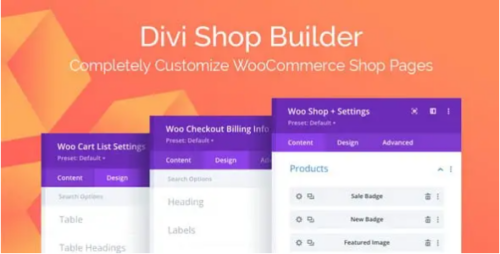
Divi Shop Builder For WooCommerce 2.0.22
Divi Shop Builder: Revolutionizing E-commerce Design with Ease In today’s fast-paced digital world, an attractive and user-friendly online store is crucial for businesses to thrive. When it comes to building an e-commerce website, functionality, aesthetics, and ease of use play vital roles. That’s where Divi Shop Builder comes into the picture. This powerful WordPress plugin offers a seamless and intuitive way to create stunning online shops that captivate visitors and convert them into customers. 1. Introduction With the rise of e-commerce, businesses need to stay ahead of the competition by delivering exceptional user experiences. Divi Shop Builder, developed by Elegant Themes, is a revolutionary tool designed to transform the way online stores are built. By providing an array of features and customization options, this plugin empowers website owners to craft visually stunning and highly functional online shops without the need for coding skills. 2. What is Divi Shop Builder? Divi Shop Builder is a feature-packed WordPress plugin that integrates seamlessly with the popular Divi theme. It offers a drag-and-drop interface that simplifies the process of creating and customizing online shops. With Divi Shop Builder, you have full control over the design and layout of your product pages, allowing you to create a unique and engaging shopping experience for your customers. 3. Key Features of Divi Shop Builder – Drag-and-Drop Interface Divi Shop Builder’s intuitive drag-and-drop interface enables you to effortlessly arrange and customize various elements on your product pages. You can add product images, descriptions, pricing details, and more with just a few clicks, making it incredibly easy to create visually appealing and informative product listings. – Customizable Product Layouts With Divi Shop Builder, you have the freedom to customize the layout of your product pages to match your brand’s aesthetics. Choose from a wide range of pre-designed templates or create your own unique layout using the intuitive visual builder. This flexibility ensures that your online shop stands out from the crowd and leaves a lasting impression on your visitors. – Product Filtering and Sorting Options Divi Shop Builder offers robust filtering and sorting options, allowing customers to quickly find the products they are looking for. You can create custom filter options based on attributes like price, color, size, and more. This feature enhances the usability of your online shop and provides a seamless browsing experience for your customers. – Mobile Responsive Design In today’s mobile-centric world, having a responsive website is essential. Divi Shop Builder ensures that your online shop looks great and functions flawlessly on all devices. The plugin automatically optimizes your product pages for mobile, ensuring a consistent and user-friendly experience for customers browsing from smartphones and tablets. – Integration with WooCommerce Divi Shop Builder seamlessly integrates with WooCommerce, the most popular e-commerce platform for WordPress. This integration allows you to leverage the powerful features of WooCommerce, such as inventory management, secure payments, shipping options, and more while enjoying the additional design and customization capabilities provided by Divi Shop Builder. 4. Benefits of Using Divi Shop Builder By incorporating Divi Shop Builder into your e-commerce website, you can enjoy a wide range of benefits that will enhance your online presence and drive business growth. – Enhanced Visual Appeal Divi Shop Builder offers a plethora of design options and customization features, allowing you to create visually stunning product pages that leave a lasting impression on your customers. With the ability to showcase high-quality images, use engaging typography, and implement captivating layouts, you can create a visually appealing online shop that reflects your brand’s identity. – Improved User Experience Divi Shop Builder prioritizes the user experience, making it easy for visitors to navigate your online store and find the products they desire. With intuitive navigation menus, clear product categorization, and customizable filtering options, customers can quickly locate their desired items, leading to a more seamless and enjoyable shopping experience. – Increased Conversion Rates With its attention to design and user experience, Divi Shop Builder can significantly boost your conversion rates. By creating visually engaging product pages and providing a seamless shopping experience, you can increase customer trust and confidence, leading to higher conversion rates and increased sales for your business. – Time and Cost Savings Divi Shop Builder streamlines the process of building and customizing an e-commerce website. Its user-friendly interface and pre-designed templates eliminate the need for extensive coding or hiring a professional designer. This not only saves time but also reduces costs, allowing you to focus on growing your business. 5. How to Use Divi Shop Builder Getting started with Divi Shop Builder is straightforward. Here’s a step-by-step guide to help you make the most of this powerful plugin: – Installing and Activating the Plugin To begin, purchase the Divi Shop Builder plugin from the Elegant Themes website. Once you have the plugin file, navigate to your WordPress dashboard, click on “Plugins,” and select “Add New.” Choose the “Upload Plugin” option, select the Divi Shop Builder file, and click “Install Now.” After installation, activate the plugin. – Setting up Product Categories and Attributes Next, set up your product categories and attributes. Create relevant categories that align with your product offerings. For example, if you sell clothing, you might have categories like “Men’s,” “Women’s,” “Accessories,” etc. Define attributes such as size, color, material, etc., that apply to your products. – Designing Product Pages Using the Divi Shop Builder interface, design your product pages. Select the desired layout and customize it by adding product images, descriptions, pricing details, and any other relevant information. Experiment with different design elements, fonts, and colors to create a visually appealing and cohesive look. – Customizing the Shop Layout Tailor the overall shop layout to match your brand’s identity. Adjust the header, footer, sidebar, and other elements to create a cohesive and branded shopping experience. Divi Shop Builder’s customization options allow you to create a unique and visually appealing shop layout that sets you apart from competitors. 6. Examples of Successful Websites using Divi Shop Builder Several businesses have successfully leveraged Divi Shop Builder to create visually stunning and user-friendly online shops. Here are a few examples of websites that have achieved remarkable results using this plugin: Elegant Fashion Boutique: This online boutique offers a wide range of fashionable clothing for women. They used Divi Shop Builder to create visually captivating product pages, featuring high-quality images, detailed product descriptions, and easy-to-use filtering options. The result is a seamless shopping experience that has contributed to increased sales and customer satisfaction. Tech Gadget Emporium: This website specializes in selling the latest tech gadgets and accessories. They utilized Divi Shop Builder to design their product pages with sleek layouts, interactive product galleries, and informative descriptions. The intuitive filtering options enable customers to narrow down their search based on specifications, resulting in a user-friendly and efficient shopping experience. Home Decor Haven: This home decor online store showcases a variety of stylish and unique products. They utilized Divi Shop Builder to create visually stunning product pages with immersive image galleries, detailed product descriptions, and customer reviews. The customized shop layout and seamless navigation contribute to an enjoyable shopping experience, leading to increased sales and customer satisfaction. 8. Conclusion Divi Shop Builder revolutionizes the process of creating visually appealing and highly functional online shops. With its drag-and-drop interface, customizable product layouts, and seamless integration with WooCommerce, this plugin empowers businesses to create engaging and user-friendly e-commerce experiences. By leveraging the power of Divi Shop Builder, you can enhance your online presence, increase conversion rates, and ultimately drive business growth. So why wait? Get started with Divi Shop Builder today and unlock the potential of your online store.
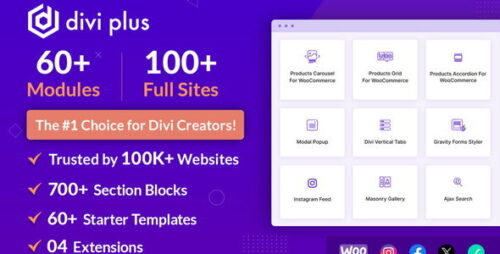
Divi Plus 1.12.1 – Powerful Modules for Divi Theme
Divi Plus: Powerful Modules for Divi Theme If you are a website designer or developer using the Divi Theme, you know how important it is to have a variety of modules to create unique and engaging web pages. That’s where Divi Plus comes in. Divi Plus is a collection of powerful modules that enhance the functionality of the Divi Theme and allow you to create stunning websites with ease. In this article, we will explore the features and benefits of Divi Plus and how it can take your Divi-powered website to the next level. Table of Contents Introduction to Divi Plus Extensive Module Collection Enhanced Design Options Customization and Flexibility Advanced Animations and Effects Responsive and Mobile-Friendly Integration and Compatibility Improved User Experience Boost Your Website’s Performance SEO Optimization Pricing and Support Conclusion 1. Introduction to Divi Plus Divi Plus is a premium plugin designed specifically for the Divi Theme, a popular WordPress theme known for its flexibility and user-friendly interface. It offers a wide range of additional modules that can be easily integrated into the Divi Builder, allowing you to create visually appealing and feature-rich websites. 2. Extensive Module Collection Divi Plus provides an extensive collection of modules that expand the functionality of the Divi Theme. With modules like Flipbox, Image Hotspots, Modal Popup, Price List, Content Toggle, and many more, you can add interactive elements, dynamic content, and engaging features to your web pages. 3. Enhanced Design Options With Divi Plus, you have more design options at your disposal. The plugin offers advanced styling settings for each module, allowing you to customize the appearance of your website with ease. You can adjust colors, typography, spacing, borders, and more, giving you full control over the design of your web pages. 4. Customization and Flexibility Divi Plus understands the need for customization and flexibility when it comes to website design. The plugin allows you to create custom headers, footers, and sidebars using the Divi Builder. You can also save and reuse modules, rows, and sections, making it easier to maintain consistency across your website. 5. Advanced Animations and Effects Adding animations and effects can greatly enhance the user experience of your website. Divi Plus offers a range of animation options, including entrance animations, hover effects, and scroll animations. These effects can bring your web pages to life and captivate your visitors. 6. Responsive and Mobile-Friendly In today’s mobile-driven world, it is crucial to have a website that looks great on all devices. Divi Plus ensures that your website remains responsive and mobile-friendly. The modules are designed to adapt to different screen sizes, ensuring a seamless experience for your users, whether they are browsing on a desktop, tablet, or smartphone. 7. Integration and Compatibility Divi Plus seamlessly integrates with the Divi Theme and is compatible with the latest version of WordPress. It works well with other popular plugins, allowing you to extend the functionality of your website even further. You can integrate Divi Plus with WooCommerce for creating stunning product pages or with Contact Form 7 for adding interactive forms to your website. 8. Improved User Experience Divi Plus is all about enhancing the user experience. The modules provided by the plugin are designed to make your website more engaging and user-friendly. Whether it’s showcasing your portfolio, creating interactive timelines, or displaying pricing tables, Divi Plus offers the tools you need to create an immersive and memorable user experience. 9. Boost Your Website’s Performance Having a fast-loading website is essential for retaining visitors and improving your search engine rankings. Divi Plus is optimized for performance, ensuring that your website remains speedy and efficient. The plugin follows best practices for coding and includes options to enable lazy loading and minify CSS and JavaScript files, reducing the load time of your web pages. 10. SEO Optimization Search engine optimization (SEO) plays a crucial role in driving organic traffic to your website. Divi Plus is designed with SEO in mind, allowing you to optimize your web pages for better search engine visibility. You can customize meta tags, URLs, and alt tags for images, making it easier for search engines to understand and index your content. 11. Pricing and Support Divi Plus offers flexible pricing plans to suit different needs. You can choose between annual and lifetime licenses, depending on your preferences. The plugin also provides excellent customer support, ensuring that you receive assistance whenever you need it. 12. Conclusion Divi Plus is a powerful plugin that adds a new dimension to the Divi Theme. With its extensive module collection, enhanced design options, customization capabilities, advanced animations, and compatibility with other plugins, Divi Plus empowers you to create visually stunning and highly functional websites. Whether you are a web designer, developer, or business owner, Divi Plus can help you take your Divi-powered website to new heights.
Divi Machine 6.0
Divi Machine: Unlocking the Power of Dynamic Content in Web Design Introduction: Embracing the Potential of Divi Machine In the dynamic landscape of web design, creativity, and efficiency are paramount. The ability to craft personalized, engaging, and ever-changing content can significantly impact user experiences and drive website success. In this article, we delve into the realm of Divi Machine, an innovative WordPress plugin that unlocks the potential of dynamic content. Discover how Divi Machine empowers web designers to create websites that adapt to users’ needs and preferences seamlessly. 1. Understanding the Core Concept of Divi Machine Divi Machine is not just a regular plugin; it is a powerful toolkit designed to enhance the capabilities of Divi, a popular WordPress theme. At its core, Divi Machine enables website owners and designers to create dynamic templates for various content elements, such as blog posts, portfolios, product pages, and more. This dynamic content adjusts and changes based on predefined rules and user interactions. 2. Embracing the Versatility of Dynamic Data One of the key features of Divi Machine is its ability to harness dynamic data. Gone are the days of static content that remains the same for every user. With Divi Machine, web designers can tap into data sources like custom fields, post types, WooCommerce data, and even external APIs to populate content dynamically. This versatility opens up a world of possibilities for creating personalized experiences. 3. Simplified Workflow with Drag-and-Drop Functionality Divi Machine prides itself on its user-friendly approach. The intuitive drag-and-drop functionality allows designers to effortlessly create dynamic templates without any coding knowledge. This feature makes the plugin accessible to both seasoned developers and beginners, fostering a community of creators with diverse skill sets. 4. Harnessing Conditional Logic for Adaptive Content To truly make the most of dynamic content, Divi Machine leverages the power of conditional logic. Designers can set rules and conditions that dictate how content changes based on user interactions, demographics, or any other relevant data. This adaptability ensures that users receive tailored content, enhancing engagement and satisfaction. 5. The Dynamic Duo: Divi Machine and WooCommerce For eCommerce websites, Divi Machine’s integration with WooCommerce is a game-changer. The plugin enables the creation of dynamic product pages that automatically update prices, availability, and product details in real time. This functionality streamlines the online shopping experience and boosts conversion rates. 6. Breaking the Language Barrier with Multilingual Support In a globalized world, catering to diverse audiences is essential. Divi Machine’s multilingual support allows designers to create dynamic content in multiple languages effortlessly. Now, websites can seamlessly serve visitors from different regions, making language barriers a thing of the past. 7. A Seamless Experience with Third-Party Integrations Divi Machine doesn’t operate in isolation. It seamlessly integrates with popular third-party plugins, expanding its capabilities even further. Integrations with plugins like Advanced Custom Fields (ACF) and Toolset enable designers to supercharge their dynamic content and create unique, immersive websites. 8. Performance Optimization for Speedy Load Times Dynamic content can sometimes raise concerns about website performance. However, Divi Machine addresses this issue with performance optimization features. The plugin ensures that dynamic content loads swiftly, maintaining a seamless user experience without compromising on speed. 9. Unleashing the Potential of Divi Machine Add-ons To further extend Divi Machine’s functionalities, a wide range of add-ons is available. These add-ons bring specialized features and enhancements, enabling designers to achieve highly customized results. From interactive maps to animated galleries, the possibilities are endless. 10. Overcoming Challenges: Support and Resources Like any innovative tool, using Divi Machine may present challenges. However, the plugin’s dedicated support team and extensive documentation provide comprehensive assistance to users. A supportive community also fosters knowledge-sharing, ensuring that designers can maximize Divi Machine’s potential. Conclusion: Elevate Web Design with Divi Machine In conclusion, Divi Machine empowers web designers to transcend the boundaries of static content and embrace the power of dynamic web design. With its intuitive interface, versatile features, and seamless integrations, Divi Machine opens up a world of possibilities for creating engaging and adaptive websites.
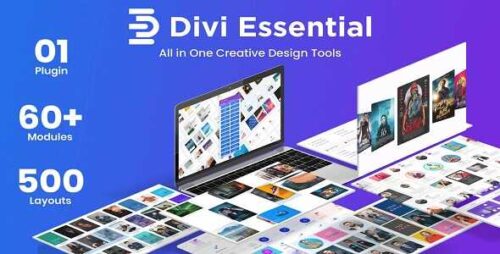
Divi Essential 4.9.15 – Divi Extension For Next Label Modules
Divi Essential: Divi Extension For Next Label Modules Are you a Divi user looking to enhance your website’s design and functionality? Look no further! In this article, we will introduce you to Divi Essential, a powerful Divi extension that brings next-level modules to the Divi Builder. With its wide range of features and ease of use, Divi Essential is a must-have tool for anyone looking to take their Divi website to new heights. Let’s dive in and explore the amazing capabilities of Divi Essential. 1. Introduction to Divi Essential Divi Essential is a powerful extension created specifically for the Divi Builder, a popular drag-and-drop website builder for WordPress. It provides a collection of custom modules that expand the functionality of the Divi Builder, allowing you to create stunning web pages with ease. Whether you’re a beginner or an experienced web designer, Divi Essential offers an array of options to enhance your website design. 2. Why Choose Divi Essential? Divi Essential stands out from other Divi extensions due to its exceptional features and user-friendly interface. Here are some reasons why you should consider using Divi Essential: Wide Range of Next-Level Modules: Divi Essential offers a comprehensive collection of modules that are not available in the standard Divi Builder. These modules allow you to add advanced elements and functionalities to your website effortlessly. Intuitive and User-Friendly: Divi Essential is designed to be user-friendly, even for those who are new to web design. The interface is intuitive, making it easy to navigate and create visually appealing web pages. Highly Customizable: With Divi Essential, you have full control over the appearance and behavior of each module. Customize fonts, colors, backgrounds, and more to match your website’s branding and style. Regular Updates and Support: The team behind Divi Essential is dedicated to providing regular updates and excellent support to ensure a smooth experience for users. You can rely on them for bug fixes, new features, and assistance when needed. 3. Exploring Divi Essential Features Divi Essential offers an extensive range of modules that enhance the functionality and design possibilities of your Divi Builder. Let’s take a closer look at some of the standout modules: 3.1 Advanced Image Module The Advanced Image Module allows you to display images in unique and creative ways. It offers advanced image filters, hover effects, image overlays, and much more. With this module, you can showcase your images in a visually stunning manner, capturing your visitors’ attention. 3.2 Content Toggle Module The Content Toggle Module is perfect for creating interactive and engaging content. It lets you hide and reveal sections of text or images with a click, providing a seamless and intuitive user experience. Use it to create FAQs, collapsible content, or any other element that requires toggling. 3.3 Testimonial Slider Module Testimonials play a crucial role in building trust and credibility. The Testimonial Slider Module enables you to showcase client testimonials in an elegant and dynamic slider format. Customize the transition effects, navigation styles, and typography to create a testimonial section that leaves a lasting impression. 3.4 Icon Box Module The Icon Box Module allows you to highlight key features or services in a visually appealing manner. Choose from a vast collection of icons and customize their size, color, and alignment. Combine icons with text to create eye-catching and informative sections on your website. 3.5 Pricing Table Module If you offer products or services with different pricing options, the Pricing Table Module is an excellent choice. It lets you create stylish and responsive pricing tables with ease. Customize the layout, add features, and highlight the most popular plan to encourage conversions. 3.6 Call to Action Module A well-designed call to action (CTA) can significantly impact your website’s conversion rate. The Call to Action Module in Divi Essential allows you to create compelling CTAs that stand out. Customize button styles, add animations, and leverage its advanced settings to optimize your CTA’s effectiveness. 3.7 And more! Divi Essential offers numerous other modules, such as Flip Box, Team Member, Image Accordion, Image Comparison, and Countdown Timer. Each module brings unique features and customization options to enhance your website. 4. How to Install Divi Essential Installing Divi Essential is a straightforward process. Follow these steps to get started: Purchase the Divi Essential plugin from the official website. Download the plugin files to your computer. Log in to your WordPress admin panel. Navigate to “Plugins” and click on “Add New.” Click on the “Upload Plugin” button and select the Divi Essential plugin file. Click “Install Now” and wait for the installation to complete. Once installed, click on “Activate Plugin” to activate Divi Essential. Once activated, you can access Divi Essential modules directly within the Divi Builder. 5. Optimizing Your Website with Divi Essential To make the most of Divi Essential, consider the following optimization tips: Keep the Design Consistent: Ensure that the design of your Divi Essential modules aligns with your website’s overall design. Consistency in branding and aesthetics enhances user experience and reinforces your brand identity. Experiment with Different Modules: Divi Essential provides a wide range of modules, each with its own set of features. Experiment with different modules to find the ones that best suit your website’s needs and goals. Optimize for Mobile: With the increasing use of mobile devices, it’s essential to ensure your website is mobile-friendly. Test the responsiveness of your Divi Essential modules on various devices to provide a seamless experience for all users. Regularly Update Divi Essential: Stay up-to-date with the latest version of Divi Essential. Updates often include bug fixes, performance improvements, and new features that can further enhance your website. 6. Conclusion Divi Essential is a game-changer for Divi users who want to elevate their website design and functionality. With its extensive collection of modules and user-friendly interface, Divi Essential empowers you to create visually stunning web pages without any hassle. Install Divi Essential today and unlock the true potential of the Divi Builder.
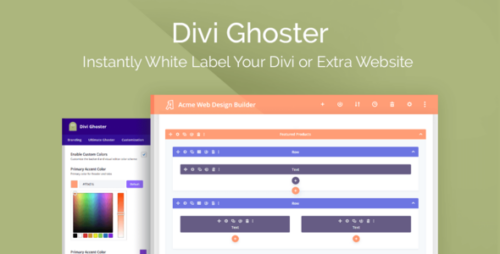
Divi Ghoster 5.0.56
Divi Ghoster: The Ultimate Solution for Customizing Your Divi Website In the world of web development, Divi has become one of the most popular WordPress themes due to its versatility and user-friendly interface. However, when it comes to building a unique website with Divi, many users often find themselves limited by the theme’s default settings and design options. That’s where Divi Ghoster comes into play. In this article, we will explore the features and benefits of Divi Ghoster and how it can help you take your Divi website customization to the next level. 1. What is Divi Ghoster? Divi Ghoster is a powerful plugin designed specifically for Divi users who want to customize their websites without any limitations. It allows you to hide or modify certain elements of the Divi theme, giving you complete control over the appearance and functionality of your website. 2. The Benefits of Using Divi Ghoster By using Divi Ghoster, you can: Customize the appearance of your Divi website to match your brand identity. Remove or replace Divi branding and logos, giving your website a more professional look. Hide or modify specific Divi features and modules that are not relevant to your website. Create a unique and personalized user experience for your visitors. Protect your customizations from being overwritten during theme updates. 3. Customizing Divi’s Appearance with Divi Ghoster Divi Ghoster offers a wide range of customization options to help you create a website that stands out. You can easily change colors, fonts, and layouts without any coding knowledge. With the ability to hide or modify specific elements, you can achieve a truly unique design for your website. 4. Protecting Your Divi Customizations with Divi Ghoster One of the biggest concerns for Divi users is the potential loss of customizations during theme updates. Divi Ghoster solves this problem by allowing you to save your custom settings and apply them automatically after updating the theme. This ensures that your website remains consistent and retains all the personalized changes you have made. 5. Advanced Features and Add-ons Divi Ghoster also offers advanced features and add-ons to further enhance your website customization. You can add custom CSS and JavaScript code, integrate third-party plugins seamlessly, and even create custom login screens. These additional features empower you to take your website to the next level and truly make it your own. 6. Divi Ghoster vs. Other Divi Customization Tools While there are other Divi customization tools available, Divi Ghoster stands out for its comprehensive set of features and user-friendly interface. It provides a seamless experience for customizing your Divi website and offers advanced options that are not available in other plugins. Divi Ghoster is designed to give you complete control over your website’s appearance, ensuring that it reflects your brand and meets your specific requirements. 7. How to Install and Set Up Divi Ghoster Installing and setting up Divi Ghoster is a straightforward process. Simply follow these steps: Purchase and download the Divi Ghoster plugin from the official website. Log in to your WordPress dashboard and navigate to “Plugins” -> “Add New.” Click on the “Upload Plugin” button and choose the Divi Ghoster plugin file. Click “Install Now” and activate the plugin. Once activated, you can access Divi Ghoster settings from the Divi menu in your WordPress dashboard. 8. Tips and Tricks for Maximizing Divi Ghoster’s Potential Here are a few tips and tricks to help you make the most out of Divi Ghoster: Experiment with different customization options to find the perfect design for your website. Regularly back up your custom settings to avoid any potential data loss. Keep an eye out for new updates and features released by Divi Ghoster to stay ahead of the curve. Join the Divi community and engage with other users to learn from their experiences and share your insights. 9. Conclusion Divi Ghoster is an indispensable tool for Divi users who want to break free from the limitations of the default theme settings. With its extensive customization options and advanced features, Divi Ghoster empowers you to create a unique and professional website that truly reflects your brand identity. Say goodbye to generic designs and embrace the power of Divi Ghoster to take your Divi website to new heights.
Divi Booster Plugin for WordPress 4.6.0
Divi Booster Plugin for WordPress Are you a WordPress user looking to enhance the functionality and design of your Divi-powered website? Look no further than the Divi Booster plugin. This powerful tool is designed to optimize your Divi theme, providing you with a range of customization options and performance enhancements. In this article, we will explore the features and benefits of the Divi Booster plugin and how it can elevate your WordPress website to new heights. Introduction Divi, developed by Elegant Themes, is a popular WordPress theme known for its flexibility and ease of use. However, with the Divi Booster plugin, you can take your Divi-powered website to the next level. Divi Booster offers an array of features that allow you to customize your website without the need for coding knowledge. Let’s delve into some of the plugin’s standout features. Simplified Customization with Divi Booster Divi Booster simplifies the process of customizing your Divi theme. It provides an intuitive interface that allows you to tweak various aspects of your website’s design and functionality. Whether you want to modify fonts, colors, or spacing, Divi Booster offers a wide range of options to suit your preferences. With just a few clicks, you can transform the look and feel of your website, making it truly unique. Performance Optimization Website performance is crucial for user experience and search engine rankings. Divi Booster optimizes your Divi theme for better performance, ensuring that your website loads quickly and efficiently. The plugin achieves this by minimizing unnecessary code, optimizing scripts and stylesheets, and implementing caching techniques. By enhancing your website’s performance, you can provide visitors with a seamless browsing experience. Header and Footer Customization The header and footer sections of your website are essential for branding and navigation purposes. Divi Booster gives you full control over these areas, allowing you to customize them to align with your brand identity. You can easily modify the header layout, including logo placement, navigation menus, and social media icons. Similarly, the footer section can be personalized with your desired elements, such as copyright information and contact details. Mobile Responsiveness In today’s mobile-driven world, having a responsive website is crucial. Divi Booster ensures that your website looks great on all devices, including smartphones and tablets. The plugin provides specific customization options for mobile devices, allowing you to optimize the mobile experience for your visitors. With Divi Booster, your website will adapt flawlessly to different screen sizes, ensuring a consistent and engaging user experience. Content Customization Divi Booster offers advanced content customization features that enable you to present your content in a visually appealing manner. You can create eye-catching buttons, add image overlays, and style your blog posts with ease. The plugin also includes additional modules, such as testimonials, pricing tables, and countdown timers, giving you more flexibility in showcasing your products or services. SEO Optimization Search engine optimization (SEO) is vital for increasing your website’s visibility in search engine results. Divi Booster integrates seamlessly with popular SEO plugins, allowing you to optimize your website’s content, meta tags, and schema markup. By implementing best practices, you can enhance your website’s SEO performance and attract more organic traffic. Advanced Styling Options With Divi Booster, you can unlock advanced styling options for your Divi theme. The plugin provides additional settings that go beyond the default options offered by Divi. You can fine-tune typography, adjust the spacing, and apply custom CSS to achieve your desired design. The extensive range of styling options empowers you to create a website that stands out from the crowd. Enhanced User Experience A positive user experience is essential for engaging and retaining website visitors. Divi Booster helps you enhance the overall user experience by providing features like back-to-top buttons, sticky headers, and smooth scroll animations. These small but impactful additions can make a significant difference in how users interact with your website, ultimately leading to higher engagement and conversions. Compatibility and Support Divi Booster is designed to seamlessly integrate with Divi, ensuring compatibility with the latest versions of WordPress and Divi theme releases. The plugin is regularly updated to address any compatibility issues and provide new features. Additionally, Divi Booster offers excellent customer support, ensuring that you receive timely assistance whenever you encounter any difficulties or have questions about its features. Pricing and Plans Divi Booster is available at an affordable price, considering the value it brings to your website. You can choose from various pricing options, including a single-site license, multiple-site license, or a lifetime unlimited license. Elegant Themes also provides a 30-day money-back guarantee, giving you peace of mind when making a purchase decision. Conclusion The Divi Booster plugin is a game-changer for Divi theme users. It offers an extensive range of customization options, performance enhancements, and SEO optimization features. With Divi Booster, you can unlock the full potential of your Divi-powered website, creating a unique and visually stunning online presence. Take advantage of the power and flexibility that Divi Booster brings to elevate your WordPress website to new heights.
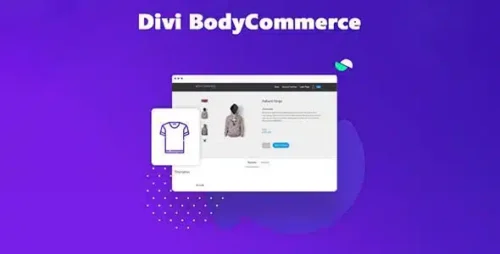
Divi BodyCommerce 8.1
Exploring Divi BodyCommerce: Transforming Your E-commerce Website In today’s digital age, having an attractive and user-friendly e-commerce website is crucial for businesses to thrive. One of the standout tools in this realm is Divi BodyCommerce, a powerful plugin designed to enhance the functionality and aesthetics of your online store. In this comprehensive guide, we’ll delve into the world of Divi BodyCommerce, exploring its features, benefits, and how it can revolutionize your online shopping platform. Introduction to Divi BodyCommerce Divi BodyCommerce is a feature-rich plugin tailor-made for the popular Divi theme, which is known for its flexibility and ease of use. This plugin is designed to empower online businesses by providing them with a suite of tools to create visually stunning and highly functional e-commerce websites. Why Choose Divi BodyCommerce for Your E-commerce Store? When it comes to selecting an e-commerce plugin, Divi BodyCommerce stands out for several reasons. First and foremost, it seamlessly integrates with the Divi theme, ensuring a cohesive and visually pleasing design throughout your website. Additionally, Divi BodyCommerce offers unparalleled customization options, allowing you to tailor your online store to your brand’s unique identity. Key Features of Divi BodyCommerce Seamless Product Integration Divi BodyCommerce simplifies the process of adding and managing products on your website. With its intuitive interface, you can effortlessly create product listings, complete with images, prices, and descriptions. Customizable Product Pages Stand out from the competition by customizing your product pages with Divi BodyCommerce. Choose from a variety of layouts and design options to create a compelling shopping experience for your customers. Efficient Checkout Process Divi BodyCommerce streamlines the checkout process, reducing cart abandonment rates. Its one-page checkout option and support for multiple payment gateways make purchasing products a breeze for your customers. Getting Started with Divi BodyCommerce Installation and Setup To get started with Divi BodyCommerce, simply install the plugin and follow the easy setup wizard. Within minutes, you’ll have the foundation of a powerful e-commerce website in place. Configuring Basic Settings Customize your store’s basic settings, such as currency, shipping options, and tax rules, to ensure that they align with your business requirements. Designing Stunning Product Pages Choosing the Right Layouts Divi BodyCommerce offers a plethora of pre-designed layouts for your product pages. Select the one that best showcases your products and brand. Customizing Product Images and Descriptions Make your products shine with high-quality images and engaging descriptions. Divi BodyCommerce allows you to upload multiple images per product and craft compelling product descriptions. Optimizing Your E-commerce Store for SEO Meta Tags and Descriptions Improve your website’s visibility on search engines by optimizing meta tags and descriptions for your products. Divi BodyCommerce makes it easy to add SEO-friendly metadata. Schema Markup for Products Enhance the search engine results for your products by incorporating schema markup. This structured data helps search engines understand your product information better. Streamlining the Checkout Experience One-Page Checkout Option Divi BodyCommerce’s one-page checkout option reduces friction during the purchasing process. Customers can complete their orders swiftly and easily. Payment Gateway Integration Accept payments conveniently with support for various payment gateways, including PayPal, Stripe, and more. Enhancing User Experience with Divi BodyCommerce Mobile Responsiveness Ensure your e-commerce store looks and functions flawlessly on all devices, including smartphones and tablets. Performance Optimization Divi BodyCommerce is designed with performance in mind, ensuring that your website loads quickly and provides a seamless shopping experience. Integrating Divi BodyCommerce with Third-Party Plugins Email Marketing Integration Connect your e-commerce store with email marketing platforms to nurture customer relationships and drive repeat business. Social Media Integration Leverage the power of social media by integrating Divi BodyCommerce with your preferred social platforms. Customer Support and Documentation Accessing Resources Divi BodyCommerce offers comprehensive documentation and support resources to assist you in getting the most out of the plugin. Seeking Help Should you encounter any issues or have questions, the Divi BodyCommerce support team is ready to assist you. Pricing Plans for Divi BodyCommerce Comparing Subscription Tiers Divi BodyCommerce offers various subscription tiers to accommodate businesses of all sizes. Compare the features and pricing to find the best fit for your needs. Real-World Success Stories Case Studies of Businesses Using Divi BodyCommerce Discover how businesses across various industries have achieved success by implementing Divi BodyCommerce on their e-commerce websites. Tips and Tricks for Maximizing Divi BodyCommerce Cross-Selling and Upselling Strategies Boost your revenue by implementing effective cross-selling and upselling techniques using Divi BodyCommerce. Utilizing Divi BodyCommerce Extensions Explore the range of extensions available for Divi BodyCommerce to further enhance your website’s capabilities. Common Misconceptions About Divi BodyCommerce Debunking Myths Addressing some of the common misconceptions and myths surrounding Divi BodyCommerce to provide a clearer understanding of its capabilities. Conclusion: Elevate Your E-commerce Game with Divi BodyCommerce In conclusion, Divi BodyCommerce is a game-changer for e-commerce businesses looking to create exceptional online shopping experiences. Its robust features, customization options, and seamless integration with the Divi theme make it a top choice for building and optimizing your e-commerce store. Ready to take your online business to new heights? Embrace the power of Divi BodyCommerce and watch your e-commerce website thrive.
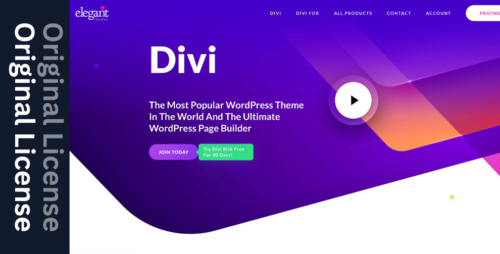
DIVI – Original License | One Time Payment – Exclusive Deal
DIVI: The Ultimate WordPress Theme Builder Are you looking for a powerful and versatile WordPress theme that empowers you to create stunning websites without any coding knowledge? Look no further than DIVI. With its intuitive drag-and-drop interface and extensive customization options, DIVI has revolutionized the way websites are built and designed. In this article, we will explore the features, benefits, and use cases of DIVI, highlighting why it is the go-to choice for both beginners and experienced web developers. Table of Contents Introduction to DIVI Key Features of DIVI User-Friendly Interface Responsive Design Options Extensive Pre-Built Layouts Customization Freedom with Visual Builder Advanced Design Settings SEO Optimization WooCommerce Integration DIVI Support and Community Pricing Plans and Licensing Use Cases of DIVI Building Business Websites Creating Personal Blogs Developing E-commerce Stores Conclusion 1. Introduction to DIVI DIVI is a premium WordPress theme developed by Elegant Themes. It stands out from other themes due to its exceptional flexibility and ease of use. Whether you’re a business owner, freelancer, or web designer, DIVI provides you with the tools to create professional-looking websites that captivate your audience. 2. Key Features of DIVI User-Friendly Interface DIVI’s user-friendly interface makes website creation an enjoyable experience. The intuitive drag-and-drop builder allows you to effortlessly arrange and customize various elements on your website. You can easily add text, images, videos, buttons, and more, without writing a single line of code. Responsive Design Options In today’s mobile-first era, having a responsive website is crucial. DIVI offers a range of responsive design options, ensuring that your website looks stunning on all devices, including smartphones, tablets, and desktops. With DIVI, you can create mobile-friendly layouts and preview them in real-time. Extensive Pre-Built Layouts DIVI comes with a vast library of pre-built layouts and templates that cater to different industries and website types. These professionally designed layouts provide a head start in creating your website. You can choose a layout that matches your vision and customize it to suit your brand. Customization Freedom with Visual Builder DIVI’s Visual Builder is a game-changer for website customization. It offers a front-end editing experience, allowing you to see your changes in real-time. The Visual Builder lets you modify every aspect of your website, from fonts and colors to spacing and animations. With DIVI, you have complete creative freedom. Advanced Design Settings For users with advanced design requirements, DIVI offers a wide range of design settings. You can fine-tune every element of your website, including borders, shadows, gradients, and more. DIVI’s design options are powerful yet easy to understand, making it accessible to both beginners and experienced designers. SEO Optimization DIVI is built with search engine optimization (SEO) in mind. It generates clean code and provides options to optimize your website’s meta tags, headings, and content structure. By using DIVI, you can ensure that your website ranks well in search engine results and attracts organic traffic. WooCommerce Integration If you’re planning to create an online store, DIVI seamlessly integrates with WooCommerce, the leading WordPress e-commerce plugin. You can design beautiful product pages, shopping carts, and checkout processes using DIVI’s builder. With DIVI and WooCommerce, you can create a visually appealing and functional online store. DIVI Support and Community Elegant Themes, the creators of DIVI, provide excellent support through documentation, forums, and live chat. They regularly release updates and new features to enhance the DIVI experience. Furthermore, DIVI has a large and active community of users who share their knowledge, tips, and inspiration on various online platforms. 3. Use Cases of DIVI Building Business Websites DIVI is a popular choice for building business websites due to its versatility. Whether you need a simple one-page website or a comprehensive multi-page site, DIVI has you covered. Its extensive customization options enable you to create a unique online presence for your business, showcasing your products or services effectively. Creating Personal Blogs For bloggers, DIVI offers an ideal platform to share their thoughts and ideas. With DIVI’s visually appealing layouts and typography options, you can create an engaging and personalized blog. The drag-and-drop builder simplifies the process of adding and arranging blog post elements, making content creation a breeze. Developing E-commerce Stores DIVI, combined with WooCommerce, allows you to create stunning e-commerce stores. You can showcase your products in an attractive manner, set up payment gateways, manage inventory, and provide a seamless shopping experience to your customers. DIVI’s flexibility ensures that your online store reflects your brand’s unique identity. 4. Conclusion DIVI has transformed website building into an accessible and enjoyable process. With its user-friendly interface, extensive customization options, and responsive design capabilities, DIVI empowers individuals and businesses to create visually stunning and highly functional websites. Whether you’re a novice or an experienced web developer, DIVI is a game-changing tool that unlocks limitless possibilities for your online presence.
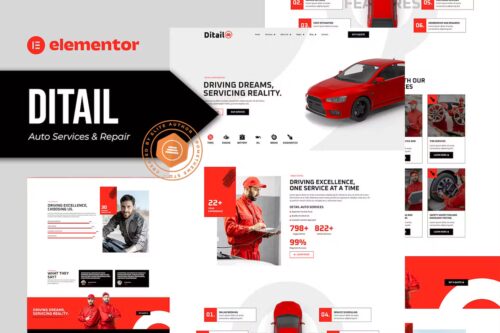
Ditail – Auto Services & Repair Elementor Pro Template Kit
Ditail – Auto Services & Repair Elementor Pro Template Kit Ditail is an Elementor Pro Template Kit specially designed for Auto Services & Repair websites! The template kit comes with an ideal selection of templates for all mechanic, automotive, vehicle sales, auto parts and car tuning businesses, as well as templates and features that can be used for car dealership, auto painting, mechanic auto and sports car presentations. This Template is modern Elementor For Template Kid and its Very Easy to customized. This kit has a modern and unique design with a 100% fully responsive layout, easy installation, and sure very easy to customize because using Elementor so you don’t need a single line of coding! This Template Kit contains page content for creating Elementor pages. This kit has been optimized for use with the free “Hello Elementor” theme. Features : Cross Browser Compatibility: Chrome, Firefox, Safari, Opera Using Free Plugins (Elementor Pro is not required) 100% Fully Responsive & mobile-friendly Modern and Unique design 12+ pre-built templates ready to use Customize fonts and colors in one place (Global Kit Style) Templates in Zip : Homepage Services Single Services About Us Our team Pricing Plan FAQ Error 404 Blog Single Post Contact Header Footer
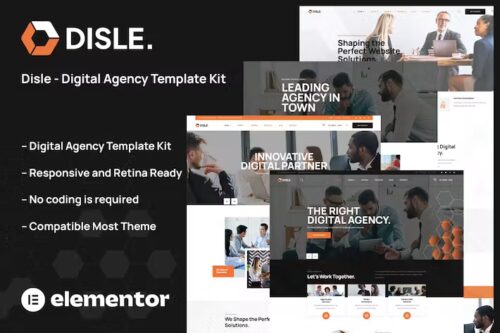
Disle – Digital Agency Elementor Template Kit
Disle – Digital Agency Template Kit Disle – Digital Agency Template Kit is a modern and clean Elementor Template Kit ideal for all agencies whether you are a digital agency, marketing, web agency, creative agency, startup, finance, consulting, or all other business & agency websites. It is created with a clean and modern design aesthetic, and it includes a slew of tools and features that make it simple to showcase your services, introduce your talented team, and display your best projects. This template has a professional design with a 100% responsive layout, is retina-ready, and is incredibly easy to edit because it is built with Elementor, which means you don’t need to write a single line of code! Required Plugins : Elementor (Free) Themesflat Addons For Elementor (Free) (By Themesflat ) MetForm ElementsKit Lite Kit Key Features: 04 Home page unique Digital Services & Marketing Agency No Coding Knowledge Fully with Elementor free version ( Elementor Pro is not required ) Header & Footer Builder Included Unique and Modern Style. Super Clear and Clean Layout Awesome and Creative Design. Lifetime Free Updates Cross-browser compatible Support Post Widget Support Carousel Slide Box ( Create sliders with anything ) Ultra Responsive and Retina Ready Compatible with any WordPress theme Optimized for search engines

Discounts for WooCommerce Subscriptions 3.0.0
Discounts for WooCommerce Subscriptions: Boosting Sales and Customer Loyalty In the competitive world of e-commerce, businesses are constantly seeking ways to increase sales, attract new customers, and retain their existing ones. One effective strategy that has gained popularity in recent years is offering discounts on WooCommerce Subscriptions. In this article, we’ll delve into the world of WooCommerce subscription discounts, explore their benefits, and discuss various discount types and strategies to help you optimize your subscription-based business. 1. Introduction E-commerce has revolutionized the way people shop, and subscription-based models have become increasingly prevalent. WooCommerce Subscriptions, a powerful tool for creating and managing subscription products, has become a staple for many businesses. To stand out in this competitive landscape, offering discounts can make a significant difference. 2. Understanding WooCommerce Subscriptions Before we dive into the world of discounts, it’s essential to understand what WooCommerce Subscriptions are. In a nutshell, WooCommerce Subscriptions allow customers to subscribe to products, receiving them regularly. Whether it’s a monthly magazine, a weekly snack box, or a yearly software license, subscriptions simplify the purchase process for customers. 3. Benefits of Using WooCommerce Subscriptions Subscriptions offer several advantages, both for businesses and customers. Businesses benefit from recurring revenue, improved customer retention, and increased predictability. Customers, on the other hand, enjoy convenience, savings, and personalized experiences. 4. Importance of Discounts in WooCommerce Subscriptions Discounts play a crucial role in driving sales and retaining subscribers. They not only attract new customers but also encourage existing subscribers to stay loyal. Let’s explore the different types of discounts you can offer. 5. Types of Discounts There are various ways to implement discounts within WooCommerce Subscriptions. Here are some of the most common types: 5.1 Percentage-Based Discounts Percentage-based discounts offer customers a percentage off their subscription price. For example, a 10% discount on a monthly subscription plan. 5.2 Fixed Amount Discounts Fixed-amount discounts provide a specific dollar amount of the subscription price. For instance, $5 off a quarterly subscription. 5.3 Product-Based Discounts Product-based discounts apply discounts to specific items within the subscription, allowing you to customize your offers. 5.4 Subscription Duration Discounts These discounts encourage long-term commitments by offering reduced rates for longer subscription durations. 6. How to Set Up Discounts for WooCommerce Subscriptions Setting up discounts in WooCommerce Subscriptions is a straightforward process. You can configure discounts in the settings, and customers will automatically see their reduced prices during checkout. 7. Coupon Codes and Special Offers Creating coupon codes and special offers is another way to implement discounts. These codes can be shared with specific customer groups or used in promotional campaigns. 8. Creating a Discount Strategy Developing a discount strategy is essential. Consider your target audience, your business goals, and the impact of discounts on your profit margins. 9. Best Practices for Implementing Discounts Implementing discounts effectively requires some best practices. Ensure that your discounts are easy to understand, transparent, and well-promoted to your audience. 10. Case Studies: Successful Discount Strategies To inspire your discount strategy, let’s look at a few case studies of businesses that have effectively used WooCommerce Subscription discounts to drive success. 15. Conclusion In conclusion, discounts for WooCommerce Subscriptions can be a game-changer for your e-commerce business. They can attract new subscribers, retain loyal customers, and ultimately boost your revenue. By offering various types of discounts and implementing best practices, you can create a win-win situation for both your business and your customers. Don’t miss the opportunity to implement discounts for WooCommerce Subscriptions and witness the positive impact on your e-commerce venture. Get started today!