Search Resources

Directorist Job Manager 2.2
Directorist Job Manager The Directorist Job Manager is a powerful addon for the Directorist WordPress plugin, designed specifically to help you create and manage job listing websites with ease. Whether you’re building a local job board or a global employment marketplace, this addon provides all the features you need to connect employers with job seekers seamlessly. Its intuitive interface and advanced functionalities make it a valuable tool for launching a professional job listing platform. What Is the Directorist Job Manager Addon? Overview The Directorist Job Manager is an extension that enables job listing functionalities on your Directorist-powered directory website. It supports job creation, application tracking, and employer/employee management while maintaining a user-friendly experience for all parties. Purpose The addon is designed to cater to businesses, recruitment agencies, and individuals looking to create job boards that are both professional and functional. It helps bridge the gap between employers and job seekers by providing an efficient platform for posting and applying for jobs. Key Features 1. Job Posting and Management Employers can easily post job openings, specify job details, and manage active listings from a dedicated dashboard. 2. Frontend Job Submission Employers can submit job postings directly from the frontend, simplifying the process without requiring backend access. 3. Application Tracking System (ATS) Track and manage job applications, view candidate profiles, and communicate with applicants through an integrated system. 4. Advanced Search and Filtering Job seekers can filter job listings based on categories, location, job type (full-time, part-time, freelance), and salary range. 5. Employer Profiles Each employer can have a dedicated profile page showcasing their company information, job listings, and contact details. 6. Candidate Profiles Job seekers can create profiles to highlight their skills, experience, and resume, allowing employers to browse candidates. 7. Notifications and Alerts The addon supports email notifications and alerts to keep both employers and job seekers updated on job postings, applications, and responses. 8. Monetization Options Generate revenue by offering premium job postings, featured listings, or subscription plans for employers. 9. Multi-Language Support The addon integrates seamlessly with WPML and other translation plugins to support multilingual job boards. Benefits of Using the Directorist Job Manager Addon 1. Comprehensive Job Board Solution With its wide range of features, the addon provides everything needed to manage a professional job board. 2. Easy to Use Both employers and job seekers can navigate the platform effortlessly, enhancing user satisfaction and engagement. 3. Monetization Potential Offer premium job postings, subscriptions, or advertising opportunities to generate steady income. 4. Scalable and Customizable Whether you’re starting small or scaling up, the addon adapts to your needs, with extensive customization options to match your brand. How to Set Up a Job Board with the Directorist Job Manager Step 1: Install and Activate the Addon Purchase and download the Job Manager addon. Install and activate it through the WordPress dashboard. Step 2: Configure General Settings Navigate to the Directorist settings to enable job listing features. Customize job categories, application forms, and monetization options. Step 3: Enable Employer and Candidate Profiles Set up registration options for employers and job seekers, allowing them to create profiles and access personalized dashboards. Step 4: Design the Job Board Use pre-designed templates or integrate with Elementor to customize your job board layout. Step 5: Test the Platform Create sample job postings and applications to test the user flow for both employers and job seekers. Step 6: Launch and Promote Once everything is set up and tested, launch your job board and use SEO, email marketing, and social media to attract users. Use Cases for the Directorist Job Manager 1. Local Job Boards Create job platforms for specific regions or communities to connect local employers with talent. 2. Niche Industry Boards Focus on specific industries, such as tech, healthcare, or creative fields, to cater to a targeted audience. 3. Corporate Recruitment Sites Provide a dedicated recruitment platform for large organizations. 4. Freelance Marketplaces Enable freelancers and employers to connect and collaborate on short-term or project-based jobs. Comparing the Directorist Job Manager with Alternatives Feature Directorist Job Manager WP Job Manager Jobify Ease of Use High High Moderate Application Tracking Yes Limited Yes Frontend Submission Yes Yes No Monetization Excellent Basic Moderate Customization Extensive Moderate Limited Tips to Maximize the Addon’s Potential Optimize job listings with detailed descriptions and keywords to improve search engine visibility. Encourage employers to use premium listings for higher visibility. Enable notifications to keep users engaged and informed. Leverage analytics to track job board performance and user behavior. Conclusion The Directorist Job Manager addon is a robust solution for building professional job boards on WordPress. Its intuitive interface, advanced features, and seamless integration with the Directorist plugin make it a go-to choice for entrepreneurs and businesses. Whether you’re creating a niche job board or a large employment marketplace, the Directorist Job Manager equips you with the tools to succeed.

Directorist Digital Marketplace Addon 2.1
Directorist Digital Marketplace Addon The Directorist Digital Marketplace Addon enhances the functionality of the Directorist plugin by enabling digital product marketplaces on WordPress. It’s the perfect solution for creating a platform where users can buy, sell, and manage digital products like software, eBooks, templates, and more. With advanced features tailored for digital goods, this addon transforms a standard directory into a robust marketplace. What Is the Directorist Digital Marketplace Addon? Overview The Digital Marketplace Addon is an extension of the Directorist plugin that allows users to list, purchase, and download digital products. It simplifies marketplace management by integrating payment processing, order tracking, and product delivery. Purpose The addon is designed for entrepreneurs and businesses looking to build niche marketplaces. Whether you’re selling design templates, courses, or software licenses, this addon provides the tools to manage transactions seamlessly. Key Features 1. Digital Product Management The addon supports the sale of digital goods, enabling vendors to upload files, set pricing, and manage inventory. Buyers can download purchased items directly from their accounts. 2. Frontend Submission for Sellers Vendors can register, list their products, and manage orders without accessing the backend, ensuring a smooth user experience. 3. Secure Payment Gateways The addon integrates with payment solutions like PayPal and Stripe, providing a secure checkout process for customers. 4. Order Management Admins and vendors can view, track, and manage orders from an intuitive dashboard, ensuring transparency and efficiency. 5. Commission Management Platform owners can set commission rates for vendors, earning a percentage of each sale. 6. Download Management Buyers can access their purchased files from a dedicated downloads section, ensuring quick and reliable delivery of digital products. 7. Seller Dashboard Vendors have access to a detailed dashboard that provides insights into sales, earnings, and product performance. 8. Multi-Language Support The addon supports multilingual functionality, allowing marketplace owners to cater to a global audience. 9. Integration with Directorist Features Seamlessly integrates with the Directorist plugin’s features, including advanced search, filtering, and directory management. Benefits of Using the Digital Marketplace Addon 1. All-in-One Solution With the addon, you can create, manage, and monetize a digital product marketplace without the need for additional tools or plugins. 2. Scalable and Flexible From small niche markets to large-scale platforms, the addon supports growth with robust features and customizability. 3. Revenue Generation The commission system and monetization options make it easy to generate income from your platform. 4. User-Friendly Experience Frontend submission, detailed dashboards, and secure payments ensure a smooth experience for both vendors and buyers. How to Set Up the Digital Marketplace Addon Step 1: Install and Activate the Addon Purchase and download the addon from the Directorist website. Install and activate it through the WordPress dashboard. Step 2: Configure Settings Navigate to the Directorist settings to enable digital product functionality. Configure payment gateways, commission rates, and product delivery options. Step 3: Add Vendor Registration Options Enable vendor registration so users can sign up as sellers. Customize the registration form to gather necessary information. Step 4: Test the Platform Before launching, test the marketplace by creating sample vendor accounts, listing products, and completing test transactions. Step 5: Launch and Promote Once everything is configured and tested, launch your marketplace. Use social media and SEO strategies to attract vendors and buyers. Use Cases for the Digital Marketplace Addon 1. eBook Marketplaces Sell and distribute eBooks, guides, or other digital publications. 2. Design Template Platforms Create a marketplace for selling graphic design assets, themes, and templates. 3. Software and App Licenses Offer software programs, plugins, and app licenses. 4. Online Courses and Tutorials Sell educational content like video tutorials, online courses, and resources. 5. Stock Photography and Music Host a marketplace for photographers and musicians to sell their digital creations. Comparing the Digital Marketplace Addon with Alternatives Feature Directorist Addon Easy Digital Downloads Dokan Ease of Use High Moderate Moderate Frontend Submission Yes No Yes Commission System Yes Yes Yes Integration Seamless Requires Extensions Requires Extensions Pricing Affordable Expensive Moderate Tips for Maximizing the Addon’s Potential Leverage the commission system to encourage high-quality listings. Offer promotional features like discounts and featured product placements to attract vendors. Use analytics to monitor product performance and identify areas for improvement. Conclusion The Directorist Digital Marketplace Addon is a powerful tool for anyone looking to create a thriving marketplace for digital products. Its intuitive interface, robust features, and seamless integration with the Directorist plugin make it a top choice for entrepreneurs and businesses. Whether you’re selling design templates, eBooks, or software, this addon provides the tools you need to succeed.

Directorist GamiPress Integration Addon 2.1
Directorist GamiPress Integration Addon The Directorist GamiPress Integration Addon combines the power of Directorist’s directory features with GamiPress’s gamification tools to create engaging, reward-based directory websites. This addon allows you to incentivize user actions like submitting listings, leaving reviews, or referring friends with points, badges, and achievements, fostering a more interactive and active user base. What Is the Directorist GamiPress Integration Addon? Overview This addon bridges the gap between directory management and gamification by integrating GamiPress with the Directorist plugin. It enables directory owners to reward users for specific actions, such as creating listings, interacting with other users, or completing profile details. Purpose The addon is designed to increase user engagement and retention by making your directory more interactive and rewarding. By turning routine actions into opportunities to earn rewards, you can boost activity levels and create a sense of community. Key Features 1. Reward Points for Actions Assign points for various activities, such as submitting listings, writing reviews, or logging in regularly. 2. Unlockable Achievements Create milestones and badges for users to unlock when they complete specific tasks, like reaching a certain number of reviews or referrals. 3. Tiered Ranks Introduce rank-based gamification where users progress through levels based on their accumulated points or completed achievements. 4. Customizable Reward System Define your own reward criteria and point values to align with your directory’s goals and user behavior. 5. Integration with Directorist Features Seamlessly works with Directorist’s core features like listings, reviews, and user profiles, ensuring a smooth experience for both admins and users. 6. Notification System Notify users about earned points, unlocked achievements, or rank advancements with automated messages. 7. Enhanced User Profiles Display badges, ranks, and point histories on user profiles, encouraging competition and recognition. 8. Multi-Language Support The addon supports multiple languages and works with translation plugins, making it suitable for a global audience. Benefits of Using the GamiPress Integration Addon 1. Increased User Engagement Gamification motivates users to participate more actively, increasing interaction and time spent on your site. 2. Improved User Retention Rewarding users for their actions fosters loyalty and encourages them to return frequently. 3. Competitive Edge Adding gamification to your directory sets it apart from competitors by offering a unique and interactive user experience. 4. Customizable Incentives Tailor the reward system to align with your directory’s objectives, such as boosting listing submissions or gathering more reviews. 5. Community Building Encourage user interaction by rewarding social actions like referring friends or engaging with other users’ content. How to Set Up the GamiPress Integration Addon Step 1: Install and Activate the Addon Purchase and download the addon from the Directorist marketplace. Install and activate it via your WordPress dashboard. Step 2: Configure Reward Settings Go to the Directorist GamiPress settings to define the actions users can earn points for and set the corresponding reward values. Step 3: Set Up Achievements and Ranks Use GamiPress tools to create unlockable achievements and tiered ranks, assigning point thresholds for each. Step 4: Customize Notifications Configure automated notifications to inform users about their points, achievements, and rank progress. Step 5: Test the System Create test user accounts to verify that points, badges, and notifications are awarded as intended. Step 6: Launch and Promote Promote your new gamification features via email campaigns and social media to attract and engage users. Use Cases for the GamiPress Integration Addon 1. Boosting Listings Submissions Reward users with points or badges for creating new listings or updating existing ones. 2. Encouraging User Reviews Motivate users to leave reviews by offering points for each review, enhancing the quality of your directory. 3. Increasing Referrals Incentivize users to invite friends to join your directory by rewarding points for successful referrals. 4. Fostering Social Interaction Reward users for engaging with others, such as liking, commenting, or sharing listings. Comparing the GamiPress Integration Addon with Alternatives Feature Directorist GamiPress Addon MyCred Integration BadgeOS Integration Ease of Use High Moderate Moderate Customizability Extensive Limited Extensive Integration Seamless Requires Extensions Requires Extensions Multi-Language Support Yes No Yes Pricing Affordable Affordable Moderate Tips to Maximize the Addon’s Potential Create highly desirable achievements and ranks to motivate users. Offer exclusive rewards, such as discounts or featured listing options, for top-ranked users. Regularly update reward opportunities to keep users engaged and excited about participation. Promote leaderboards or user progress on your website to encourage friendly competition. Conclusion The Directorist GamiPress Integration Addon is a game-changing tool for directory websites looking to boost engagement and foster loyalty. By integrating gamification features like points, badges, and ranks, you can turn your directory into an interactive and rewarding platform. Whether you want to encourage user submissions, enhance social interaction, or increase referrals, this addon provides the tools to achieve your goals.

Directorist Claim Listing 2.3
Introduction: In today’s digital age, online directories play a vital role in connecting businesses with potential customers. They provide a platform for businesses to showcase their products and services, increasing their visibility and reach. However, maintaining accurate and up-to-date information on these directories can be a daunting task. This is where Directorist’s Claim Listing feature comes into play, offering a comprehensive solution to businesses seeking to take control of their online presence. Streamlining Business Listings: Directorist is a powerful WordPress plugin that enables businesses to create and manage their online directory listings seamlessly. With its user-friendly interface and extensive features, Directorist has emerged as a popular choice for entrepreneurs and directory owners alike. Among its many capabilities, the Claim Listing feature stands out as a valuable tool for businesses to assert authority over their own listings. What is Claim Listing? Claim Listing is a unique functionality offered by Directorist that allows business owners to claim and manage their listings on an online directory. It provides a streamlined process for businesses to take ownership of their existing listings, ensuring the accuracy of the information and enabling them to make necessary updates whenever required. How Does it Work? When a business owner discovers their listing on an online directory powered by Directorist, they can initiate the claiming process. Typically, this involves creating an account on the directory platform and verifying ownership of the business through a series of validation steps. Once the ownership is confirmed, the business owner gains administrative access to their listing, enabling them to edit, update, and enhance the information presented. Benefits for Businesses: Enhanced Control: Claiming a listing empowers businesses to have direct control over the accuracy and quality of their online presence. They can ensure that their contact details, business description, hours of operation, and other relevant information are up to date, which boosts customer trust and engagement. Reputation Management: Claiming a listing allows businesses to monitor and respond to customer reviews and ratings. This capability enables proactive reputation management, allowing businesses to address concerns promptly and showcase their commitment to customer satisfaction. Brand Consistency: By managing their listings, businesses can maintain consistent branding across multiple directories. They can upload high-quality images, incorporate their logo, and present a consistent brand voice to reinforce brand recognition and identity. Increased Visibility: A claimed listing is more likely to appear in relevant search results, increasing a business’s online visibility. This visibility can drive organic traffic to the business’s website or physical location, leading to potential conversions and growth. SEO Benefits: Directorist’s Claim Listing feature offers Search Engine Optimization (SEO) benefits to businesses. By actively managing their listings, businesses can optimize their content with relevant keywords, categories, and descriptions, improving their search engine rankings and attracting targeted traffic. Conclusion: In the competitive landscape of online directories, it is crucial for businesses to maintain accurate and up-to-date listings. Directorist’s Claim Listing feature empowers businesses to take control of their online presence, ensuring accurate information, enhancing brand visibility, and engaging with potential customers. By utilizing this feature, businesses can optimize their directory listings and capitalize on the numerous benefits it offers in terms of reputation management, brand consistency, and increased visibility. With Directorist’s Claim Listing feature, businesses can confidently assert their online presence and unlock new opportunities for growth.

Directorist BuddyBoss Integration 2.0
Directorist BuddyBoss Integration Addon The Directorist BuddyBoss Integration Addon connects the powerful directory-building capabilities of Directorist with the robust community management features of BuddyBoss. This integration enables you to create interactive, user-driven directory websites where users can engage socially, network, and connect seamlessly. It’s perfect for building community-centric platforms that combine social interaction with directory functionalities. What Is the Directorist BuddyBoss Integration Addon? Overview This addon integrates Directorist with BuddyBoss, allowing directory features to blend seamlessly into a social networking environment. Users can view listings, interact with listing owners, and engage in discussions or groups, all within the BuddyBoss ecosystem. Purpose The primary purpose of this integration is to combine the functionality of a business directory with a community platform, creating a unified space where users can discover, connect, and collaborate. Key Features 1. Directory Listings in BuddyBoss Profiles Users can manage their directory listings directly from their BuddyBoss profiles, streamlining the user experience. 2. Social Engagement with Listings Enable users to like, comment on, and share directory listings, fostering engagement and interaction. 3. Group Integration Allow users to create BuddyBoss groups around directory categories, businesses, or industries, encouraging collaboration and networking. 4. Messaging and Chat Users can communicate directly with listing owners or other community members through BuddyBoss’s messaging and chat features. 5. Enhanced User Profiles Integrate directory-related data into BuddyBoss profiles, such as listings owned, reviews given, and bookmarked listings. 6. Notifications Users receive BuddyBoss notifications for directory-related activities, such as new listings, reviews, or comments on their posts. 7. Compatibility with Custom Fields Customize user profiles and listing pages with custom fields, ensuring a personalized experience for your audience. 8. Multi-Language Support The addon supports multilingual sites using WPML or other translation plugins, making it suitable for global communities. Benefits of Using the BuddyBoss Integration Addon 1. Unified User Experience Combine directory features with social networking, allowing users to manage listings and engage with the community from a single platform. 2. Increased Engagement Social features like groups, comments, and direct messaging encourage interaction and keep users active on your platform. 3. Streamlined Communication With built-in messaging, users can connect directly with listing owners or other members, fostering collaboration and business opportunities. 4. Community Building The integration encourages the creation of interest-based groups, enhancing collaboration and interaction within your directory. 5. Competitive Edge Offer a unique combination of directory and community features that differentiates your platform from competitors. How to Set Up the BuddyBoss Integration Addon Step 1: Install and Activate the Addon Purchase and download the BuddyBoss Integration Addon from the Directorist marketplace. Install and activate it via your WordPress dashboard. Step 2: Connect Directorist and BuddyBoss In the Directorist settings, enable the BuddyBoss integration and configure how listings and user data are displayed within the BuddyBoss environment. Step 3: Customize Profile and Group Settings Decide which directory features appear in user profiles and groups. For example, you can display listings owned, reviews, or favorite listings. Step 4: Enable Notifications Configure BuddyBoss notifications for directory activities like new listings, reviews, or user interactions. Step 5: Test the Integration Simulate user interactions to ensure that directory features work seamlessly within the BuddyBoss platform. Use Cases for the BuddyBoss Integration Addon 1. Business Communities Create a directory-focused community where businesses and users can network, collaborate, and grow. 2. Niche Marketplaces Combine directory features with a community platform to serve niche industries like tech startups, freelancers, or creatives. 3. Local Networking Hubs Build local platforms where businesses and community members can connect socially and professionally. 4. Member-Based Organizations Offer associations or clubs a directory of members alongside robust community features. 5. Educational Platforms Create directories for institutions or professionals while fostering discussions and networking among members. Comparing the BuddyBoss Integration Addon with Alternatives Feature Directorist BuddyBoss Addon Standalone BuddyBoss Other Directory Platforms Ease of Integration High N/A Moderate Social Engagement Yes Yes Limited Directory Features Extensive No Extensive Customization High High Limited Pricing Affordable High Moderate Tips to Maximize the Addon’s Potential Encourage users to join groups related to their industry or interests to foster engagement. Promote listings through BuddyBoss’s social features, such as groups or activity feeds. Regularly update users about new listings or community activities through BuddyBoss notifications. Offer exclusive community features, such as member-only groups or premium listings, to boost user retention and monetization. Conclusion The Directorist BuddyBoss Integration Addon is a game-changer for directory websites aiming to build active, engaging communities. By seamlessly combining directory and social networking features, it fosters interaction, collaboration, and trust among users. Whether you’re creating a business directory, niche marketplace, or local networking hub, this integration enhances your platform’s functionality and user experience.

Directorist Ads Manager 2.1
Directorist Ads Manager: An Essential Tool for Effective Online Advertising In today’s digital age, online advertising plays a crucial role in promoting businesses and reaching a wider audience. However, managing and optimizing advertising campaigns can be a daunting task, requiring careful planning, monitoring, and analysis. That’s where the Directorist Ads Manager comes in. This comprehensive tool provides businesses with the necessary features and functionalities to create, manage, and optimize their online advertising efforts. In this article, we will explore the key benefits and features of Directorist Ads Manager and how it can empower businesses to maximize their advertising potential. Table of Contents Understanding the Importance of Online Advertising The Challenges of Managing Online Advertising Campaigns Introducing Directorist Ads Manager Key Features and Functionalities 4.1. Ad Creation and Customization 4.2. Targeted Advertising 4.3. Performance Tracking and Analytics 4.4. Budget Management and Optimization 4.5. Integration with Popular Advertising Platforms How Directorist Ads Manager Enhances Advertising Efficiency Case Studies: Real-Life Success Stories Tips for Effective Online Advertising with Directorist Ads Manager Conclusion 1. Understanding the Importance of Online Advertising In today’s highly competitive business landscape, establishing a strong online presence is essential for success. Online advertising offers businesses a cost-effective way to reach their target audience and generate leads. With the increasing popularity of digital platforms, such as search engines, social media, and websites, businesses have a vast array of advertising options at their disposal. However, managing multiple advertising channels and campaigns can be overwhelming without the right tools and strategies in place. 2. The Challenges of Managing Online Advertising Campaigns Effective online advertising requires careful planning, monitoring, and optimization. Businesses often face challenges such as: Time-Consuming Campaign Management: Managing multiple advertising campaigns across various platforms can be time-consuming and complex. Limited Advertising Expertise: Small businesses and startups may lack the necessary expertise and resources to develop and implement effective advertising strategies. Budget Constraints: Allocating and optimizing advertising budgets can be challenging, especially when businesses are unsure of the expected return on investment (ROI). Lack of Performance Insights: Without comprehensive analytics and tracking capabilities, businesses struggle to measure the success and impact of their advertising efforts. Difficulty in Ad Customization: Creating personalized and targeted ads that resonate with the target audience can be a daunting task without the right tools and guidance. 3. Introducing Directorist Ads Manager Directorist Ads Manager is a powerful advertising management tool designed to address the challenges faced by businesses in their online advertising endeavors. With its user-friendly interface and robust features, Directorist Ads Manager simplifies the process of creating, managing, and optimizing advertising campaigns across multiple platforms. 4. Key Features and Functionalities 4.1. Ad Creation and Customization Directorist Ads Manager offers a wide range of customization options to create visually appealing and engaging advertisements. Businesses can choose from various ad formats, such as display ads, text ads, and video ads, and customize them to align with their brand identity and messaging. 4.2. Targeted Advertising Targeted advertising is crucial for reaching the right audience and maximizing the effectiveness of ad campaigns. Directorist Ads Manager provides advanced targeting options based on demographics, interests, location, and user behavior, ensuring that businesses can deliver their message to the most relevant audience segments. 4.3. Performance Tracking and Analytics Measuring the performance of advertising campaigns is essential to identify areas for improvement and optimize advertising budgets. Directorist Ads Manager offers comprehensive tracking and analytics features that provide businesses with valuable insights into ad performance, click-through rates, conversions, and other key metrics. 4.4. Budget Management and Optimization Effective budget management is critical for ensuring a high ROI from advertising investments. Directorist Ads Manager enables businesses to set and monitor advertising budgets, allocate funds to different campaigns, and optimize spending based on performance data. 4.5. Integration with Popular Advertising Platforms Directorist Ads Manager seamlessly integrates with popular advertising platforms, such as Google Ads, Facebook Ads, and LinkedIn Ads, allowing businesses to manage their campaigns from a centralized dashboard. This integration streamlines the process and eliminates the need to switch between multiple platforms. 5. How Directorist Ads Manager Enhances Advertising Efficiency By leveraging the comprehensive features and functionalities of Directorist Ads Manager, businesses can enhance their advertising efficiency in several ways: Streamlined Campaign Management: The centralized dashboard and intuitive interface simplify the process of managing multiple advertising campaigns across various platforms. Improved Targeting: Advanced targeting options ensure that businesses can reach their desired audience segments, resulting in higher engagement and conversion rates. Data-Driven Decision Making: The robust tracking and analytics capabilities empower businesses to make informed decisions based on real-time performance data. Optimized Budget Allocation: With Directorist Ads Manager, businesses can allocate their advertising budgets more effectively, maximizing ROI and reducing wasted ad spend. Time Savings: By automating repetitive tasks and providing easy-to-use tools, Directorist Ads Manager saves businesses valuable time that can be redirected towards other core activities. 6. Case Studies: Real-Life Success Stories [Include real-life success stories of businesses that have used Directorist Ads Manager to achieve significant results in their online advertising efforts.] 7. Tips for Effective Online Advertising with Directorist Ads Manager Define Clear Advertising Goals: Clearly define your advertising objectives and align them with your overall business goals. Know Your Target Audience: Conduct thorough market research to understand your target audience’s demographics, interests, and preferences. Create Compelling Ad Content: Craft engaging and persuasive ad content that resonates with your target audience and encourages action. Monitor and Optimize Performance: Regularly monitor your ad campaigns’ performance and make data-driven optimizations to improve results. Stay Up-to-Date with Advertising Trends: Keep track of the latest advertising trends and technologies to stay ahead of the competition. 8. Conclusion In the ever-evolving world of online advertising, businesses need powerful tools like Directorist Ads Manager to navigate the complexities and maximize their advertising potential. With its comprehensive features, intuitive interface, and seamless integration with popular advertising platforms, Directorist Ads Manager empowers businesses to create, manage, and optimize effective online advertising campaigns. By leveraging the benefits of Directorist Ads Manager, businesses can reach their target audience, drive engagement, and achieve their advertising goals with confidence.

Directorist 8.4.4 – Business Directory & Classified Listings WordPress Plugin
Directorist – Business Directory & Classified Listings WordPress Plugin In today’s digital age, creating a business directory or classified listings website has never been easier, thanks to powerful tools like the Directorist WordPress Plugin. Whether you’re building a local business directory, a global listings platform, or a niche classified site, Directorist offers an intuitive and feature-rich solution. Let’s explore how this plugin can help you build and manage an exceptional directory website on WordPress. What Is Directorist? Overview of Directorist Directorist is a comprehensive WordPress plugin designed to create and manage business directories and classified listing websites. It simplifies the process of building directories with pre-built templates, customizable features, and advanced functionalities that cater to users’ and business owners’ needs alike. Purpose of the Plugin The primary goal of Directorist is to provide a platform for connecting businesses with potential customers. From local directories for restaurants and service providers to global listings for job opportunities and real estate, the plugin can handle it all. Key Features of Directorist Plugin 1. Easy-to-Use Interface Directorist features a user-friendly dashboard for both administrators and users. Business owners can add and manage their listings with ease, while visitors can search and navigate directories effortlessly. 2. Unlimited Directory Listings The plugin allows you to create unlimited directories and listings, making it suitable for projects of any scale. You can categorize listings by type, location, or industry for better organization. 3. Advanced Search and Filtering Directorist includes robust search functionality with advanced filtering options. Users can refine their searches based on location, categories, price range, keywords, and more. 4. Responsive and Mobile-Friendly Directorist ensures that your directory site looks great and functions seamlessly on all devices, including smartphones, tablets, and desktops. 5. Monetization Options With Directorist, you can monetize your directory through paid listings, membership plans, or featured ads. Integrated payment gateways like PayPal and Stripe make transactions secure and straightforward. 6. Frontend Submission The plugin offers a frontend submission feature, allowing business owners or advertisers to submit their listings without accessing the WordPress backend. 7. Integration with Popular Plugins Directorist is compatible with popular plugins like Elementor, WooCommerce, and WPML, enhancing your site’s functionality. 8. Customizable Layouts With customizable templates and styling options, you can match your directory site’s design to your brand identity. 9. Multi-Language and Translation Ready The plugin supports multiple languages and integrates with WPML and Loco Translate to create multilingual directories for a global audience. Benefits of Using Directorist 1. Cost-Effective Solution Building a directory from scratch can be expensive. Directorist eliminates the need for costly custom development by providing a ready-to-use solution with premium features. 2. Time-Saving Features The pre-designed templates, one-click setup, and easy customization tools save significant time compared to developing a directory manually. 3. Improved User Experience With advanced search, filtering, and responsive design, Directorist enhances the browsing experience, keeping users engaged and satisfied. 4. Scalable for Future Growth Whether you’re starting small or aiming for a large-scale platform, Directorist scales with your project. You can add new categories, features, or monetization options as your directory grows. How to Set Up a Directory Website with Directorist Step 1: Install and Activate the Plugin Download the Directorist plugin from the WordPress repository or purchase the premium version. Install and activate it via the WordPress dashboard. Step 2: Configure General Settings Set up your directory’s layout, categories, and other settings in the Directorist dashboard. Customize submission forms to include the fields you want, such as contact details, pricing, or social media links. Step 3: Design Your Directory Pages Use Directorist’s templates or integrate with Elementor for drag-and-drop customization. Add a professional touch to your pages with custom headers, footers, and widgets. Step 4: Enable Monetization Configure pricing plans for listings or enable featured ads to generate revenue. Set up payment gateways for seamless transactions. Step 5: Publish and Promote Your Directory Once your site is ready, start publishing listings and promoting your platform through SEO and social media. Use Cases for Directorist 1. Local Business Directories Perfect for creating directories focused on local businesses such as restaurants, plumbers, or real estate agents. 2. Classified Listings Websites Ideal for sites offering classified ads for job postings, vehicles, or properties. 3. Event Directories Create a dedicated directory for listing events, conferences, or community gatherings. 4. Niche Marketplaces Build niche directories for industries like health professionals, freelancers, or e-commerce stores. Comparing Directorist with Other Directory Plugins Feature Directorist GeoDirectory Business Directory Plugin Ease of Use High Moderate High Monetization Options Yes Yes Limited Advanced Search Yes Yes Basic Integration Excellent Moderate Moderate Pricing Affordable Expensive Affordable Tips to Maximize the Potential of Directorist Optimize for SEO using the built-in tools to improve your directory’s visibility on search engines. Enhance user engagement by enabling user reviews and ratings. Promote featured listings to generate more interest and additional revenue. Leverage Elementor integration to design attractive, user-friendly pages. Conclusion The Directorist WordPress Plugin is a game-changer for anyone looking to create a business directory or classified listings website. Its feature-rich design, ease of use, and scalability make it an ideal choice for both beginners and seasoned web developers. Whether you’re targeting a local market or building a global platform, Directorist equips you with all the tools you need to succeed.
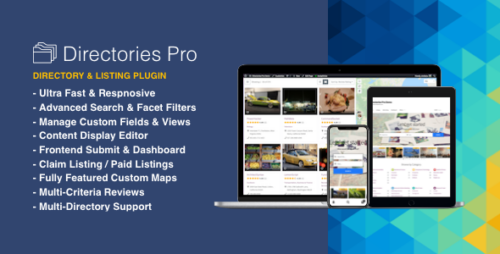
Directories Pro 1.14.36 plugin for WordPress
Directories Pro Plugin for WordPress Are you looking for a powerful and versatile directory plugin for your WordPress website? Look no further than Directories Pro! With its extensive features and easy-to-use interface, Directories Pro is the ultimate solution for creating and managing directories on your WordPress site. In this article, we will explore the Directories Pro plugin, along with its addons, and delve into how they can enhance the functionality and appearance of your website. What is Directories Pro? Directories Pro is a comprehensive WordPress plugin designed to create and manage directories on your website. Whether you want to build a directory for businesses, real estate, events, or any other niche, Directories Pro offers the flexibility and functionality to meet your needs. It provides an intuitive interface and a wide range of customization options, making it easy to create professional-looking directories without any coding knowledge. Key Features of Directories Pro User-friendly Interface Directories Pro boasts a user-friendly interface that simplifies the process of creating and managing directories. With its drag-and-drop form builder, you can easily add custom fields, categories, and labels to your directory listings. The plugin also offers a visual editor, allowing you to customize the layout and design of your directory pages effortlessly. Advanced Search and Filtering Options One of the standout features of Directories Pro is its advanced search and filtering options. Visitors to your website can search for listings based on various criteria such as location, category, price range, and more. The plugin provides interactive filters, enabling users to refine their search results in real-time, enhancing the user experience. Customizable Directory Templates Directories Pro offers a range of pre-designed directory templates that you can customize to match your website’s branding. From single-column layouts to grid or list views, you have the freedom to choose the style that best suits your directory’s purpose. With Directories Pro, you can create visually appealing and unique directory pages that stand out from the crowd. Monetization Opportunities If you’re looking to monetize your directory, Directories Pro has got you covered. The plugin supports various monetization options, including paid listings, membership plans, and featured listings. You can charge businesses or individuals for listing their services or products on your directory, providing a potential revenue stream for your website. Integration with Other Plugins Directories Pro seamlessly integrates with other popular WordPress plugins, allowing you to extend its functionality even further. Whether you want to integrate with WooCommerce for online transactions, add a booking system to your directory, or incorporate social media sharing, Directories Pro offers addons that can enhance the user experience and streamline your website’s operations. How to Install Directories Pro? Installing Directories Pro is a breeze. Follow these simple steps to get started: Purchase the Directories Pro plugin from the official website or a trusted WordPress marketplace. Log in to your WordPress admin panel. Navigate to “Plugins” and click on “Add New.” Click on the “Upload Plugin” button. Choose the Directories Pro plugin zip file and click on “Install Now.” Once the installation is complete, click on “Activate Plugin.” Congratulations! You have successfully installed Directories Pro on your WordPress website. Exploring Directories Pro Addons Directories Pro offers a range of powerful addons that further enhance its functionality. Let’s take a closer look at some of the popular addons available: Google Maps Integration The Google Maps Integration addon allows you to display directory listings on an interactive map. Visitors can easily locate businesses or events in their desired area, providing a seamless user experience. Ratings and Reviews With the Ratings and Reviews addon, users can leave feedback and ratings for listings on your directory. This feature adds credibility and helps users make informed decisions when choosing services or products. WooCommerce Integration The WooCommerce Integration addon enables online transactions directly from your directory. Businesses can sell their products or services, and users can make purchases seamlessly within your website. Events and Booking System The Events and Booking System addon empowers you to create and manage events on your directory. Whether it’s a concert, workshop, or conference, you can handle registrations and bookings with ease. Social Media Integration The Social Media Integration addon allows visitors to share listings on popular social media platforms, increasing exposure and driving more traffic to your directory. Benefits of Using Directories Pro Using Directories Pro offers numerous benefits for your WordPress website: Enhanced user experience with advanced search and filtering options. Customizable directory templates for visually appealing directory pages. Monetization opportunities through paid listings and featured options. Integration with other plugins to extend functionality and streamline operations. Easy installation and user-friendly interface for hassle-free directory management. Directories Pro is a powerful tool that empowers you to create comprehensive directories tailored to your specific needs. Conclusion Directories Pro, along with its addons, provides an all-in-one solution for creating and managing directories on your WordPress website. With its user-friendly interface, extensive customization options, and seamless integration with other plugins, Directories Pro is a go-to choice for individuals and businesses looking to showcase listings and monetize their directories. Explore the power of Directories Pro today and elevate your WordPress website to new heights.
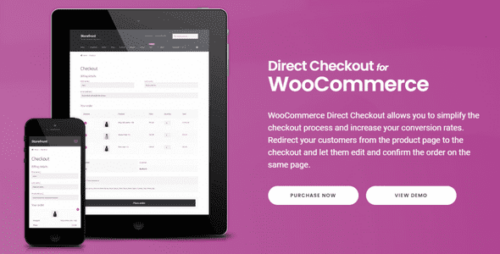
Direct Checkout for WooCommerce Pro 3.3.1
WooCommerce Direct Checkout by QuadLayers If you are an online store owner looking to streamline the checkout process for your customers, you may have come across the WooCommerce Direct Checkout plugin by QuadLayers. In this article, we will explore the features and benefits of this plugin, how it can improve your customers’ shopping experience, and why it’s a valuable addition to your WooCommerce-powered website. Table of Contents Introduction Simplifying the Checkout Process One-Click Direct Checkout Mobile-Friendly and Responsive Design Customization Options Enhanced User Experience Increased Conversion Rates Compatibility with WooCommerce Extensions Pricing and Support Conclusion 1. Introduction WooCommerce Direct Checkout by QuadLayers is a powerful plugin designed to optimize the checkout process on WooCommerce websites. It eliminates unnecessary steps and distractions, allowing customers to complete their purchases quickly and effortlessly. 2. Simplifying the Checkout Process The WooCommerce Direct Checkout plugin simplifies the default WooCommerce checkout process by reducing the number of steps required for customers to complete a purchase. It removes the cart page and redirects customers directly to the checkout page, minimizing any potential distractions or obstacles that could lead to cart abandonment. 3. One-Click Direct Checkout With the WooCommerce Direct Checkout plugin, customers can enjoy a seamless shopping experience with its one-click direct checkout feature. By bypassing the cart page, customers can add products to their cart and proceed to checkout with just a single click. This streamlined process reduces friction and improves the overall efficiency of the purchasing process. 4. Mobile-Friendly and Responsive Design In today’s mobile-driven world, it is crucial for online stores to provide a seamless experience across all devices. WooCommerce Direct Checkout ensures that your checkout page is fully optimized for mobile devices, offering a responsive design that adapts to various screen sizes. This feature enables customers to complete their purchases conveniently, whether they are using a desktop, tablet, or smartphone. 5. Customization Options QuadLayers understands the importance of branding and customization. With the WooCommerce Direct Checkout plugin, you have the flexibility to customize the checkout page to match your store’s branding. You can modify the colors, typography, and layout to create a cohesive and personalized checkout experience for your customers. 6. Enhanced User Experience By reducing the steps required to complete a purchase and providing a simplified checkout process, WooCommerce Direct Checkout greatly enhances the user experience. Customers appreciate the convenience and efficiency of a seamless checkout, resulting in increased customer satisfaction and loyalty. 7. Increased Conversion Rates The streamlined checkout process offered by WooCommerce Direct Checkout has been proven to increase conversion rates. By eliminating distractions and reducing cart abandonment, more customers are likely to complete their purchases. This ultimately leads to higher conversion rates, increased sales, and improved revenue for your online store. 8. Compatibility with WooCommerce Extensions WooCommerce Direct Checkout seamlessly integrates with various WooCommerce extensions, allowing you to extend its functionality even further. Whether you need to integrate with popular payment gateways, offer additional shipping options, or implement marketing tools, this plugin can work harmoniously with other WooCommerce extensions to meet your specific requirements. 9. Pricing and Support WooCommerce Direct Checkout offers competitive pricing plans to suit the needs of different online businesses. You can choose from various subscription options based on the features and level of support you require. QuadLayers provides excellent customer support, ensuring that any questions or issues you encounter are promptly addressed. 10. Conclusion WooCommerce Direct Checkout by QuadLayers is an excellent plugin that simplifies and enhances the checkout process for your WooCommerce store. With its one-click direct checkout, mobile-friendly design, customization options, and compatibility with WooCommerce extensions, it provides a seamless and efficient shopping experience for your customers. By optimizing your checkout process, you can increase conversion rates, boost sales, and ultimately grow your online business.
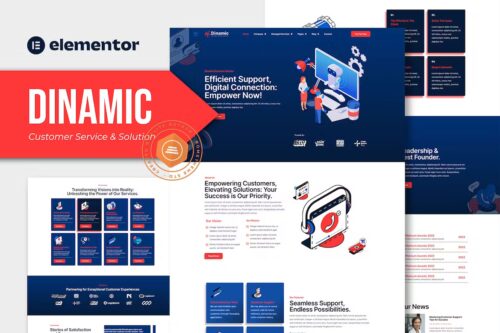
Dinamic – Customer Service & Solution Elementor Pro Template Kit
Dinamic – Customer Service & Solution Elementor Pro Template Kit Meet, Dinamic specially designed for Customer Service & Solution websites! The template kit comes with an ideal selection of templates for businesses and organizations looking to improve their customer support and service capabilities. This kit has a modern and unique design with a 100% fully responsive layout, easy installation, and sure very easy to customize because using Elementor so you don’t need a single line of coding! This Template Kit contains page content for creating Elementor pages. This kit has been optimized for use with the free “Hello Elementor” theme. In case you have already purchased and you happen to have some questions about it, feel free to visit our Support Center where our support team will be more than glad to help you out. Features : Cross Browser Compatibility: Chrome, Firefox, Safari, Opera Using Free Plugins (Elementor Pro is not required) 100% Fully Responsive & mobile-friendly Modern and Unique design 12+ pre-built templates ready to use Customize fonts and colors in one place (Global Kit Style) Templates in Zip : Home About Us Our Team All Services Single Service Career FAQs Error 404 Blog Single Post Contact Header Footer

Digixon 2.0 – Digital Marketing Strategy Consulting WP Theme
Digixon- Digital Marketing Strategy Consulting WP Theme Table of Contents Introduction The Importance of Digital Marketing Strategy Understanding Digixon: A Powerful WP Theme Key Features of Digixon How Digixon Enhances Your Digital Marketing Strategy Seamless Website Design and User Experience Optimal Performance and Speed Mobile Responsiveness SEO-Friendly Structure Customizability and Flexibility Integration with Marketing Tools Social Media Integration Effective Content Management Conversion Optimization Conclusion Introduction In today’s digital landscape, having a strong online presence is crucial for businesses to thrive. Digital marketing plays a pivotal role in reaching and engaging with target audiences effectively. To execute a successful digital marketing strategy, businesses often rely on specialized tools and resources. One such powerful tool is Digixon, a digital marketing strategy consulting WordPress theme. In this article, we will explore the features and benefits of Digixon and how it can elevate your digital marketing efforts. The Importance of Digital Marketing Strategy Before delving into Digixon, let’s emphasize the significance of a well-defined digital marketing strategy. In the highly competitive online space, businesses need to cut through the noise and establish a strong brand identity. A strategic approach allows businesses to identify their target audience, craft compelling messages, and leverage various digital channels to reach potential customers. An effective digital marketing strategy can drive brand awareness, generate leads, and boost conversions. Understanding Digixon: A Powerful WP Theme Digixon is a premium WordPress theme designed specifically for digital marketing strategy consulting. It provides a comprehensive set of tools and functionalities to create an engaging online presence for businesses in the digital marketing industry. With its intuitive interface and robust features, Digixon empowers businesses to showcase their expertise and attract clients effectively. Key Features of Digixon Seamless Website Design and User Experience: Digixon offers a collection of modern and visually appealing website templates tailored for digital marketing consulting. These templates are designed to captivate visitors and provide a seamless user experience. Optimal Performance and Speed: Digixon is optimized for performance, ensuring fast loading times and smooth browsing experiences. This optimization enhances user engagement and improves search engine rankings. Mobile Responsiveness: With the increasing use of mobile devices, having a mobile-friendly website is crucial. Digixon is fully responsive, adapting seamlessly to different screen sizes and devices, guaranteeing an exceptional user experience across platforms. SEO-Friendly Structure: Search engine optimization (SEO) is essential for businesses to increase their visibility in search engine results. Digixon incorporates SEO best practices, including clean code, well-structured URLs, and schema markup, to improve website rankings and organic traffic. Customizability and Flexibility: Digixon provides extensive customization options, allowing businesses to tailor their websites to their unique branding requirements. From color schemes to fonts and layouts, every aspect of the theme can be personalized. Integration with Marketing Tools: Digixon seamlessly integrates with popular digital marketing tools and plugins, facilitating effective lead generation, email marketing, analytics, and more. This integration streamlines workflow and enhances overall marketing efficiency. Social Media Integration: Social media is a powerful platform for businesses to engage with their audience and drive brand awareness. Digixon offers seamless social media integration, enabling businesses to showcase their social media feeds and encourage social sharing. Effective Content Management: Content plays a crucial role in digital marketing success. Digixon provides a user-friendly content management system, allowing businesses to create and publish compelling content effortlessly. This feature enables businesses to consistently deliver valuable information to their audience. Conversion Optimization: Digixon focuses on conversion optimization, helping businesses optimize their website elements to drive conversions. From well-placed call-to-action buttons to strategically designed landing pages, Digixon empowers businesses to maximize their conversion rates. How Digixon Enhances Your Digital Marketing Strategy Digixon acts as a catalyst for your digital marketing strategy by providing a powerful and customizable platform. Here’s how it enhances your digital marketing efforts: Elevated Brand Visibility: With its visually stunning templates and SEO-friendly structure, Digixon ensures your website ranks higher in search engine results, increasing your brand’s visibility and driving organic traffic. Improved User Experience: The seamless user experience offered by Digixon ensures visitors have a positive impression of your brand, leading to increased engagement, longer visit durations, and higher chances of conversion. Streamlined Marketing Processes: By integrating with various marketing tools, Digixon simplifies your workflow, allowing you to manage your marketing campaigns efficiently and focus on delivering results. Enhanced Social Media Engagement: Digixon’s social media integration enables you to leverage social platforms effectively, fostering engagement with your target audience and amplifying your brand’s reach. Optimized Conversion Rates: With Digixon’s conversion-focused features, you can create compelling landing pages, strategically place call-to-action buttons, and implement A/B testing to improve your website’s conversion rates. Conclusion In the ever-evolving world of digital marketing, having a powerful and versatile tool like Digixon can make a significant difference in your online presence. Its comprehensive set of features, user-friendly interface, and focus on conversion optimization provide businesses in the digital marketing industry with a competitive edge. By leveraging Digixon, you can elevate your digital marketing strategy, attract more clients, and achieve remarkable results.

Digits One Click Login/Signup 4.4
Digits One Click Login/Signup: Simplifying User Access In today’s fast-paced digital world, convenience is key. And when it comes to user access, nothing beats the simplicity of Digits One Click Login/Signup. In this article, we’ll dive deep into the world of Digits One Click, exploring how it works, its benefits, and why it’s becoming the preferred choice for both users and businesses. So, let’s get started with this one-click wonder! What is Digits One Click Login/Signup? Digits One Click Login/Signup is a user authentication system that streamlines the login and signup processes. It eliminates the need for users to remember passwords or go through lengthy registration forms. With just a single click, users can gain access to websites and apps, making it incredibly user-friendly. How Does It Work? 1. Seamless Integration Digits One Click can be seamlessly integrated into websites and mobile apps. Developers can add it with minimal effort, ensuring a smooth user experience. 2. Device Recognition Once a user clicks to log in/sign up, Digits One Click recognizes the device they’re using. This adds an extra layer of security by ensuring the user is accessing their account from a trusted device. 3. Biometric Verification For added security, Digits One Click can utilize biometric data, such as fingerprints or facial recognition, to verify the user’s identity. Benefits of Digits One Click 1. Enhanced User Experience The one-click login/signup process is a game-changer in terms of user experience. It reduces friction, making it easier for users to access your platform. 2. Increased Security The device recognition and biometric verification mechanisms enhance security, reducing the risk of unauthorized access. 3. Password-Free Say goodbye to forgotten passwords. Digits One Click eliminates the need for users to remember complex passwords. 4. Faster Conversions For businesses, this means faster conversions. Users are more likely to sign up or login when the process is effortless. Why Businesses Should Embrace Digits One Click 1. Improved Registration Rates Traditional signup forms can be a deterrent for users. Digits One Click simplifies the process, leading to higher registration rates. 2. Reduced Cart Abandonment E-commerce websites can significantly benefit from Digits One Click. It reduces cart abandonment rates by providing a quick and easy way for users to complete their purchases. 3. Enhanced Security Businesses can assure their users of top-notch security, fostering trust and credibility. How Digits One Click Benefits Users 1. Time-Saving Users no longer need to waste time typing in lengthy registration details or resetting forgotten passwords. 2. Secure Access Users can enjoy secure access to their accounts, even on shared devices, thanks to biometric verification. 3. User-Friendly The simplified login/signup process makes websites and apps more user-friendly, enhancing the overall digital experience. The Future of User Authentication As technology evolves, user authentication methods must keep pace. Digits One Click is at the forefront of this evolution, offering a glimpse into the future of hassle-free, secure access to digital platforms. Getting Started with Digits One Click 1. Integration Steps To get started with Digits One Click, follow these integration steps on your website or app: Step 1: Sign up for Digits One Click. Step 2: Integrate the Digits One Click SDK into your platform. Step 3: Customize the user experience to match your brand. Step 4: Launch and monitor the results. 2. User Adoption Encourage users to embrace Digits One Click by highlighting its benefits and simplicity. Educate them on how it works and how it enhances their digital journey. 3. Security Measures While Digits One Click is highly secure, it’s essential to stay updated on security best practices and regularly review your authentication system for vulnerabilities. Conclusion In a world where time is precious and security is paramount, Digits One Click Login/Signup emerges as a beacon of simplicity and safety. It’s a win-win for both users and businesses, offering a seamless and secure way to access digital platforms. Embrace the future of user authentication with Digits One Click, and watch your user base grow while keeping them safe and satisfied.