Search Resources
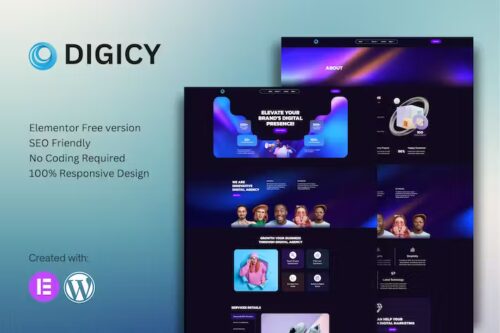
Digicy – Digital Marketing Agency Elementor Template Kit
Digicy – Digital Marketing Agency Elementor Template Kit Digicy – Digital Marketing Agency Elementor Template Kit is a collection of layouts for the Elementor page builder WordPress plugin, designed for use with Elementor Free Version for a clean Design. It works with most themes and is optimized for use with the free Hello Elementor theme. 12 Import Templates Ready For Use : Home 1 About Service Service Details 404 Contact Coming Soon News Team Faq Global Style Kit Block | Header Block | Footer Template Features No upgrades or pro plugins required True No Coding Required Global Theme Style Plugins installed with kit Elementor Elements Kit Lite MetForm
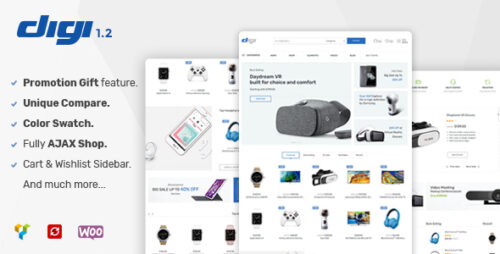
Digi 1.7.1 – Electronics Store WooCommerce WordPress Themes
Digi – Electronics Store WooCommerce WordPress Themes Introduction In today’s digital age, having a strong online presence is crucial for businesses, especially for electronics stores. With more and more people turning to the internet to purchase their favorite gadgets, it’s essential to have an attractive and user-friendly website to showcase your products. One of the most popular platforms for creating an online store is WooCommerce, which is seamlessly integrated with WordPress. To enhance the functionality and aesthetics of your electronics store, you can choose from a wide range of Digi – Electronics Store WooCommerce WordPress Themes. These themes offer a perfect blend of style and functionality to create a visually appealing and highly functional website for your online business. Benefits of Digi – Electronics Store WooCommerce WordPress Themes Responsive Design: Digi – Electronics Store WooCommerce WordPress Themes are designed to be responsive, ensuring that your website looks great on all devices, including desktops, laptops, tablets, and smartphones. This ensures a seamless browsing experience for your visitors, regardless of the device they are using. Easy Customization: These themes come with a user-friendly interface, allowing you to easily customize various aspects of your website, such as colors, fonts, layouts, and more. You don’t need to be a coding expert to personalize your website according to your brand’s identity. Product Showcase: Digi – Electronics Store WooCommerce WordPress Themes provide attractive product showcase options. You can display your products in a visually appealing manner, including high-quality product images, detailed descriptions, customer reviews, and related products. This helps in capturing the attention of your visitors and encourages them to make a purchase. Seamless Integration with WooCommerce: As these themes are specifically designed for WooCommerce, they seamlessly integrate with this powerful e-commerce plugin. This integration enables you to manage your inventory, process payments, handle shipping, and track orders efficiently. SEO-Optimized: Search engine optimization (SEO) is essential for improving your website’s visibility in search engine results. Digi – Electronics Store WooCommerce WordPress Themes are built with SEO best practices in mind, ensuring that your website ranks higher in search engine rankings, resulting in increased organic traffic and potential customers. Choosing the Right Digi – Electronics Store WooCommerce WordPress Theme When selecting a Digi – Electronics Store WooCommerce WordPress Theme for your online store, consider the following factors: 1. Design and Layout Choose a theme that reflects the aesthetic appeal of your brand and aligns with your target audience’s preferences. Look for a theme that offers a clean and modern design, easy navigation, and visually appealing product showcases. 2. Responsiveness Ensure that the theme is fully responsive and mobile-friendly. With the increasing number of users accessing websites through mobile devices, having a responsive design is crucial for a positive user experience. 3. Customization Options Check if the theme provides a wide range of customization options, allowing you to personalize your website to match your brand identity. Look for features like color schemes, typography options, and layout variations. 4. Compatibility with Plugins Consider the compatibility of the theme with essential plugins, such as WooCommerce, to ensure smooth functionality and easy integration with your e-commerce platform. 5. Support and Documentation Choose a theme that comes with reliable customer support and comprehensive documentation. This will help you in case you encounter any issues or need assistance while setting up and customizing your website. Conclusion In the competitive world of online electronics stores, having a well-designed and user-friendly website is essential. Digi – Electronics Store WooCommerce WordPress Themes provide an excellent solution for creating an impressive online store. With their responsive design, easy customization options, and seamless integration with WooCommerce, these themes empower you to create a successful online business. Choose the right theme that aligns with your brand identity and provides a great user experience. Enhance your online presence, attract more customers, and boost your sales with Digi – Electronics Store WooCommerce WordPress Themes.
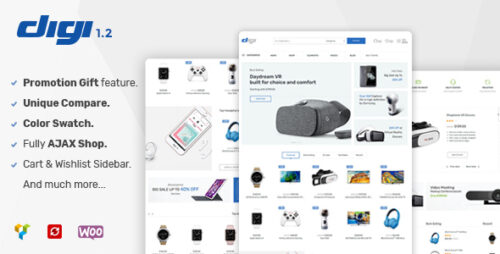
Digi 1.8.3 – Electronics Store WooCommerce Theme
Digi – Electronics Store WooCommerce Theme: Building a Seamless Online Store In today’s digital era, an online presence is crucial for businesses, especially for electronics stores looking to reach a global audience. To establish a successful e-commerce venture, having a user-friendly and visually appealing website is paramount. One of the top choices for creating an electronics store online is the Digi – Electronics Store WooCommerce Theme. This article will explore the features, benefits, and step-by-step guide to setting up an impressive electronics store using Digi. What is Digi – Electronics Store WooCommerce Theme? Digi is a powerful and flexible WooCommerce theme specifically designed for electronics stores. It is built on top of WooCommerce, the leading e-commerce plugin for WordPress, making it a perfect fit for anyone looking to start an online electronics retail business. Digi offers a wide range of features that enhance the overall shopping experience for customers. Features of Digi – Electronics Store WooCommerce Theme Responsive Design Digi ensures that your website looks stunning and functions flawlessly across various devices, including desktops, tablets, and smartphones. With more people using mobile devices to shop, a responsive design is crucial for capturing and retaining customers. Multiple Homepage Layouts The theme provides multiple pre-designed homepage layouts, allowing you to choose the one that best represents your brand and products. These layouts are customizable, giving you the freedom to tailor your website according to your preferences. Product Quick View With Digi, customers can quickly preview product details without navigating to a separate page. This feature streamlines the shopping process and improves user satisfaction. Advanced Product Filtering Digi offers advanced filtering options, making it easier for customers to find the exact products they are looking for. Visitors can filter products based on categories, price ranges, brands, and other attributes. Wishlist and Compare The theme includes wishlist and compare functionalities, enabling customers to save their favorite products and compare them before making a purchase decision. One-Click Demo Import Digi simplifies the website setup process with its one-click demo import feature. You can import demo content and settings with a single click, making your site look like the demo in a matter of minutes. SEO Optimized Search engine optimization (SEO) is crucial for increasing your website’s visibility on search engines like Google. Digi is built with SEO best practices in mind, giving your site a better chance to rank higher in search results. Customer Reviews and Ratings Customer reviews and ratings play a significant role in influencing purchase decisions. Digi allows customers to leave reviews, helping build trust and credibility for your products. Setting Up Digi – Electronics Store WooCommerce Theme Before diving into the setup process, ensure you have WordPress installed and activated on your hosting server. Once done, follow these steps to set up Digi: Installing and Activating the Theme Log in to your WordPress dashboard. Go to “Appearance” and click on “Themes.” Click on “Add New,” then “Upload Theme.” Select the Digi theme zip file and click “Install Now.” After installation, activate the theme. Importing Demo Content Once the theme is activated, you will see a notification to install required plugins. Install and activate them. Navigate to “Appearance” > “Digi Options” > “Import Demos.” Choose the demo layout you want and click “Import Demo Data.” Customization Options After importing the demo, you can customize various aspects of your website, including colors, fonts, logo, and more, using the WordPress customizer. Creating Product Pages and Categories With the theme set up, it’s time to add your products and organize them into categories: Adding Products Go to “Products” > “Add New.” Enter the product title, description, price, and other relevant information. Upload product images and set a featured image. Product Images and Descriptions Make sure to use high-quality images that showcase your products from different angles. Write compelling and informative product descriptions to entice potential buyers. Organizing Categories Create product categories and subcategories to help customers navigate your store easily. Use relevant keywords in category names to enhance SEO. Managing the Shopping Cart and Checkout Process Ensure the shopping cart and checkout process are smooth and hassle-free: Test the shopping cart functionality by adding products and proceeding to checkout. Enable guest checkout for customers who do not want to create an account. Implementing Payment Gateways Integrate secure payment gateways to offer customers a variety of payment options. Popular options include PayPal, credit/debit cards, and digital wallets. Integrating Plugins for Enhanced Functionality Extend your website’s capabilities by integrating useful plugins: Social Media Integration Connect your website to your social media profiles to engage with customers and promote your products. Email Marketing Integration Build an email list and send newsletters or promotional offers to keep customers informed and encourage repeat purchases. Live Chat Support Offer live chat support to assist customers in real-time and address their queries promptly. Optimizing Your Website for Search Engines To increase organic traffic to your website, implement these SEO strategies: Keyword Research Identify relevant keywords related to your products and use them naturally in product descriptions and meta tags. On-Page SEO Techniques Optimize product pages by using proper headings, meta descriptions, and image alt tags. Improving Page Load Speed Optimize image sizes, enable browser caching, and use a reliable hosting service to improve page load speed. Mobile-Friendly Design Ensure your website is mobile-friendly, as an increasing number of users shop using their smartphones. Securing Your Online Store Protect your website and customer data with these security measures: SSL Certificates Secure Socket Layer (SSL) certificates encrypt data transmitted between your website and customers’ browsers. Regular Backups Regularly back up your website to prevent data loss in case of any unforeseen circumstances. Security Plugins Install security plugins to detect and prevent security threats, such as malware and hacking attempts. Customer Support and Communication Offer exceptional customer support to build a loyal customer base: Live Chat Support Enable live chat support to address customer inquiries promptly and efficiently. Contact Forms Provide contact forms to allow customers to reach out to you easily. FAQs Section Create a comprehensive FAQs section to answer common customer questions and reduce support inquiries. Managing Inventory and Stock Implement a robust inventory management system to keep track of stock levels and avoid overselling. Monitoring and Analyzing Website Performance Analyze your website’s performance to make data-driven decisions: Google Analytics Set up Google Analytics to track website traffic, user behavior, and conversions. Conversion Tracking Monitor conversion rates and identify areas for improvement. User Behavior Analysis Understand how users interact with your website to optimize the user experience. Scaling Your Online Business As your online business grows, consider these strategies: Marketing Strategies Implement marketing campaigns to reach new customers and retain existing ones. Expanding Product Range Regularly update your product offerings to attract a broader customer base. Collaborating with Influencers Partner with influencers to promote your products and expand your reach. Conclusion Launching an electronics store with the Digi – Electronics Store WooCommerce Theme can be a game-changer for your business. With its user-friendly features, seamless checkout process, and robust customization options, you can create a compelling online shopping experience for your customers. Remember to implement SEO best practices, ensure website security, and continuously monitor website performance to stay ahead in the competitive e-commerce landscape.
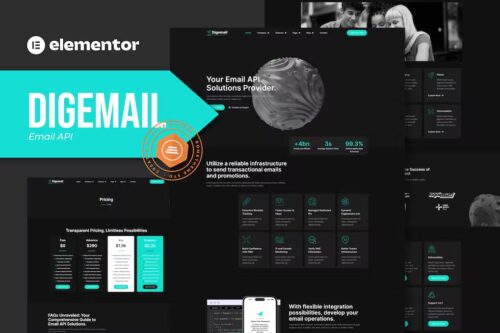
Digemail – API Solutions & Services Elementor Pro Template Kit
Digemail – API Solutions & Services Elementor Pro Template Kit Digemail is an Elementor Pro Template Kit specially designed for Code Development / Product websites! The template kit comes with an ideal selection of templates for API solutions, API Services, SMTP services, or code Libraries. This kit has a modern and unique design with a 100% fully responsive layout, easy installation, and sure very easy to customize because using Elementor you don’t need a single line of coding! This Template Kit contains page content for creating Elementor pages. This kit has been optimized for use with the free “Hello Elementor” theme. In case you have already purchased and you happen to have some questions about it, feel free to visit our Support Center where our support team will be more than glad to help you out. Features : Cross Browser Compatibility: Chrome, Firefox, Safari, Opera Using Free Plugins (Elementor Pro is not required) 100% Fully Responsive & mobile-friendly Modern and Unique design 12+ pre-built templates ready to use Customize fonts and colors in one place (Global Kit Style) Templates in Zip : Homepage About Us Our Team On Delivery Rates Email, SMS & Video Services Pricing Partners Partnership Program Error 404 Blog Single Post Contact Header Footer
DHWC Page 5.2.24 – WooCommerce Page Template Builder
DHWC Page – WooCommerce Page Template Builder Are you looking for a flexible and efficient way to create custom page templates for your WooCommerce store? Look no further! DHWC Page is here to revolutionize the way you design and manage your online shop. With its powerful features and user-friendly interface, DHWC Page offers an unparalleled experience for WooCommerce users. In this article, we will explore the benefits and functionality of DHWC Page, guiding you through the process of building stunning page templates that align with your brand’s identity. Table of Contents Introduction to DHWC Page Key Features of DHWC Page Seamless Integration with WooCommerce Drag-and-Drop Page Builder Extensive Template Library Customization Options Mobile Responsiveness SEO-Friendly Designs Improved User Experience Compatibility with Popular Themes and Plugins How to Get Started with DHWC Page Pricing and Support Conclusion Introduction to DHWC Page DHWC Page is a powerful WordPress plugin specifically designed to enhance the functionality of WooCommerce. It empowers online store owners and developers to create unique and visually appealing page templates without the need for coding knowledge. Whether you want to design a captivating homepage, a stylish product page, or a compelling landing page, DHWC Page provides you with the tools you need to bring your vision to life. Key Features of DHWC Page Seamless Integration with WooCommerce DHWC Page seamlessly integrates with WooCommerce, allowing you to harness the full potential of this popular e-commerce platform. You can easily incorporate your product catalogs, shopping carts, and checkout processes into your custom page templates, ensuring a consistent and cohesive user experience across your entire website. Drag-and-Drop Page Builder One of the standout features of DHWC Page is its intuitive drag-and-drop page builder. This visual editor enables you to create and arrange page elements effortlessly. Simply drag and drop pre-designed elements such as headings, images, buttons, and pricing tables onto your canvas, and customize them to suit your brand aesthetics. Extensive Template Library DHWC Page offers an extensive library of pre-designed templates to expedite your page building process. These templates cover various page types, including homepages, product pages, category pages, and more. You can choose from a wide range of professionally crafted designs and customize them to align with your brand identity. Customization Options With DHWC Page, you have full control over the appearance and layout of your page templates. Customize fonts, colors, backgrounds, and spacing to create a visually appealing and cohesive website. The plugin also provides advanced options for fine-tuning the responsiveness of your pages, ensuring a seamless experience across different devices. Mobile Responsiveness In today’s mobile-centric world, having a responsive website is crucial for success. DHWC Page understands this, and all templates built with the plugin are mobile-friendly by default. Your page templates will automatically adapt to different screen sizes, providing a consistent and engaging experience for your mobile users. SEO-Friendly Designs DHWC Page prioritizes search engine optimization, ensuring that your website’s pages are optimized for better visibility on search engine result pages (SERPs). By structuring your content using appropriate headings, meta tags, and schema markup, you can improve your website’s chances of ranking higher in search results and driving organic traffic. Improved User Experience By leveraging DHWC Page’s powerful features, you can create an intuitive and user-friendly website. Design clear navigation menus, add interactive elements, and optimize page loading speed to enhance user experience. A well-designed and user-friendly interface can lead to higher conversion rates and increased customer satisfaction. Compatibility with Popular Themes and Plugins DHWC Page is designed to work seamlessly with popular WordPress themes and plugins. Whether you are using a popular theme like Divi or a WooCommerce extension like WooCommerce Subscriptions, DHWC Page ensures compatibility, allowing you to leverage the full potential of your existing tools and enhance your website’s functionality. How to Get Started with DHWC Page Purchase and install DHWC Page from the official website or the WordPress plugin repository. Activate the plugin and navigate to the DHWC Page settings in your WordPress dashboard. Familiarize yourself with the drag-and-drop page builder and explore the available templates. Choose a template that aligns with your requirements or start building from scratch. Customize the template to match your brand’s aesthetics, utilizing the intuitive customization options. Preview and test your page templates to ensure optimal functionality and responsiveness. Publish your customized templates and enjoy a visually stunning WooCommerce store. Pricing and Support DHWC Page offers different pricing plans to cater to the needs of various users, from individual store owners to agencies managing multiple websites. Each plan provides access to all features and updates, with varying levels of support. You can visit the DHWC Page website for detailed pricing information and reach out to their support team for any assistance or inquiries. Conclusion DHWC Page is a game-changer for WooCommerce users seeking to create unique and visually stunning page templates. With its seamless integration, drag-and-drop page builder, extensive template library, and customization options, DHWC Page empowers you to unleash your creativity and build a captivating online store. Enhance your user experience, improve SEO, and showcase your products in the best possible light with this powerful WordPress plugin.
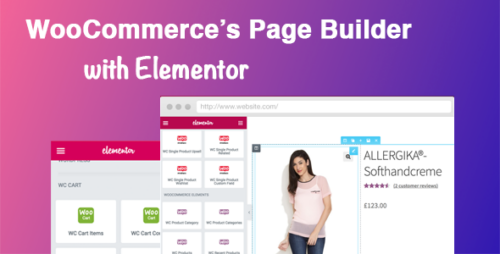
DHWC Elementor 1.2.11 – WooCommerce Page Builder with Elementor
DHWC Elementor: Revolutionizing WooCommerce Store Design with Elementor Are you tired of the same old WooCommerce store design? Looking for a way to elevate your online shopping experience and captivate your audience? Look no further than DHWC Elementor – the game-changing WooCommerce Page Builder with Elementor integration. In this article, we’ll delve into how DHWC Elementor empowers online store owners to create stunning designs, boost sales, and provide an unmatched shopping journey. Introduction In the fast-paced world of e-commerce, standing out is key to success. With the DHWC Elementor plugin, WooCommerce store owners can breathe life into their websites by designing captivating pages that engage customers from the moment they land on the site. This revolutionary tool seamlessly integrates with the popular Elementor page builder, unlocking a treasure trove of possibilities for creating visually stunning and highly functional online stores. The Power of WooCommerce Page Builders Traditional WooCommerce pages can be limiting in terms of design and customization. This is where page builders come into play. Page builders empower users to break free from the constraints of preset layouts and themes, offering a blank canvas on which they can create unique designs. DHWC Elementor takes this concept to the next level by combining the flexibility of a page builder with the power of WooCommerce. Meet DHWC Elementor: An Overview DHWC Elementor is a plugin specially designed for WooCommerce users who want to harness the potential of Elementor’s drag-and-drop page-building capabilities. It seamlessly integrates into your WordPress dashboard, expanding the creative horizon for crafting attractive product pages, category pages, and more. With DHWC Elementor, you don’t need coding skills to transform your visions into reality. Advantages of DHWC Elementor Streamlined Store Design DHWC Elementor empowers you to create a coherent and visually appealing store design. From strategically placing product images to arranging text blocks that highlight key features, the plugin enables an artistic approach to online store layout. Elementor Compatibility If you’re familiar with Elementor, you’ll feel right at home using DHWC Elementor. The integration is seamless, allowing you to take advantage of Elementor’s intuitive interface and extensive widget library. Customization Freedom One size doesn’t fit all in e-commerce. DHWC Elementor provides a wide array of customization options, ensuring that your store aligns with your brand’s identity. Tweak colors, fonts, layouts, and more to match your vision. Mobile Responsiveness In an era dominated by mobile devices, DHWC Elementor ensures that your store looks and functions flawlessly on screens of all sizes. The responsive design features guarantee a consistent and enjoyable shopping experience for your customers. Getting Started with DHWC Elementor Installation and Activation Getting started with DHWC Elementor is a breeze. Simply navigate to the WordPress dashboard, head to the Plugins section, and install the plugin. After activation, you’ll find the DHWC Elementor settings conveniently located within your WooCommerce settings. Navigating the Interface Upon entering the DHWC Elementor interface, you’ll notice its user-friendly layout. The intuitive design enables even beginners to navigate effortlessly through the customization options and design elements. Creating Your First WooCommerce Page with DHWC Elementor Choosing a Template or Starting from Scratch DHWC Elementor offers a plethora of pre-designed templates for various store sections. You can choose a template that resonates with your brand and modify it as needed. Alternatively, start with a blank canvas and let your creativity run wild. Drag-and-Drop Elements With DHWC Elementor, creating your dream WooCommerce page is as simple as dragging and dropping elements onto the canvas. From product grids to testimonials, you have the power to craft a dynamic page that resonates with your audience. Live Preview and Editing One of the highlights of DHWC Elementor is its real-time editing feature. As you make changes to your page’s layout, colors, or content, you can instantly preview how these alterations will appear to your visitors. Advanced Features for Enhanced Store Design Dynamic Product Showcase DHWC Elementor offers dynamic product showcases that allow you to display your offerings in an engaging and interactive manner. These showcases can include product images, descriptions, prices, and even customer reviews. Personalized Shopping Experience Customization goes beyond aesthetics. DHWC Elementor lets you create personalized shopping experiences by showing product recommendations based on user behavior, ensuring higher chances of conversion. Interactive Product Carousels Elevate your store’s visual appeal with interactive product carousels. These eye-catching elements allow visitors to explore your product range effortlessly, boosting their engagement and potentially leading to more sales. SEO Benefits and Optimization SEO-Friendly Elements A beautiful store is only valuable if customers can find it. DHWC Elementor doesn’t compromise on SEO. Its elements are designed with search engine optimization in mind, ensuring that your pages rank well on search engines. Performance and Loading Speed In the digital age, speed matters. DHWC Elementor optimizes the performance of your WooCommerce pages, ensuring that they load quickly and provide a seamless shopping experience for users. Taking Your Store Mobile: Ensuring Responsiveness The Importance of Mobile Optimization With a significant portion of online shopping occurring on mobile devices, mobile optimization is non-negotiable. DHWC Elementor’s responsive design tools enable your store to adapt effortlessly to different screen sizes. DHWC Elementor’s Responsive Design Tools DHWC Elementor offers a range of tools to ensure mobile responsiveness. From adjusting image sizes to optimizing text readability, these features guarantee that your store remains user-friendly on smartphones and tablets. Conclusion DHWC Elementor has revolutionized the way WooCommerce stores are designed. By merging the power of Elementor with the requirements of e-commerce, it empowers store owners to create captivating, user-friendly, and sales-boosting pages. From seamless integration to customization freedom and mobile responsiveness, DHWC Elementor addresses the core needs of a successful online store.
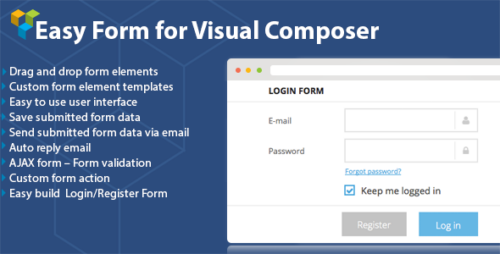
DHVC Form – 2.3.4 for WPBakery Page Builder
DHVC Form: Streamline Your Data Collection Efforts Are you tired of manually collecting and managing data from various sources? Do you wish there was a more efficient way to streamline your data collection efforts? Look no further than DHVC Form! In this article, we will explore the features and benefits of DHVC Form and how it can revolutionize the way you gather and organize data. Table of Contents Introduction What is DHVC Form? Key Features of DHVC Form How to Use DHVC Form Benefits of DHVC Form Real-World Applications Integrations Security and Privacy Pricing and Plans Customer Support Conclusion Introduction In today’s data-driven world, organizations of all sizes rely on accurate and comprehensive data to make informed decisions. However, collecting and managing data can be a cumbersome and time-consuming task. That’s where DHVC Form comes in. It is a powerful tool designed to simplify the process of data collection, enabling you to focus on analyzing and utilizing the data rather than getting bogged down by manual data entry. What is DHVC Form? DHVC Form is an innovative data collection platform that allows you to create custom forms to gather information from various sources. Whether you need to collect customer feedback, conduct surveys, or receive job applications, DHVC Form provides a user-friendly interface to design and deploy forms quickly and efficiently. Key Features of DHVC Form 1. Drag-and-Drop Form Builder With DHVC Form’s intuitive drag-and-drop form builder, you can easily create and customize forms without any coding knowledge. Simply select the desired fields, arrange them as needed, and tailor the form to match your specific requirements. 2. Wide Range of Form Field Types DHVC Form offers a diverse selection of form field types, including text fields, checkboxes, dropdown menus, radio buttons, file uploads, and more. This versatility ensures that you can capture the data you need in the most appropriate format. 3. Conditional Logic The conditional logic feature allows you to create dynamic forms that adapt to user responses. You can show or hide certain form fields based on the answers provided, making your forms more interactive and user-friendly. 4. Seamless Data Integration DHVC Form seamlessly integrates with popular third-party applications and services, such as CRM systems, email marketing platforms, and project management tools. This integration eliminates the need for manual data transfer, saving you time and reducing the risk of errors. 5. Data Analytics and Reporting Analyzing data is made easy with DHVC Form’s built-in analytics and reporting tools. Gain valuable insights from the collected data, visualize trends, and export reports for further analysis or sharing with stakeholders. How to Use DHVC Form Using DHVC Form is a straightforward process. Follow these simple steps to start collecting data efficiently: Step 1: Sign up for DHVC Form Visit the DHVC Form website and sign up for an account. You can choose a suitable plan based on your organization’s needs. Step 2: Create a New Form Access the DHVC Form dashboard and click on the “Create New Form” button. Give your form a descriptive title and start adding form fields using the drag-and-drop builder. Step 3: Customize Your Form Tailor the form fields to match your data collection requirements. You can set field validation, add instructions or placeholders, and even apply conditional logic to make the form more dynamic. Step 4: Publish Your Form Once you’re satisfied with the form design, publish it and obtain a unique link or embed code. You can share the form link via email, social media, or embed it on your website. Step 5: Collect and Manage Responses As respondents fill out the form, their responses will be automatically stored in your DHVC Form account. You can view, analyze, and export the collected data as needed. Benefits of DHVC Form Implementing DHVC Form as your data collection solution offers several advantages: 1. Time and Cost Savings By automating the data collection process, DHVC Form reduces the need for manual data entry, saving you valuable time and resources. You can allocate your workforce to more critical tasks instead of tedious administrative work. 2. Enhanced Data Accuracy With DHVC Form’s standardized data collection format, you minimize the risk of human error and inconsistencies. The structured data enables easier analysis and ensures the reliability of your insights. 3. Increased Productivity By streamlining the data collection process, DHVC Form boosts productivity across your organization. Employees can focus on utilizing the collected data for strategic decision-making, leading to improved efficiency and performance. 4. Improved User Experience DHVC Form provides a user-friendly and intuitive interface, making it easy for respondents to complete the forms. The conditional logic feature enhances the user experience by tailoring the form dynamically to their specific needs. 5. Scalability and Flexibility Whether you’re a small business or a large enterprise, DHVC Form can scale alongside your data collection requirements. You can create multiple forms, manage various projects simultaneously, and integrate with other tools to accommodate your evolving needs. Real-World Applications DHVC Form finds applications across diverse industries and sectors: 1. Market Research Conducting surveys and collecting feedback from customers is crucial for businesses to understand market trends and customer preferences. DHVC Form enables businesses to gather valuable insights and make data-driven decisions. 2. Human Resources DHVC Form simplifies the job application process by providing online forms for candidates to submit their resumes and other relevant information. This streamlines the hiring process and enhances the candidate experience. 3. Event Management Whether it’s event registrations, attendee surveys, or feedback collection, DHVC Form helps event organizers capture the necessary data seamlessly. This data can be used to improve future events and tailor them to attendees’ preferences. 4. Education and Training Educational institutions and training providers can leverage DHVC Form to collect feedback from students, conduct course evaluations, and gather research data. This enhances the learning experience and facilitates continuous improvement. Integrations DHVC Form integrates smoothly with various tools and platforms, allowing you to connect your data collection process with other systems. Some popular integrations include: Customer Relationship Management (CRM) systems like Salesforce and HubSpot Email marketing platforms such as Mailchimp and Campaign Monitor Project management tools like Trello and Asana Cloud storage services such as Google Drive and Dropbox Security and Privacy DHVC Form takes data security and privacy seriously. Your data is stored securely and encrypted, ensuring protection against unauthorized access. Additionally, DHVC Form complies with relevant data protection regulations, providing you with peace of mind when collecting sensitive information. Pricing and Plans DHVC Form offers flexible pricing plans to cater to organizations of all sizes. You can choose from monthly or annual subscriptions, and there are different tiers based on your feature requirements and the number of forms and responses needed. Visit the DHVC Form website for detailed pricing information. Customer Support DHVC Form provides comprehensive customer support to assist you with any queries or issues. You can access documentation, tutorials, and FAQs on their website. Additionally, you can reach out to their support team via email or live chat for personalized assistance. Conclusion DHVC Form offers a powerful solution to simplify your data collection efforts. By utilizing its intuitive form builder, seamless integrations, and robust analytics features, you can enhance productivity, save time and resources, and make data-driven decisions with confidence. Streamline your data collection process with DHVC Form and unlock the full potential of your data.
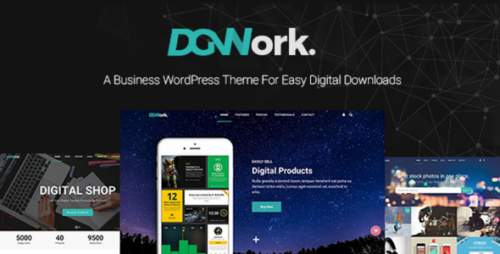
DGWork 1.8.7 – Powerful Responsive Easy Digital Downloads Theme
DGWork – Powerful Responsive Easy Digital Downloads Theme Are you looking for a powerful, responsive, and user-friendly theme for your digital downloads website? Look no further than DGWork! In this article, we will explore the key features, benefits, and customization options offered by DGWork, a top-notch theme designed specifically for Easy Digital Downloads (EDD) platform. Table of Contents Introduction to DGWork Responsive Design for Optimal User Experience Easy Digital Downloads Integration Customizable and Flexible Layouts Extensive Theme Options Enhanced Product Showcase Built-in Marketing Features SEO Optimization for Better Visibility Speed and Performance Optimization Reliable Customer Support Pricing and Licensing Options Compatibility with Popular Plugins Real User Reviews and Testimonials Conclusion 1. Introduction to DGWork DGWork is a premium WordPress theme specially designed to meet the needs of online entrepreneurs and businesses selling digital products. With its sleek and modern design, DGWork offers a professional and visually appealing platform to showcase and sell your digital downloads effectively. 2. Responsive Design for Optimal User Experience With the increasing use of mobile devices, it is crucial to have a website that adapts seamlessly to different screen sizes. DGWork is built with a responsive design, ensuring that your website looks stunning and functions flawlessly on desktops, tablets, and smartphones. This mobile-friendly approach helps in providing an optimal user experience and keeps your visitors engaged. 3. Easy Digital Downloads Integration DGWork is specifically developed for seamless integration with the Easy Digital Downloads plugin, a popular solution for managing digital products and online sales. By leveraging the power of EDD, DGWork enables you to create a fully functional digital store with features such as product listings, shopping cart, secure payment gateways, and more. 4. Customizable and Flexible Layouts DGWork offers a range of pre-designed layouts and templates to kickstart your website creation process. These layouts are highly customizable, allowing you to personalize the appearance and structure of your site to match your brand and unique style. Whether you are a beginner or an experienced developer, DGWork provides you with the flexibility you need to create a stunning website effortlessly. 5. Extensive Theme Options DGWork comes equipped with an intuitive theme options panel, giving you full control over various aspects of your website’s design and functionality. From colors and fonts to header styles and page layouts, you can easily customize your site without any coding knowledge. The user-friendly interface ensures that you can make changes and see the results in real-time, empowering you to create a website that truly represents your brand. 6. Enhanced Product Showcase When it comes to selling digital products, presentation matters. DGWork offers a range of product showcase options to display your offerings attractively. With different styles for product grids, sliders, and single product pages, you can highlight the unique features and benefits of your digital products effectively, enticing visitors to make a purchase. 7. Built-in Marketing Features DGWork understands the importance of marketing your digital products to reach a wider audience. That’s why it comes with built-in marketing features that can help you boost your online visibility and increase sales. From social sharing buttons to email subscription forms, DGWork provides the tools you need to promote your products and grow your customer base. 8. SEO Optimization for Better Visibility Having a visually appealing website is not enough if it doesn’t rank well in search engine results. DGWork is designed with search engine optimization (SEO) best practices in mind. It follows clean and structured code, incorporates schema markup, and provides options to optimize your meta tags and URLs. These SEO-friendly features enhance your website’s visibility, making it easier for potential customers to find you. 9. Speed and Performance Optimization In today’s fast-paced digital world, speed is crucial. Slow-loading websites can lead to higher bounce rates and lost sales opportunities. DGWork is optimized for speed and performance, ensuring that your website loads quickly and efficiently. By minimizing code and utilizing caching techniques, DGWork delivers an exceptional browsing experience to your visitors. 10. Reliable Customer Support When building and managing your digital downloads website, having access to reliable customer support is essential. DGWork offers excellent customer support, with a team of experts ready to assist you with any queries or technical issues you may encounter. Their prompt and professional assistance ensures that you can focus on growing your online business without worrying about website-related challenges. 11. Pricing and Licensing Options DGWork offers flexible pricing and licensing options to suit different budgets and business requirements. Whether you are just starting or have an established online presence, DGWork provides various plans and packages to choose from. You can select the option that aligns with your needs, ensuring that you get the most value out of your investment. 12. Compatibility with Popular Plugins To extend the functionality of your digital downloads website, DGWork is designed to be compatible with a wide range of popular WordPress plugins. Whether you need advanced analytics, email marketing integration, or additional payment gateways, DGWork seamlessly integrates with these plugins, empowering you to enhance your website’s capabilities. 13. Real User Reviews and Testimonials Don’t just take our word for it! DGWork has received positive feedback from numerous users who have experienced its benefits firsthand. Real user reviews and testimonials can give you valuable insights into the performance, usability, and overall satisfaction of using DGWork for your digital downloads website. 14. Conclusion DGWork is a powerful and responsive Easy Digital Downloads theme that offers a comprehensive set of features and customization options. Whether you are an individual entrepreneur or a business owner, DGWork provides you with the tools and flexibility to create a stunning digital downloads website that stands out from the competition. With its seamless integration with Easy Digital Downloads, user-friendly interface, and excellent customer support, DGWork is a top choice for anyone looking to establish a successful online presence.

Devita 1.7.2 – Multi-purpose WooCommerce WP Website
Devita Theme: A Comprehensive Guide to Building Stunning Websites Outline: Introduction to Devita Theme Key Features of Devita Theme Easy Customization Options Responsive Design for Mobile Devices Optimized for SEO Versatile Layouts and Page Templates Integration with Popular Plugins Advanced Typography Options E-commerce Ready Regular Updates and Support Conclusion Devita Theme: A Comprehensive Guide to Building Stunning Websites In the fast-paced digital world, having a visually appealing and functional website is crucial for any business or individual. The Devita Theme is a powerful and versatile WordPress theme designed to help you create stunning websites with ease. Whether you’re a seasoned web developer or a beginner, Devita Theme offers an array of features and customization options to bring your vision to life. Key Features of Devita Theme Devita Theme comes packed with an impressive set of features that make it stand out among other WordPress themes. Let’s explore some of its key features: 1. Easy Customization Options Devita Theme provides a user-friendly interface for effortless customization. You can easily modify colors, fonts, layouts, and more to match your branding or personal preferences. The intuitive theme options panel allows you to make changes in real-time, making the customization process a breeze. 2. Responsive Design for Mobile Devices In today’s mobile-driven world, having a responsive website is essential. Devita Theme is built with a mobile-first approach, ensuring that your website looks stunning and functions seamlessly across various devices and screen sizes. With Devita Theme, you can provide an exceptional user experience to your visitors, regardless of the device they use. 3. Optimized for SEO Search engine optimization (SEO) plays a vital role in improving your website’s visibility in search engine results. Devita Theme is built with clean and optimized code, following the best SEO practices. It allows search engines to crawl and index your website easily, giving you a better chance of ranking higher in search results and driving organic traffic to your site. 4. Versatile Layouts and Page Templates Devita Theme offers a wide range of pre-built layouts and page templates to suit various purposes. Whether you need a portfolio page, a blog layout, or an e-commerce store, Devita Theme has got you covered. The flexibility of layouts and templates allows you to create unique and engaging pages tailored to your specific needs. 5. Integration with Popular Plugins To enhance the functionality of your website, Devita Theme seamlessly integrates with popular WordPress plugins. Whether you want to add contact forms, social media sharing buttons, or even integrate an e-commerce platform, Devita Theme provides compatibility and smooth integration with a variety of plugins, saving you time and effort. 6. Advanced Typography Options Typography plays a crucial role in shaping the visual appeal of a website. With Devita Theme, you have access to a wide range of typography options, including Google Fonts and custom font uploads. You can choose fonts that align with your brand identity or create a unique typographic style that captivates your audience. 7. E-commerce Ready If you’re looking to set up an online store, Devita Theme offers seamless integration with popular e-commerce plugins like WooCommerce. You can easily showcase your products, manage inventory, and provide a smooth and secure shopping experience to your customers. 8. Regular Updates and Support Devita Theme is regularly updated to ensure compatibility with the latest WordPress version and to add new features and enhancements. Additionally, the theme comes with dedicated support from the developers, providing you with assistance whenever you encounter any issues or have questions about using the theme. Conclusion Building a stunning and functional website is made effortless with Devita Theme. Its robust features, easy customization options, responsive design, and integration capabilities make it an ideal choice for web developers, business owners, and individuals looking to create a remarkable online presence. With Devita Theme, you can unleash your creativity and build websites that leave a lasting impression.

Detune – Recording Studio Elementor Pro Template Kit
Detune is an Elementor Pro Template Kit specially designed for Recording Studio websites! The template kit comes with an ideal selection of templates for Music Studios, Recording Studios, And Production Music Studio. This Template is a modern Elementor For Template Kid and it’s Very Easy to customize. This kit has a modern and unique design with a 100% fully responsive layout, easy installation, and sure very easy to customize because using Elementor you don’t need a single line of coding! This Template Kit contains page content for creating Elementor pages. This kit has been optimized for use with the free “Hello Elementor” theme. Features : Cross Browser Compatibility: Chrome, Firefox, Safari, Opera Using Free Plugins (Elementor Pro is not required) 100% Fully Responsive & mobile-friendly Modern and Unique design 12+ pre-built templates ready to use Customize fonts and colors in one place (Global Kit Style) Templates in Zip : Homepage Home Our Studio Studio Detail About Us Our team Services Pricing Career FAQ Error 404 Blog Single Post Contact Header Footer Plugins installed with kithe t : Elementor RomethemeKit Elementor Pro upgrade is required for some templates and features (not included)

Developers Toolkit Addon 0.8.1 – Paid Memberships Pro
Paid Memberships Pro Developers Toolkit Addon: Empowering Your Membership Website Running a successful membership website requires a robust and flexible platform that caters to your unique business needs. Paid Memberships Pro (PMP) has emerged as a popular solution for creating and managing membership sites efficiently. However, to take your website to the next level, you need more than just a standard plugin. Enter the Paid Memberships Pro Developers Toolkit Addon – a game-changer that empowers website owners to customize and optimize their membership offerings. Understanding Paid Memberships Pro (PMP) What is Paid Memberships Pro? Paid Memberships Pro is a comprehensive WordPress plugin that enables website owners to create, manage, and sell memberships. It provides a user-friendly interface to set up various membership levels, restrict access to content, and handle payments seamlessly. Key Features of Paid Memberships Pro Before delving into the Developers Toolkit Addon, let’s highlight some essential features of Paid Memberships Pro: Flexible Membership Levels: PMP allows you to create multiple membership tiers with different access levels and pricing structures. Content Restriction: You can protect specific pages, posts, or custom post types to be visible only to members with designated access. Recurring Payments: The plugin supports recurring subscription payments, making it easy to manage regular membership renewals. Payment Gateway Integration: PMP integrates with various payment gateways, offering convenient payment options for your members. The Need for a Developers Toolkit Addon Streamlining Customization Efforts While Paid Memberships Pro offers a plethora of customization options, advanced users and developers often require additional tools to tailor the website’s functionality precisely. The Developers Toolkit Addon bridges this gap by providing extensive customization options without the need for complex coding. Enhancing User Experience A membership website’s success depends on providing an exceptional user experience. With the Developers Toolkit Addon, you can create personalized and visually appealing member areas that resonate with your audience, thus increasing engagement and retention. Introducing the Paid Memberships Pro Developers Toolkit Addon Features and Capabilities The Developers Toolkit Addon extends the capabilities of Paid Memberships Pro, enabling website owners to: Customize Frontend Layouts: Modify the design and layout of your membership pages effortlessly. Manage User Profiles: Gain control over member profiles and customize fields to collect relevant information. Build Unique Email Templates: Create and customize email templates to deliver personalized communication to your members. Seamless Integration Installing the Developers Toolkit Addon is a breeze. Simply navigate to the Paid Memberships Pro plugin dashboard, access the Addons section, and install the Developers Toolkit. Once activated, the toolkit will seamlessly integrate with your membership site. Exploring the Benefits Time and Cost Efficiency The Developers Toolkit Addon accelerates the development process by providing pre-built templates and design elements. This reduces the time spent on customizations and minimizes associated development costs. Flexibility and Customizability The addon’s intuitive interface empowers non-technical users to make design changes and customize member profiles easily. Developers can also take advantage of hooks and filters for deeper customization. Enhanced Website Performance By optimizing the frontend design and eliminating unnecessary elements, the Developers Toolkit Addon contributes to improved website performance and faster loading times. How to Get Started with the Developers Toolkit Addon Installation and Activation To get started, ensure you have the Paid Memberships Pro plugin installed. Then, follow these simple steps: Purchase the Developers Toolkit Addon from the official Paid Memberships Pro website. Download the addon and save it to your computer. In your WordPress dashboard, go to Plugins > Add New. Click on “Upload Plugin” and select the addon file you downloaded. Click “Install Now” and then activate the addon. Navigating the Toolkit Interface Once activated, you can access the Developers Toolkit Addon settings from the WordPress dashboard. The user-friendly interface allows you to make various customizations effortlessly. Tips for Effectively Using the Developers Toolkit Leveraging Pre-Built Templates The Developers Toolkit Addon offers a wide range of pre-built templates that can jumpstart your customization process. Browse through the templates and choose the one that best aligns with your vision. Customizing Membership Levels Experiment with different membership-level configurations to find the perfect balance between access, benefits, and pricing. Keep in mind the unique needs of your target audience. Managing User Access Utilize the addon’s content restriction features to control access to specific content based on membership levels. This allows you to offer exclusive content to higher-tier members. Real-Life Examples of Success Case Study 1: XYZ Fitness Club XYZ Fitness Club successfully implemented the Developers Toolkit Addon to create a user-friendly and visually appealing fitness portal. The addon’s customization options allowed them to match the website’s design with their brand identity. As a result, member sign-ups increased by 35% within the first month of implementation. Case Study 2: The Creative Hub The Creative Hub, an online community for artists, integrated the Developers Toolkit Addon to enhance their members’ experience. They used custom member profiles to showcase artists’ portfolios, leading to increased visibility and networking opportunities for members. In conclusion, the Paid Memberships Pro Developers Toolkit Addon is a game-changing tool that elevates your membership website’s performance, customization, and user experience. Whether you are a beginner or an experienced developer, this add-on empowers you to create a membership site that stands out from the crowd. Take advantage of its features, explore pre-built templates, and unleash the full potential of your membership website today.
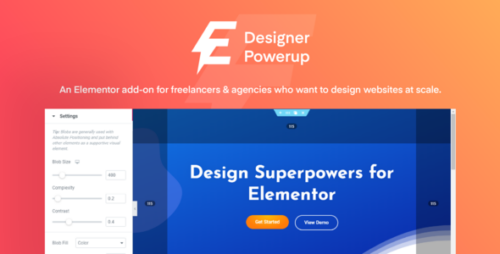
Designer Powerup for Elementor 2.2.7
Designer Powerup for Elementor Elementor has revolutionized website design for WordPress users with its intuitive drag-and-drop interface and extensive collection of pre-designed elements. However, if you’re looking to take your design capabilities to the next level, you need to explore the world of designer power-ups for Elementor. In this article, we’ll delve into the various designer power-ups available, their features, and how they can enhance your website design process. So, let’s dive in! Table of Contents Introduction to Designer Powerups Powerup 1: Advanced Typography Options Powerup 2: Custom CSS Styling Powerup 3: Animation Effects Powerup 4: Dynamic Content Powerup 5: Advanced Grid Layouts Powerup 6: Custom Widgets Powerup 7: E-commerce Integration Powerup 8: Collaborative Design Features Powerup 9: Responsive Design Controls Powerup 10: Marketing and Conversion Tools Powerup 11: Seamless Third-Party Integrations Powerup 12: SEO Optimization Features Powerup 13: Performance Optimization Conclusion 1. Introduction to Designer Powerups Designer powerups are add-ons or extensions specifically developed for Elementor to enhance its design capabilities. These powerups offer additional features and functionalities that complement Elementor’s core offerings, allowing designers to create visually stunning and highly customized websites. 2. Powerup 1: Advanced Typography Options With the advanced typography powerup, you gain access to a wide range of font styles, sizes, and effects. You can now easily create eye-catching headlines, captivating paragraphs, and stylish call-to-action buttons, all with precise control over typography elements. 3. Powerup 2: Custom CSS Styling The custom CSS styling powerup enables you to add custom CSS code directly within the Elementor editor. This allows you to fine-tune the design of individual elements and achieve pixel-perfect customization. You no longer have to rely solely on the built-in design options but can leverage your coding skills to create unique styles. 4. Powerup 3: Animation Effects Add life to your website with the animation effects powerup. You can now animate various elements, such as text, images, and buttons, to create engaging and interactive user experiences. Choose from a library of animations or create your own to captivate your visitors and make your website stand out. 5. Powerup 4: Dynamic Content The dynamic content powerup takes Elementor’s dynamic capabilities to new heights. It allows you to dynamically populate content based on user interactions, custom fields, or external sources. You can create dynamic templates for blog posts, product listings, or any other content type, making your website more dynamic and personalized. 6. Powerup 5: Advanced Grid Layouts With the advanced grid layouts powerup, you can easily create complex grid structures and showcase your content in a visually appealing manner. Whether you want to create masonry layouts, multi-column grids, or asymmetrical designs, this powerup provides you with the flexibility to bring your creative vision to life. 7. Powerup 6: Custom Widgets Expand your design possibilities with custom widgets. This powerup offers a collection of additional widgets that go beyond Elementor’s default set. From advanced sliders and interactive maps to social media integrations and testimonial carousels, these widgets enable you to add unique elements to your website effortlessly. 8. Powerup 7: E-commerce Integration For those building online stores, the e-commerce integration powerup is a game-changer. It seamlessly integrates Elementor with popular e-commerce platforms, allowing you to design and customize your product pages, shopping carts, and checkout processes. You can now create visually stunning and conversion-focused online stores without any coding. 9. Powerup 8: Collaborative Design Features Collaboration is essential in many design projects. The collaborative design powerup facilitates teamwork by providing real-time editing and commenting features within the Elementor editor. Multiple designers or clients can work together seamlessly, saving time and improving communication throughout the design process. 10. Powerup 9: Responsive Design Controls In the era of mobile-first design, responsive design controls become crucial. This powerup enhances Elementor’s responsiveness features, allowing you to customize the appearance and behavior of your website on different devices. You can optimize the layout, font sizes, and spacing for a flawless user experience across desktops, tablets, and smartphones. 11. Powerup 10: Marketing and Conversion Tools The marketing and conversion powerup equips you with tools to boost your website’s performance. From lead generation forms and countdown timers to A/B testing and analytics integrations, these features help you optimize your website for conversions and track the effectiveness of your marketing campaigns. 12. Powerup 11: Seamless Third-Party Integrations Expand the capabilities of Elementor by integrating it with third-party services and tools. This powerup allows you to connect Elementor with popular email marketing platforms, CRM systems, payment gateways, and more. Seamlessly integrate your favorite services and automate your workflows for a streamlined website management experience. 13. Powerup 12: SEO Optimization Features Improve your website’s visibility and search engine rankings with the SEO optimization powerup. It provides you with advanced SEO options, such as meta tags customization, schema markup integration, XML sitemap generation, and social media metadata control. Enhance your website’s SEO performance and attract more organic traffic. 14. Powerup 13: Performance Optimization Website speed and performance are critical factors in user experience. The performance optimization powerup helps you optimize your Elementor designs for faster loading times. It offers caching options, lazy loading for images and videos, asset optimization, and other performance-enhancing features. Keep your visitors engaged with a blazing-fast website. 15. Conclusion Designer powerups take your Elementor experience to new heights, providing you with a vast array of features and functionalities to create stunning and highly customized websites. Explore the powerups mentioned in this article and find the ones that align with your design goals and requirements. With these powerups, you’ll have the tools to create visually captivating websites that leave a lasting impression on your visitors.