Search Resources
Consultix 4.0.2 – Business Consulting WordPress Theme
Consultix – Business Consulting WordPress Theme If you are a business consultant looking to establish a strong online presence, having a professional and user-friendly website is essential. Consultix, a Business Consulting WordPress Theme, is a versatile and feature-rich option that can help you achieve just that. In this article, we will explore the various aspects of Consultix, its features, customization options, SEO optimization, and more to help you make an informed decision. The Key Features of Consultix Consultix comes packed with a range of features designed to cater specifically to business consultants. These features include: Pre-built Demo Websites: Consultix offers a selection of pre-designed websites tailored to different consulting niches. This allows you to kickstart your website with a layout that suits your business. Custom Page Builder: With the included WPBakery Page Builder, you can easily create and customize pages to match your unique branding. No coding skills are required. Appointment Booking System: For consultants who rely on appointments, Consultix provides a booking system, allowing clients to schedule meetings directly on your website. Case Studies and Blogging: Share your success stories and insights through well-designed case studies and blog sections. This not only showcases your expertise but also boosts your SEO. Customization Options Consultix is highly customizable, allowing you to tailor your website to your brand identity. You can easily change colors, fonts, and layouts to match your business aesthetics. The theme also provides a wide range of widgets and shortcodes to enhance functionality and design. SEO and Performance Optimization To ensure your website ranks well on search engines, Consultix is built with SEO best practices in mind. It’s optimized for fast loading times, which improves user experience and search engine rankings. Additionally, it’s mobile-responsive, ensuring your site looks great on any device. Integrating E-commerce Capabilities If you plan to sell services, courses, or consulting packages online, Consultix integrates seamlessly with WooCommerce, the most popular e-commerce plugin for WordPress. This enables you to set up a fully functional online store without hassle. Customer Support and Documentation Consultix offers extensive documentation and video tutorials to guide you through the setup and customization process. Furthermore, their customer support is responsive and dedicated to assisting you with any issues or inquiries. Pricing Plans Consultix offers flexible pricing plans to accommodate different budgets. You can choose from various licensing options, including a one-time purchase or an annual subscription. The theme is regularly updated, and customer support is included. User Reviews User reviews of Consultix have been overwhelmingly positive. Many users appreciate its user-friendly interface, powerful features, and the ability to create a professional online presence without the need for extensive technical knowledge. Pros and Cons of Consultix Pros: User-friendly and customizable SEO and performance-optimized E-commerce integration Excellent customer support Positive user reviews Cons: Some advanced features may require additional plugins The learning curve for beginners In conclusion, Consultix is a top-tier WordPress theme for business consultants. Its robust features, user-friendliness, and SEO optimization make it an excellent choice for those looking to establish a strong online presence. Whether you’re tech-savvy or a beginner, Consultix caters to your needs, and its positive user reviews and dedicated support add further value. So, why wait? Get Access Now: Consultix – Business Consulting WordPress Theme and take your consulting business to the next level.

Consulting 6.7.0 – Business, Finance WordPress Theme
Consulting – Business, Finance WordPress Theme Outline: Introduction to Consulting – Business, Finance WordPress Theme Features and Benefits of Consulting – Business, Finance WordPress Theme Customization Options Responsive Design SEO Optimization Integration with Popular Plugins Easy Content Management Dedicated Support and Documentation Pricing and Licensing Case Studies and Success Stories Conclusion Consulting – Business, Finance WordPress Theme Are you a business consultant or financial advisor looking to establish an online presence? Look no further than the Consulting – Business, Finance WordPress theme. With its powerful features, customization options, and user-friendly interface, this theme is tailored specifically for professionals in the consulting and finance industry. In this article, we will explore the various aspects of the Consulting – Business, Finance WordPress theme and how it can benefit your business. 1. Introduction to Consulting – Business, Finance WordPress Theme The Consulting – Business, Finance WordPress theme is a versatile and feature-rich solution designed to help consulting firms, financial advisors, and related professionals create stunning websites. Built on the popular WordPress platform, this theme offers a range of functionalities that cater to the unique needs of the consulting industry. 2. Features and Benefits of Consulting – Business, Finance WordPress Theme The Consulting – Business, Finance WordPress theme offers a wide array of features that enhance your website’s functionality and aesthetics. Let’s take a closer look at some of its key benefits: Customization Options: The theme provides extensive customization options, allowing you to personalize your website to align with your brand identity. You can easily customize the colors, fonts, layouts, and more to create a unique online presence. Responsive Design: In today’s mobile-driven world, it is crucial for websites to be responsive and mobile-friendly. The Consulting – Business, Finance WordPress theme ensures that your website looks great and functions seamlessly across all devices, including smartphones and tablets. SEO Optimization: The theme is designed with search engine optimization (SEO) best practices in mind. It helps improve your website’s visibility in search engine results, making it easier for potential clients to find your business online. Integration with Popular Plugins: The Consulting – Business, Finance WordPress theme seamlessly integrates with popular plugins, providing you with additional functionality and flexibility. Whether you need to add contact forms, social media sharing buttons, or e-commerce capabilities, this theme has got you covered. Easy Content Management: Managing your website’s content is a breeze with the Consulting – Business, Finance WordPress theme. Its intuitive interface allows you to create and update pages, publish blog posts, and showcase your services effortlessly. 3. Dedicated Support and Documentation As a user of the Consulting – Business, Finance WordPress theme, you can expect dedicated support from the theme’s developers. They provide timely assistance and guidance, ensuring that you can make the most out of your website. Additionally, comprehensive documentation is available to help you navigate through the theme’s features and functionalities. 4. Pricing and Licensing The Consulting – Business, Finance WordPress theme offers flexible pricing and licensing options. You can choose from different packages based on your requirements and budget. Whether you are a solo consultant or a large consulting firm, there is a pricing plan suitable for your needs. 5. Case Studies and Success Stories The Consulting – Business, Finance WordPress theme has been successfully used by numerous professionals in the consulting and finance industry. It has helped businesses establish a strong online presence and attract new clients. The theme’s website features case studies and success stories, highlighting how it has made a positive impact on various businesses. Conclusion The Consulting – Business, Finance WordPress theme is a powerful tool for consultants and financial advisors looking to create a professional and engaging online presence. With its customization options, responsive design, SEO optimization, and seamless integration with popular plugins, this theme offers everything you need to showcase your expertise and attract clients. Don’t miss out on the opportunity to take your consulting business to new heights with the Consulting – Business, Finance WordPress theme.
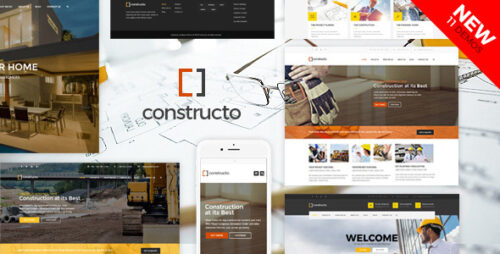
Constructo 4.3.9 – Construction WordPress Theme
Constructo – Construction WordPress Theme Are you in the construction business and looking to create a professional website to showcase your work? Look no further than Constructo – a powerful and versatile Construction WordPress theme designed specifically for construction companies, contractors, and builders. With its impressive features and user-friendly interface, Constructo makes it easy to create a visually appealing and functional website that will leave a lasting impression on your visitors. In this article, we will explore the key features and benefits of Constructo and how it can help take your construction business to new heights. Table of Contents Introduction to Constructo Responsive Design and Mobile Optimization Customizable Layout and Styling Options Advanced Project Showcase Built-in Cost Calculator Seamless Integration with WooCommerce Search Engine Optimization (SEO) Friendly Extensive Documentation and Support Conclusion 1. Introduction to Constructo Constructo is a premium Construction WordPress theme developed with the specific needs of the construction industry in mind. It offers a comprehensive set of features and tools that empower construction companies to create a professional online presence and effectively showcase their projects, services, and expertise. 2. Responsive Design and Mobile Optimization In today’s mobile-driven world, it is crucial for websites to be responsive and optimized for mobile devices. Constructo understands this need and ensures that your website looks stunning and functions seamlessly across all screen sizes and devices. Whether your visitors are browsing on a desktop, laptop, tablet, or smartphone, they will have a consistent and enjoyable user experience. 3. Customizable Layout and Styling Options With Constructo, you have full control over the appearance and layout of your website. The theme provides a wide range of customization options, allowing you to choose from multiple pre-designed layouts, color schemes, fonts, and more. You can easily personalize your website to match your brand identity and create a unique online presence that stands out from the competition. 4. Advanced Project Showcase One of the highlights of Constructo is its advanced project showcase feature. This feature allows you to highlight your completed projects and ongoing works in an elegant and visually appealing manner. You can showcase project details, including project descriptions, images, videos, client testimonials, and more. This not only helps you impress potential clients but also gives them a clear idea of your capabilities and the quality of your work. 5. Built-in Cost Calculator Estimating project costs is an essential part of the construction business. Constructo simplifies this process by offering a built-in cost calculator. This tool allows your clients to get an estimate of the project cost based on their requirements. By providing a transparent and convenient cost estimation feature, you can build trust with your potential clients and streamline your business operations. 6. Seamless Integration with WooCommerce If you offer construction-related products or services for sale, Constructo seamlessly integrates with WooCommerce, the leading e-commerce platform for WordPress. You can effortlessly set up an online store and start selling your products directly from your website. This integration makes it convenient for your clients to explore and purchase your offerings, further enhancing your business revenue. 7. Search Engine Optimization (SEO) Friendly Constructo is built with SEO best practices in mind, ensuring that your website has a higher chance of ranking well in search engine results. It utilizes clean and optimized code, fast loading times, and supports popular SEO plugins. By having an SEO-friendly website, you can improve your online visibility, attract more organic traffic, and generate leads for your construction business. 8. Extensive Documentation and Support Constructo comes with comprehensive documentation that guides you through the process of setting up and customizing your website. Additionally, the theme developer provides dedicated support to address any questions or issues you may encounter along the way. You can rely on their expertise to ensure that your website functions flawlessly and meets your specific requirements. 9. Conclusion In conclusion, Constructo is a powerful Construction WordPress theme that offers a wide range of features and customization options to help you create an impressive website for your construction business. With its responsive design, advanced project showcase, built-in cost calculator, seamless WooCommerce integration, and SEO-friendly nature, Constructo empowers you to establish a strong online presence, attract more clients, and grow your construction business.

Complianz Privacy Suite 7.5.3 – GDPR and CCPA
Complianz Privacy Suite – GDPR and CCPA In the ever-evolving landscape of online data privacy regulations, businesses face a daunting task – staying compliant with the General Data Protection Regulation (GDPR) and the California Consumer Privacy Act (CCPA). These regulations are designed to protect the personal data of individuals, and non-compliance can result in hefty fines. To navigate this complex terrain, many businesses turn to tools like the Complianz Privacy Suite. In this article, we’ll delve into the world of GDPR, CCPA, and how Complianz Privacy Suite can be your trusty companion in achieving compliance. Understanding GDPR and CCPA What is GDPR? The GDPR, or General Data Protection Regulation, is a comprehensive data protection law that came into effect in May 2018. It applies not only to businesses within the European Union but also to any organization that processes the personal data of EU residents. GDPR sets strict guidelines for how personal data should be collected, processed, and protected. CCPA – A Brief Overview On the other side of the Atlantic, in sunny California, the CCPA, or California Consumer Privacy Act, holds sway. Enacted in 2020, it grants Californian residents extensive rights over their personal data. It’s a landmark piece of legislation that impacts businesses far beyond the state’s borders. The Challenges of Compliance Navigating the GDPR Maze GDPR compliance can be a perplexing maze. Businesses must appoint a Data Protection Officer, implement strict consent mechanisms, and ensure data breaches are promptly reported. The consequences of non-compliance can be financially crippling. CCPA’s Complex Terrain CCPA, with its intricate web of consumer rights, can leave businesses scratching their heads. It demands that companies disclose what data they collect and for what purposes, allowing consumers to opt out of the sale of their personal information. Introducing Complianz Privacy Suite What Is Complianz Privacy Suite? Complianz Privacy Suite is a robust and user-friendly WordPress plugin designed to simplify GDPR and CCPA compliance. It streamlines the process of making your website and online business activities align with these stringent regulations. Features at a Glance Let’s take a closer look at some of the standout features of Complianz Privacy Suite: 1. Cookie Consent Management Complianz Privacy Suite offers intuitive tools for managing cookie consent on your website. With customizable banners and pop-ups, you can inform users about the cookies your site uses and obtain their consent. 2. Privacy Policy Generator Creating a compliant privacy policy can be a daunting task. Complianz Privacy Suite simplifies this with its automated privacy policy generator. It tailors the policy to your website’s specific data processing activities. 3. Data Processing Records Under GDPR, maintaining records of data processing activities is crucial. Complianz Privacy Suite provides an easy-to-use system for documenting these activities, ensuring transparency and accountability. 4. Cookie Scan and Blocking Worried about third-party cookies? The plugin’s built-in scanner identifies and blocks cookies that could compromise user privacy, helping you stay in compliance. 5. Consent Logs Complianz Privacy Suite keeps a detailed record of user consent. This can be a lifesaver in case you need to prove compliance to authorities. How Complianz Privacy Suite Works Installation and Configuration Getting started with Complianz Privacy Suite is a breeze. After installation, you can configure the plugin to align with your website’s specific needs. It’s designed with user-friendliness in mind, ensuring that even non-tech-savvy individuals can use it effectively. Cookie Consent in Action Once configured, the plugin takes care of displaying cookie consent banners to your site’s visitors. Users can easily grant or deny consent, putting control over their data in their hands. Automated Privacy Policy The privacy policy generator saves you hours of painstaking work. It generates a comprehensive policy that covers all necessary GDPR and CCPA requirements, so you can focus on your business. Why Choose Complianz Privacy Suite? Simplicity and Compliance Complianz Privacy Suite combines simplicity and compliance, making it the ideal choice for businesses seeking a hassle-free way to adhere to GDPR and CCPA. Continuous Updates Privacy regulations are constantly evolving. With Complianz Privacy Suite, you can rest easy knowing that updates are rolled out regularly to keep your compliance up-to-date. Expert Support Worried about navigating the complexities of GDPR and CCPA? The Complianz team provides expert support to guide you through any compliance challenges. Conclusion In the world of online business, data privacy compliance is not a choice – it’s a necessity. GDPR and CCPA regulations demand unwavering adherence. Complianz Privacy Suite offers a lifeline for businesses, simplifying the compliance journey and providing the tools needed to protect user data. So, whether you’re a small blog owner or a large e-commerce site, don’t let compliance complexities hold you back. Embrace Complianz Privacy Suite, and ensure that your online presence is not only legally sound but also user-friendly.
ConFix 1.0.7 – Expo & Events WordPress Theme
ConFix – Expo & Events WordPress Theme: A Perfect Choice for Your Event Website Planning and organizing an expo or event requires meticulous attention to detail and an efficient platform to showcase your plans. In the digital age, having a captivating online presence is crucial for the success of any event. This is where ConFix, a dynamic Expo & Events WordPress Theme, steps in to offer an all-in-one solution for event organizers. With its user-friendly interface, customizable features, and stunning design, ConFix is set to revolutionize the way events are showcased and managed online. Key Features of ConFix WordPress Theme With ConFix, your event website will stand out from the crowd due to its exceptional features: Customization Options for Unique Branding ConFix allows you to tailor your website to reflect your event’s branding effortlessly. From color schemes to typography, every element is customizable, ensuring consistency with your event’s identity. Responsive Design for All Devices In today’s mobile-driven world, having a responsive website is non-negotiable. ConFix ensures your website looks and functions flawlessly across various devices, enhancing user experience and engagement. Simplified Event Management Gone are the days of complicated event management. ConFix offers an intuitive dashboard where you can effortlessly manage event schedules, speakers, sponsors, and more, all in one place. Integration of Booking and Registration Streamline the registration process with ConFix’s built-in booking and registration system. Attendees can secure their spots conveniently, while you can keep track of the numbers effortlessly. Interactive User Experience ConFix goes beyond static websites by incorporating interactive elements like countdown timers, interactive maps, and image galleries. This keeps visitors engaged and excited about your upcoming event. Optimized Performance for Seamless Browsing Slow-loading websites deter potential attendees. ConFix’s optimized performance ensures quick page loads, minimizing bounce rates and maximizing user satisfaction. SEO Best Practices for High Visibility What good is a website if it’s not visible? ConFix is designed with SEO best practices in mind, boosting your event’s visibility on search engines and driving organic traffic. Social Media Integration for Wider Reach Harness the power of social media by seamlessly integrating your event’s social profiles into the website. This extends your event’s reach and encourages attendees to share their excitement. Security Measures to Safeguard Your Event Security is paramount, especially when dealing with attendee information. ConFix implements robust security measures to safeguard sensitive data and provide a safe browsing experience. Constant Customer Support and Updates Worried about navigating the technicalities? ConFix’s dedicated customer support ensures you’re never alone on this journey. Plus, regular updates keep your website up-to-date with the latest features. Why ConFix is Ahead of the Curve In a rapidly evolving digital landscape, ConFix stands out as a future-ready solution for event websites. Its blend of stunning design, intuitive functionality, and unwavering security makes it the go-to choice for event organizers who want to leave a lasting impression. Conclusion With ConFix – Expo & Events WordPress Theme, the power to create an impactful event website is at your fingertips. Its user-centric features, customization options, and dedication to performance set it apart in the world of event management. Don’t miss the opportunity to elevate your event’s online presence and captivate your audience from the moment they land on your website.

Consa – Insurance Elementor Template Kit
Consa – Insurance Elementor Template Kit Consa – Insurance Elementor Template Kit. This template kit is fully responsive, clean, and customizable. This template is suitable for use in businesses, such as insurance agents, finance businesses, financial agents, insurance consultants, and others. This is not a WordPress theme. Elementor Kit contains page content for the Elementor page builder. This kit has been optimized for use with the free Hello Elementor theme but may be used with most themes that support Elementor. Kit Features: Using Free Plugins (Elementor Pro is not required) Modern & Clean Design Responsive Layout Customizable No Coding Required Ready Templates: Header Footer Contact Form Newsletter Form Home About Services Team Pricing FAQs 404 Page Contact Case Study Single Case Study
Comment and Review Spam Control for WooCommerce 1.3.1
Comment and Review Spam Control for WooCommerce Introduction In the digital age, online reviews and comments play a crucial role in influencing consumer decisions. For businesses using the WooCommerce platform, managing comment and review spam is of utmost importance. This article delves into effective strategies and techniques to control comment and review spam for WooCommerce users, ensuring a trustworthy and valuable user experience. Table of Contents Understanding the Importance of Spam Control Implementing CAPTCHA for Comment and Review Forms Utilizing Akismet for Automated Spam Detection Moderation and Approval Workflow Leveraging User Registration and Login Systems Customizing Comment and Review Settings Installing Anti-Spam Plugins Regularly Updating WooCommerce and Plugins Monitoring and Analyzing Spam Patterns Educating Users about Comment Guidelines Employing IP Blocking and Blacklisting Handling False Positives Using Content Filtering and Keyword Moderation Leveraging Artificial Intelligence and Machine Learning The Role of Manual Intervention Understanding the Importance of Spam Control In an online marketplace like WooCommerce, comment and review spam can undermine the credibility of businesses and deter potential customers. Genuine feedback from real users is invaluable, but spammy and malicious content can tarnish the reputation of a business and mislead other customers. Therefore, implementing effective spam control measures is essential to maintain trust, credibility, and a positive user experience. Implementing CAPTCHA for Comment and Review Forms One of the simplest and widely used methods to combat automated spam is to integrate CAPTCHA (Completely Automated Public Turing test to tell Computers and Humans Apart) into comment and review forms. CAPTCHA presents challenges or puzzles that humans can easily solve but are difficult for bots. By requiring users to prove their humanity through CAPTCHA, businesses can significantly reduce the amount of spam submissions. Utilizing Akismet for Automated Spam Detection WooCommerce users can benefit from utilizing the Akismet plugin, which is designed to detect and filter spam comments and reviews automatically. Akismet uses advanced algorithms and a vast database of spam patterns to analyze content and identify potential spam. This plugin assigns a spam score to each comment or review, allowing users to review and moderate them accordingly. Moderation and Approval Workflow Enabling comment and review moderation is an effective way to prevent spam from appearing publicly on a WooCommerce website. By configuring moderation settings, businesses can review and approve or reject comments and reviews before they are published. This manual intervention ensures that only genuine and valuable feedback is displayed, while spammy content is kept at bay. Leveraging User Registration and Login Systems Implementing user registration and login systems can significantly reduce comment and review spam. By requiring users to create accounts and log in before leaving feedback, businesses create an additional layer of authentication. This process deters spam bots and encourages genuine users to engage with the website. Customizing Comment and Review Settings WooCommerce provides customizable settings for comments and reviews. Businesses should take advantage of these options to set criteria for comment length, HTML usage, and link restrictions. By configuring these settings, businesses can filter out spammy content and ensure that comments and reviews meet specific guidelines. Installing Anti-Spam Plugins In addition to Akismet, several other anti-spam plugins are available for WooCommerce. These plugins employ various methods to identify and block spam submissions, such as analyzing user behavior, utilizing blacklists, and implementing advanced filtering techniques. Installing a reliable anti-spam plugin can provide an extra layer of protection against comment and review spam. Regularly Updating WooCommerce and Plugins Keeping the WooCommerce platform and installed plugins up to date is crucial for maintaining optimal security and spam control. Developers frequently release updates that address vulnerabilities and improve spam detection mechanisms. By staying updated, businesses can leverage the latest advancements in spam control technology. Monitoring and Analyzing Spam Patterns To stay one step ahead of spammers, businesses should monitor and analyze spam patterns regularly. By studying the types of spam content received, the frequency of attacks, and the tactics employed, businesses can fine-tune their spam control strategies. This proactive approach enables businesses to adapt and counter emerging spam techniques effectively. Educating Users about Comment Guidelines Setting clear guidelines for leaving comments and reviews can educate users and discourage spammy behavior. By providing instructions on what constitutes valuable feedback and what is considered spam, businesses can guide users towards meaningful contributions. Communicating these guidelines effectively enhances the overall quality of comments and reviews received. Employing IP Blocking and Blacklisting Blocking or blacklisting IP addresses associated with spam activities can significantly reduce comment and review spam. WooCommerce users can utilize security plugins or firewall settings to restrict access from suspicious or known spamming IP addresses. This approach helps in preventing malicious users or bots from submitting spam content. Handling False Positives While implementing spam control measures, it’s essential to address false positives. False positives occur when legitimate comments or reviews are incorrectly flagged as spam. Businesses should regularly review and whitelist genuine content that may have been flagged mistakenly. This ensures that valuable feedback from users is not inadvertently discarded. Using Content Filtering and Keyword Moderation Content filtering and keyword moderation are effective methods for identifying and blocking spam content. By specifying a list of keywords commonly used in spam submissions, businesses can automatically filter out or flag potential spam. Additionally, businesses can leverage content filtering plugins that analyze comments and reviews for suspicious patterns and characteristics. Leveraging Artificial Intelligence and Machine Learning Advancements in artificial intelligence (AI) and machine learning (ML) have made significant contributions to spam control. AI-powered algorithms can detect complex spam patterns, adapt to evolving techniques, and continuously improve accuracy. Integrating AI and ML technologies into spam control systems can enhance the effectiveness of detecting and preventing comment and review spam. The Role of Manual Intervention Despite the implementation of automated spam control measures, manual intervention remains crucial. Human moderators can review flagged content, assess false positives, and handle nuanced situations. The human element ensures that the context and intent of comments and reviews are accurately evaluated, contributing to a more nuanced and comprehensive spam control system. Conclusion Managing comment and review spam is a vital aspect of maintaining trust and credibility in the WooCommerce ecosystem. By implementing a combination of automated and manual spam control measures, businesses can create a safe and valuable user experience. From utilizing CAPTCHA and anti-spam plugins to customizing settings and leveraging AI, WooCommerce users have a wide range of tools and strategies at their disposal. By adapting to evolving spam techniques and staying vigilant, businesses can effectively combat comment and review spam, ensuring the authenticity and reliability of user feedback.
Coming Soon & Maintenance Mode PRO 6.57
Coming Soon & Maintenance Mode PRO: Engage Your Audience with Professional Pages In the fast-paced digital world, maintaining your website’s integrity is crucial. Whether you’re launching a new website or performing updates, you need to keep your audience engaged and informed during downtime. This is where a “Coming Soon & Maintenance Mode PRO” plugin comes into play. The Significance of a Coming Soon Page When you’re about to unveil a new website or make significant changes, it’s essential to create anticipation among your visitors. A “Coming Soon” page is an effective tool to build excitement and curiosity. It provides a sneak peek of what’s to come, encouraging users to return when your site is live. Benefits of Using a Maintenance Mode Page During routine maintenance, your website may experience temporary unavailability. Instead of showing error messages, a “Maintenance Mode” page conveys a more professional image. It assures users that you’re working on improving their experience and will be back shortly, reducing bounce rates and frustration. Key Features of a Coming Soon & Maintenance Mode Plugin A quality Coming Soon & Maintenance Mode plugin offers a suite of features: Customizable Templates: You can create a page that reflects your brand and message. Countdown Timers: Build excitement by displaying the time remaining until the launch or maintenance completion. Email Capture Forms: Gather visitor emails for future communication. Social Media Integration: Promote your social profiles and increase your following. SEO Options: Ensure your “Coming Soon” or “Maintenance Mode” page is search engine friendly. Access Control: Grant access to specific users or IP addresses. Mobile Responsiveness: Adapt to all devices for a seamless user experience. How to Set Up a Coming Soon Page Setting up a “Coming Soon” page is simple with the right plugin. Most plugins offer user-friendly interfaces, allowing you to customize the page’s design, text, and imagery. You can also schedule when the page goes live and automatically switch to the main website once it’s ready. Customization Options Your “Coming Soon” or “Maintenance Mode” page should align with your brand identity. Customization options enable you to choose colors, fonts, and layouts that represent your style. Make it engaging and memorable. The Importance of SEO During Maintenance Even when your website is under maintenance, you shouldn’t ignore SEO. A professional “Maintenance Mode” page allows you to add SEO metadata, ensuring that search engines understand your temporary situation. This can help maintain your search rankings. Integrations and Compatibility Compatibility with other plugins and tools is vital. The “Coming Soon & Maintenance Mode PRO” plugin should seamlessly integrate with your content management system (CMS), e-commerce platform, or other essential tools. This ensures a smooth experience for both you and your users. Real-Life Examples Let’s look at a few real-life examples of websites effectively using “Coming Soon” and “Maintenance Mode” pages. These showcase how diverse industries benefit from this strategy, from e-commerce stores to blogs. User Feedback User feedback is invaluable for improvement. A good plugin should offer analytics and user feedback collection features. This data can help you refine your “Coming Soon” and “Maintenance Mode” pages for future use. Pricing Plans Considering your budget is crucial. Most plugins offer various pricing plans to accommodate different needs. Assess your requirements and choose a plan that suits your goals and budget. Conclusion In the ever-evolving digital landscape, maintaining a website’s functionality and engagement is paramount. “Coming Soon & Maintenance Mode PRO” plugins empower you to keep your audience informed and excited, whether you’re launching a new site or making necessary updates.

Coins MarketCap 5.6.4 – WordPress Cryptocurrency Plugin
Coins MarketCap – WordPress Cryptocurrency Plugin The Coins MarketCap Plugin is a comprehensive solution for WordPress websites focused on cryptocurrency markets. This plugin allows site owners to display live cryptocurrency prices, market data, and other relevant statistics directly on their website. Whether you’re running a blog, news site, or financial platform, Coins MarketCap enhances user engagement by providing real-time crypto insights. What Is the Coins MarketCap Plugin? Overview Coins MarketCap is a WordPress plugin that integrates cryptocurrency market data from reliable sources like CoinGecko or CoinMarketCap. It enables you to showcase up-to-date information about cryptocurrency prices, market caps, trading volumes, and trends in customizable formats. Purpose The plugin is designed to keep cryptocurrency enthusiasts informed while boosting your website’s functionality and user engagement. It’s an essential tool for websites in the finance, blockchain, or cryptocurrency niches. Key Features 1. Real-Time Cryptocurrency Data Fetch live data for thousands of cryptocurrencies, including prices, market caps, and volume. 2. Interactive Charts and Graphs Display historical price trends, market movements, and trading patterns using customizable charts. 3. Coin Listings Table Create a sortable, searchable table to showcase top-performing cryptocurrencies with real-time updates. 4. Customizable Widgets Add crypto price tickers, market stats, or specific coin data to your website’s sidebars, headers, or footers. 5. Multi-Currency Support Display prices in various fiat currencies, including USD, EUR, GBP, and more. 6. API Integration Fetch data from leading cryptocurrency APIs like CoinMarketCap or CoinGecko for accurate and reliable market information. 7. Portfolio Tracker Allow users to track their cryptocurrency investments with a built-in portfolio feature. 8. Dark and Light Modes Switch between light and dark themes for charts and tables to match your website’s aesthetics. 9. Responsive Design Ensure cryptocurrency data displays perfectly on all devices, including desktops, tablets, and smartphones. 10. Multi-Language Support Translate data and interface elements using WPML or other translation plugins to cater to a global audience. Benefits of Using Coins MarketCap 1. Engage Your Audience Real-time crypto data attracts and retains visitors, keeping them informed and engaged. 2. Enhance Website Functionality Transform your WordPress site into a go-to platform for cryptocurrency news, analysis, and tools. 3. Increase SEO Rankings Dynamic, data-rich pages improve user experience, potentially boosting search engine rankings. 4. Build User Trust Provide accurate and up-to-date information to establish credibility with your audience. 5. Monetization Opportunities Use widgets and tables to create affiliate links or promote trading platforms for revenue generation. How to Set Up Coins MarketCap Plugin Step 1: Install and Activate Download the plugin from the WordPress repository or a trusted source. Install and activate it via your WordPress dashboard. Step 2: Configure API Settings Connect the plugin to a cryptocurrency API like CoinGecko or CoinMarketCap by entering your API key in the plugin settings. Step 3: Choose Display Options Decide whether to display price tickers, charts, or coin tables. Customize the layout and data fields based on your preferences. Step 4: Add Widgets or Shortcodes Use the provided widgets or shortcodes to place cryptocurrency data on your website pages, sidebars, or posts. Step 5: Test and Optimize Preview your site to ensure data displays correctly. Optimize settings to match your site’s branding and performance requirements. Use Cases for Coins MarketCap Plugin 1. Financial Blogs Provide live crypto data alongside articles to offer value to readers interested in blockchain and cryptocurrency. 2. Crypto News Websites Keep your audience updated with real-time market trends and statistics. 3. Trading Platforms Enhance user trust by displaying accurate and timely cryptocurrency data. 4. Portfolio Management Sites Help users track their investments and monitor portfolio performance. 5. Educational Platforms Use charts and historical data to teach users about cryptocurrency trends and analysis. Comparing Coins MarketCap with Alternatives Feature Coins MarketCap CryptoWP CoinPress Real-Time Data Yes Yes Yes API Integration Yes Yes Limited Portfolio Tracking Yes No No Interactive Charts Yes No Yes Customization High Moderate Moderate Pricing Affordable Premium Premium Tips to Maximize the Plugin’s Potential Place widgets or tables on high-traffic pages to attract and retain users. Optimize your website’s SEO by including relevant keywords and metadata in cryptocurrency content. Use affiliate links within crypto data tables to monetize your site. Regularly update your API key and settings to ensure data accuracy. Conclusion The Coins MarketCap Plugin is an essential tool for WordPress websites focusing on cryptocurrency. Its real-time data, customizable features, and seamless API integration make it a versatile solution for engaging and retaining users. Whether you’re running a crypto news site, a trading platform, or an educational blog, this plugin helps you provide value and credibility to your audience.
Collab – Online Courses Elementor Template Kit
Collab – Online Courses Elementor Template Kit The Collab was created for your Online Learning Platform, Online Education, Online School to learn programming, marketing, data science and other. The Template includes 2 home pages, course list, grid, course details, events, mentor page and blog. Collab Template was created based on the latest trends in design style and typography choices Pages Single Post About Archive Contacts Course Details 1 Course Details 2 Error 404 Event Detail Events Faq Grid Home 1 Home 2 List Mentors Single Mentor Sections Section Benefits Section Companies Section Contacts With Map Section Course Cards List Section Course Content Tabs Section Course Content Toggle Section Course Discount Section Course Information With Cards Right Side Section Courses Cards Grid Section Courses Cards With Shadow Section Event Description With Gallery Spekers Section Event Description With Shledule Section Event Details Right Side Section Event Title Section Events 2 Column Section Events Cards Section Events Right Side Section Faq 2 Column Section Form Center Align Section Form Right Side Section Hero 2 Section Icons With Text Section Image Left Side With Text Section Image With List Section Mentor Information Section Mentors Cards Section Numbers Section Page Title For Course Details Section Page Title With Button Section Page Title With Search Section Posts Section Prices Section Quote Section Sidebar Blog Section Sidebar Course Details Section Sidebar Courses Section Steps Section Testimonials Section Video Section With Images Right Side Header Footer Burger Menu Features of Collab Template Global Theme Styles included 60 Elementor Templates 100% Fluid Responsive Clean and Simple Style Easy to Use and Customize All major browsers supported Chrome, Firefox, Safari, Edge, Opera Free Google Fonts Used Tested in Color Blindness Simulator 100% SEO Friendly Optimized for Elementor Pro The template is organized and structured, making it easy to customize all its parts, change the background and color, and manage global typography.

Coiffeur 5.6 – Hair Salon WordPress Theme
Coiffeur – Hair Salon WordPress Theme Table of Contents Introduction Features of the Coiffeur – Hair Salon WordPress Theme How to Install and Customize the Theme Creating a Stunning Hair Salon Website Optimizing Your Hair Salon Website for SEO Importance of Responsive Design Integrating Online Booking System Showcasing Hair Salon Services and Portfolio Building a Strong Social Media Presence Maintaining a Blog for Your Hair Salon Enhancing User Experience with Interactive Elements Increasing Website Speed and Performance Importance of Regular Website Maintenance Tracking and Analyzing Website Performance Conclusion Introduction In the digital era, having an attractive and functional website is crucial for the success of any business, including hair salons. A well-designed website not only serves as an online presence but also helps in attracting new customers and showcasing the services provided. Coiffeur – Hair Salon WordPress Theme is an excellent choice for creating a professional and visually appealing website for hair salons. Features of the Coiffeur – Hair Salon WordPress Theme The Coiffeur theme offers a wide range of features specifically tailored for hair salons: Responsive Design: The theme is fully responsive, ensuring that your website looks great on all devices, including desktops, tablets, and mobile phones. Customizable Layout: With Coiffeur, you have full control over the layout of your website. You can easily customize the homepage, headers, footers, and other elements to match your salon’s branding. Online Booking System: The theme comes with integrated support for online booking. This feature allows your clients to schedule appointments directly through your website, making it convenient for both you and your customers. Service and Portfolio Showcase: Coiffeur provides elegant templates to showcase your salon’s services and portfolio. You can display high-quality images of your work, creating an impressive visual representation of your expertise. Social Media Integration: The theme seamlessly integrates with popular social media platforms, enabling you to promote your salon and engage with your audience effectively. Blog Functionality: Coiffeur includes a built-in blog, allowing you to share hair care tips, style trends, and other relevant content. Maintaining an active blog can help establish your salon as an authority in the industry and drive organic traffic to your website. Interactive Elements: The theme offers various interactive elements, such as sliders, galleries, and animations, to enhance user experience and make your website more engaging. SEO Optimization: Coiffeur is designed with SEO best practices in mind. It provides options to optimize your website’s meta tags, headings, and content, helping you improve your search engine rankings and attract more organic traffic. How to Install and Customize the Theme Installing and customizing the Coiffeur – Hair Salon WordPress Theme is a straightforward process: Installation: Log in to your WordPress dashboard and navigate to “Appearance” > “Themes.” Click on the “Add New” button and search for “Coiffeur.” Install and activate the theme. Import Demo Content: Coiffeur offers demo content that you can import to quickly set up your website. Follow the theme’s documentation to import the demo content and customize it to match your branding. Customization: Access the theme’s customization options by going to “Appearance” > “Customize.” Here, you can modify various aspects of your website, including colors, typography, layouts, and more. Content Creation: Use the WordPress editor to create pages and posts for your website. Leverage the available templates and blocks provided by the Coiffeur theme to showcase your salon’s services and portfolio effectively. Plugins and Integrations: Enhance the functionality of your website by installing and configuring relevant plugins. For example, you can integrate an online booking system, social media sharing buttons, and SEO plugins. Creating a Stunning Hair Salon Website When creating a hair salon website using the Coiffeur theme, it’s essential to consider the following elements: H1: Design and Branding A visually appealing design that reflects your salon’s branding is crucial. Choose an appropriate color scheme, typography, and imagery that aligns with your salon’s identity and appeals to your target audience. H2: Clear Navigation Ensure that your website has a clear and intuitive navigation structure. Visitors should be able to find the information they need easily. Use clear headings and subheadings to guide users through your website. H2: High-Quality Images Invest in professional photography to showcase your salon’s services. High-quality images create a positive impression and give potential customers a glimpse of the experience they can expect. H2: Compelling Call-to-Action Include clear and persuasive call-to-action buttons throughout your website. For example, “Book an Appointment,” “Learn More,” or “Contact Us.” These buttons encourage visitors to take action and engage with your salon. H2: Testimonials and Reviews Display customer testimonials and positive reviews to build trust and credibility. Potential customers are more likely to choose your salon if they see positive feedback from satisfied clients. Optimizing Your Hair Salon Website for SEO To ensure that your hair salon website ranks well in search engine results, follow these SEO optimization tips: H2: Keyword Research Conduct thorough keyword research to identify relevant keywords and phrases related to your salon’s services. Incorporate these keywords naturally throughout your website’s content. H2: Meta Tags Optimization Optimize your website’s meta tags, including the title tag and meta description. These tags provide concise information about your salon and can significantly impact your click-through rate from search engine results. H2: Content Optimization Create high-quality, informative, and engaging content for your website. Incorporate your target keywords naturally within the content while ensuring it reads well for human visitors. H2: Link Building Build a network of quality backlinks to your website. Seek opportunities to collaborate with other businesses or industry influencers for guest blogging or joint promotional activities. H2: Local SEO If your hair salon serves a specific location, optimize your website for local SEO. Include your salon’s address, phone number, and business hours on your website. Also, create a Google My Business listing to improve your visibility in local search results. Importance of Responsive Design In today’s mobile-centric world, having a responsive website design is crucial. With the Coiffeur theme, your hair salon website will automatically adapt to different screen sizes and devices, ensuring a seamless user experience for all visitors. Integrating Online Booking System Coiffeur’s built-in support for an online booking system makes it easy for your clients to schedule appointments directly through your website. Streamlining the booking process enhances customer convenience and helps in efficiently managing your salon’s schedule. Showcasing Hair Salon Services and Portfolio Use the pre-designed templates and portfolio options provided by the Coiffeur theme to showcase your salon’s services and portfolio. High-quality images and detailed descriptions will give potential customers an insight into the range of services you offer and the quality of your work. Building a Strong Social Media Presence Integrate your social media accounts with your hair salon website. Use the Coiffeur theme’s social media integration features to display social media buttons, share content, and encourage visitors to follow your salon on platforms like Facebook, Instagram, and Twitter. Maintaining a Blog for Your Hair Salon Leverage the built-in blog functionality of the Coiffeur theme to maintain an active blog for your hair salon. Regularly publish informative and engaging blog posts related to hair care tips, style trends, and industry news. This helps in establishing your salon as an authority and can attract organic traffic to your website. Enhancing User Experience with Interactive Elements Coiffeur provides various interactive elements that can enhance user experience on your website. Use sliders, galleries, animations, and other interactive features to engage visitors and create an immersive browsing experience. Increasing Website Speed and Performance Optimize your hair salon website for speed and performance to provide a seamless browsing experience. Compress images, enable caching, and leverage Content Delivery Networks (CDNs) to reduce page load times and improve overall performance. Importance of Regular Website Maintenance Regularly update your website’s content, plugins, and themes to ensure optimal performance and security. Additionally, perform regular backups to safeguard your data and restore your website in case of any unforeseen issues. Tracking and Analyzing Website Performance Use tools like Google Analytics to track and analyze the performance of your hair salon website. Monitor metrics such as website traffic, user engagement, and conversions. This data can provide valuable insights and help you make informed decisions to improve your website’s effectiveness. Conclusion Coiffeur – Hair Salon WordPress Theme offers a comprehensive solution for creating a stunning and functional website for your hair salon. With its responsive design, customizable features, and built-in support for online booking and social media integration, you can effectively showcase your salon’s services, engage with your audience, and attract new customers. Remember to optimize your website for SEO, provide high-quality content, and regularly maintain and update your website to ensure its success in the long run.

Coch – Business Coach Elementor Template Kit
Coch is a clean, modern, and creative portfolio design Template Kit. it is designed for coach, personal teaching, courses, speaker, trainer, psychologist and mentor. or business who wants to showcase their work, services and professional way. Templates : Homepage 1 About Programs Single Program News Single News Faq 404 Page Contact Required Plugins : Elementor (Free) Elementor – Header, Footer & Blocks MetForm PowerPack Lite for Elementor